
StanzaBraid: Aggiungi sottotitoli ai video
Aggiungi i sottotitoli al video
Gratuito · Funziona offline · I tuoi dati rimangono nel tuo browser · Edge
/ Screenshot
/ Informazioni su StanzaBraid: Add Video Subtitles
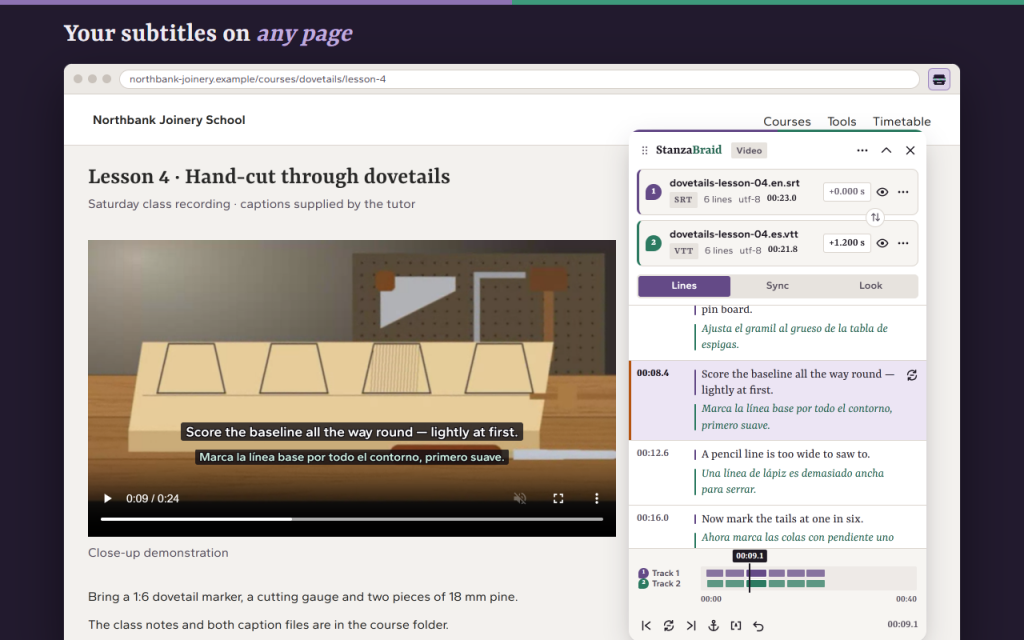
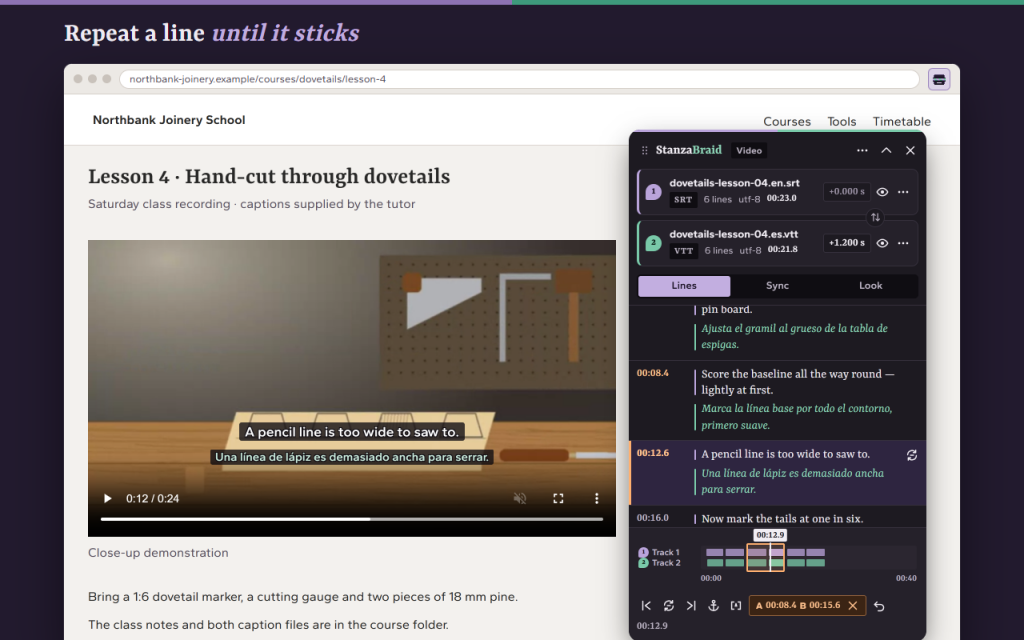
StanzaBraid lets you add subtitles to video you are already watching: pick the HTML5 player on the page, load your own SRT or VTT file, and the captions appear over it. Add a second file to read two languages at once.
- Load an SRT or VTT file with the file picker or drop it straight onto the track card.
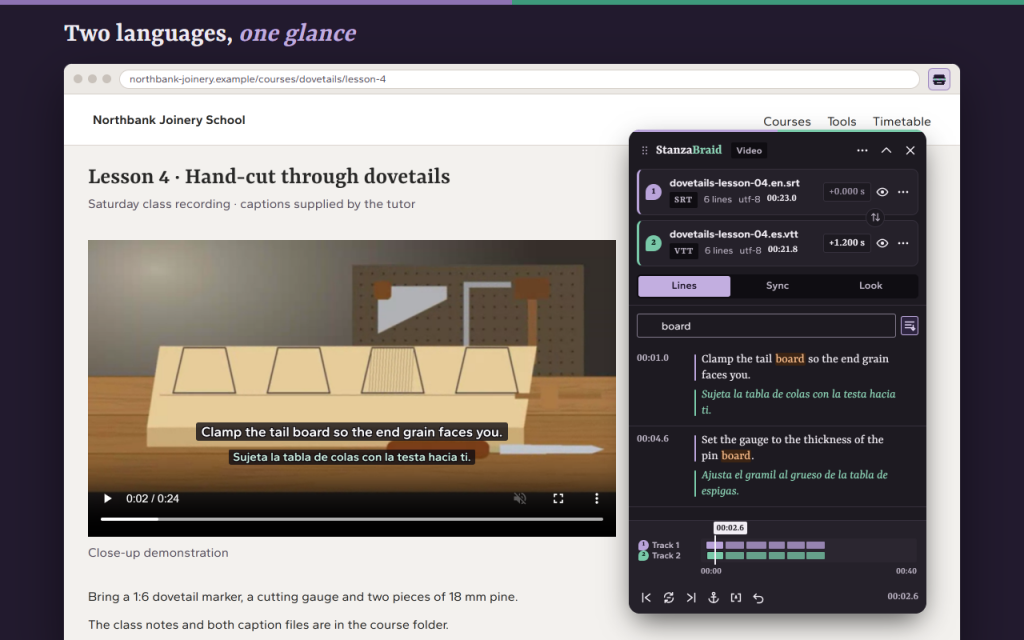
- Show two tracks together for dual subtitles, each with its own timing, encoding, visibility and style.
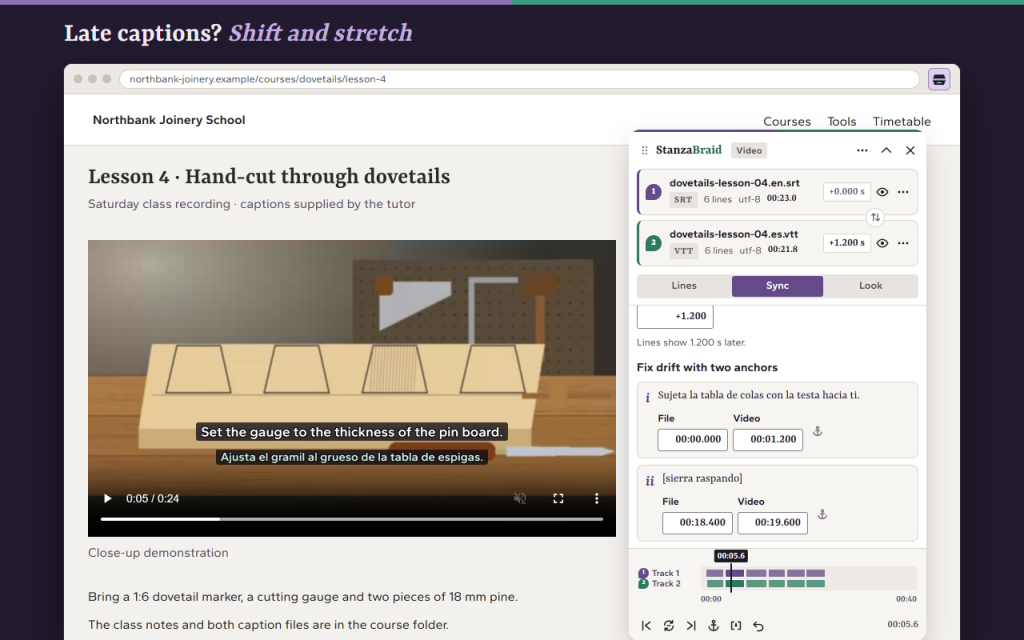
- Shift timing by 0.1, 0.5 or 1 second, or type the exact offset you need.
- Fix steady drift with two anchors: match two file times to two video times and the rest follows.
- Preview UTF-8, UTF-16, Windows-1251, Windows-1252 and Shift_JIS text before you apply it.
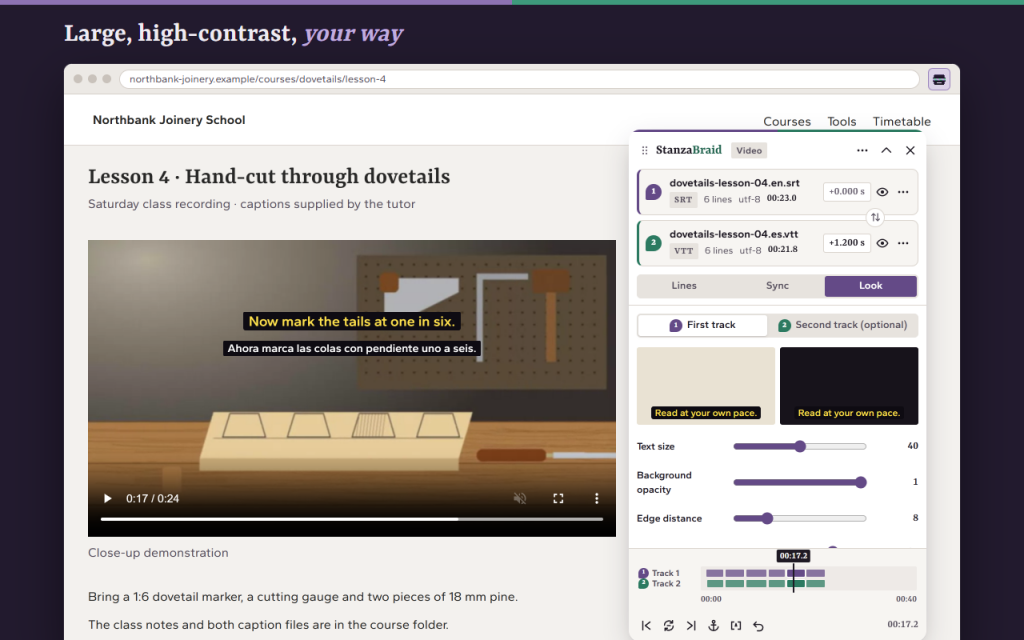
- Set size from 16 to 64, colour, outline, background, font and top or bottom position for each track.
- Switch on the high-contrast preset in one click for easier reading on bright scenes.
- Keep captions visible when the player goes fullscreen.
- Search the Lines list and click any line to jump to that moment.
- Repeat a single line or loop a section from A to B, with optional pause on hover.
- Export the corrected timing as a UTF-8 VTT file while your original file stays untouched.
Made for language learners who want the original and a familiar language side by side, and for anyone who needs larger, clearer captions. Both tracks are files you provide: there is no machine translation and no speech recognition.
A 24-second practice clip with two caption files and a short tour show the whole flow before you open any site. Players with DRM protection, sandboxed frames and picture-in-picture may not allow an overlay. Files up to 5 MiB and 10,000 lines per track.
Works offline. Your data stays in your browser. No account, no server, no analytics: caption files live only in the current tab and are discarded on reload. Only your settings and the panel position for each site (as a short hashed key, not an address) are saved locally.
Permissions: storage keeps your settings; activeTab and scripting let StanzaBraid start only on the tab where you click its button; access to an embedded player from another site is requested only when you choose that player, and only for that site.
/ Note
Aggiungi i sottotitoli ai video su qualsiasi pagina: carica i tuoi file SRT o VTT, correggi la sincronizzazione e visualizza due lingue contemporaneamente.
Disponibile come estensione per il browser.
Supporto · Contatta lo sviluppatore · Informativa sulla privacy · Condizioni di utilizzo
// OTTENERE L'APP