Ladderglass: Screenshot a pagina intera
Screenshot a pagina intera per il tuo browser
Gratuito · Funziona offline · I tuoi dati rimangono nel tuo browser · Edge
/ Screenshot
/ Informazioni su Ladderglass: Full Page Screenshot
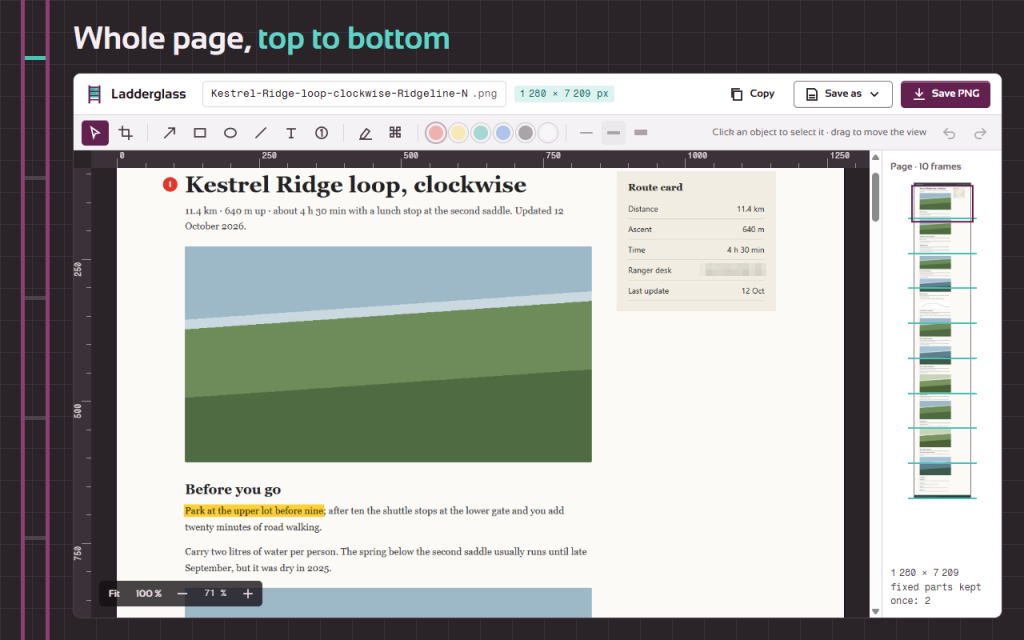
Full page screenshot extension that scrolls the whole page, stitches every frame and opens a simple editor. One click captures a long article, a shop page or a dashboard from top to bottom.
Four ways to capture
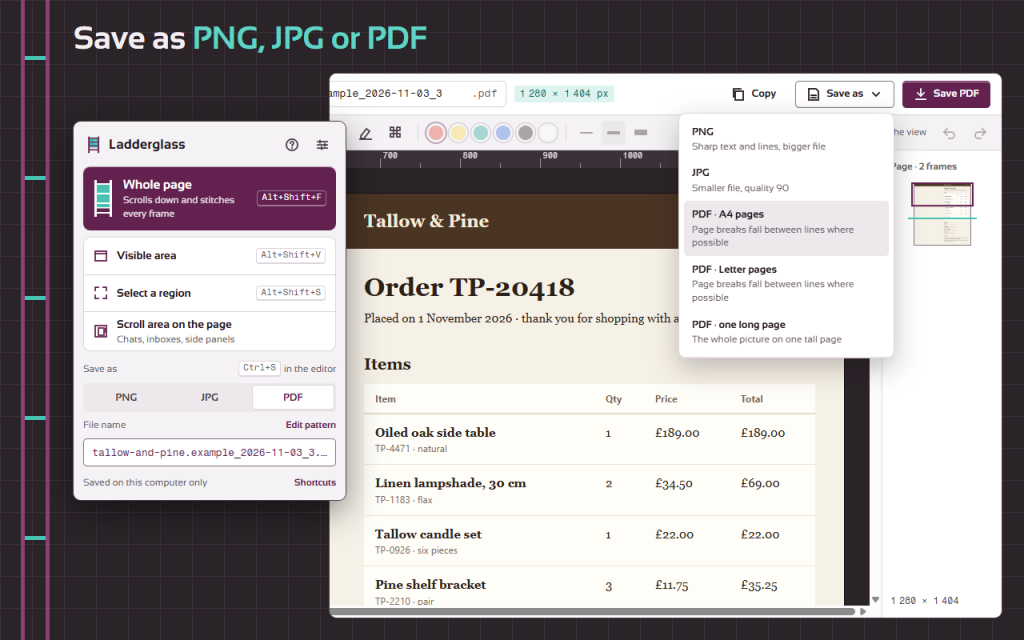
- Whole page — scrolls down and stitches the frames into one tall picture
- Visible area — exactly what is on the screen
- Select a region — drag a frame; drag past the bottom edge and the page scrolls with you
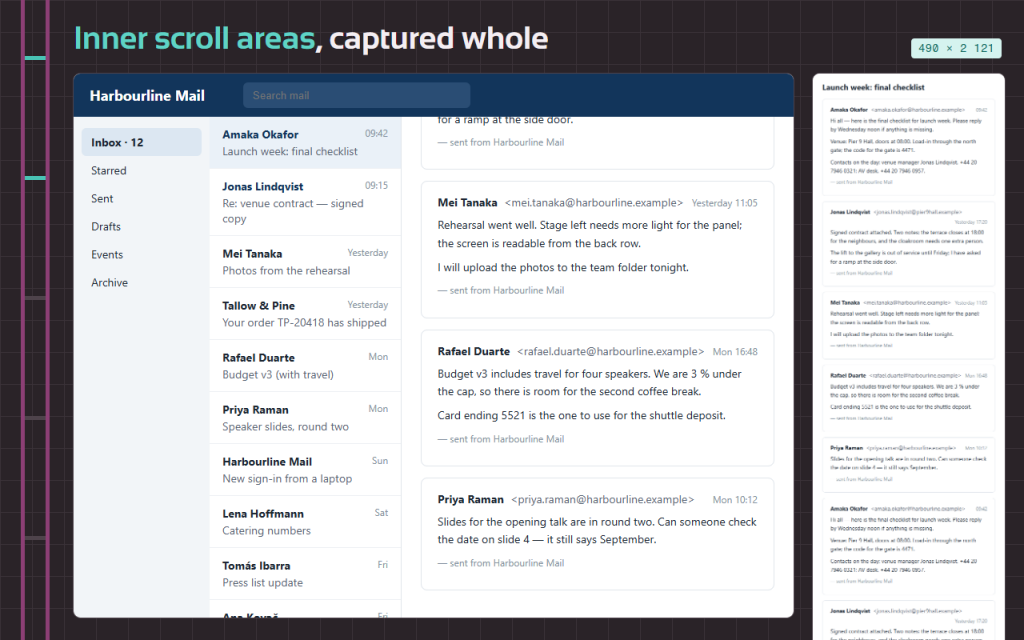
- Scroll area on the page — chats, webmail, documentation and admin panels where only a box scrolls are captured from their first line to their last
No doubled headers, no empty gaps
Fixed headers and sticky bars appear once, not on every frame. Pictures that load while scrolling are waited for. HiDPI screens give sharp results. When the capture ends, the page is put back exactly as it was. Esc stops at once.
A simple editor on a light table
- Crop: free, 1:1, 16:9 or 4:3
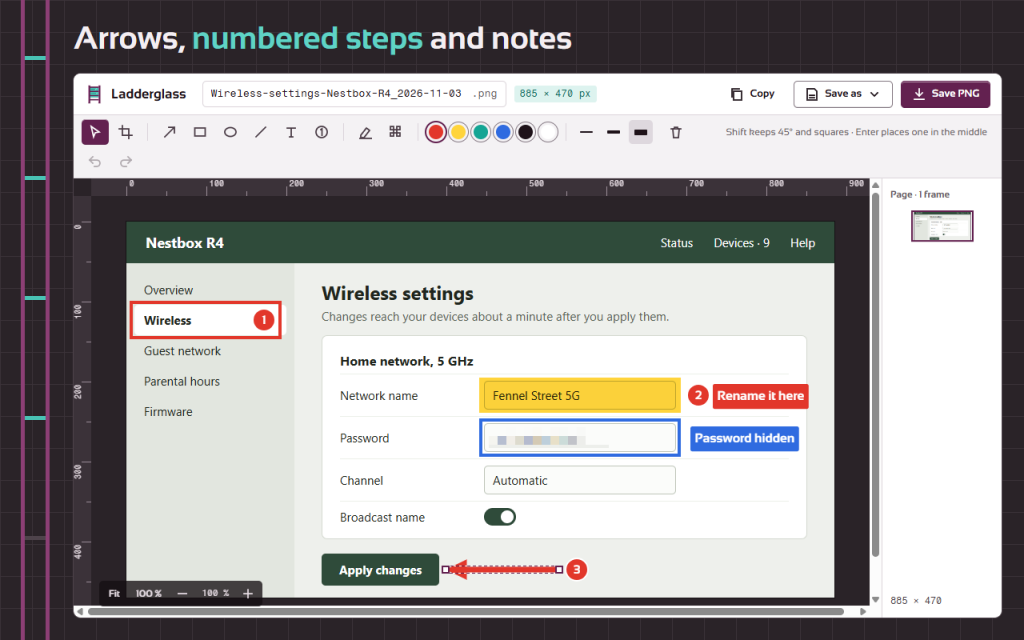
- Arrows, lines, boxes, ellipses and text with an optional label background
- Highlighter as a box or a brush
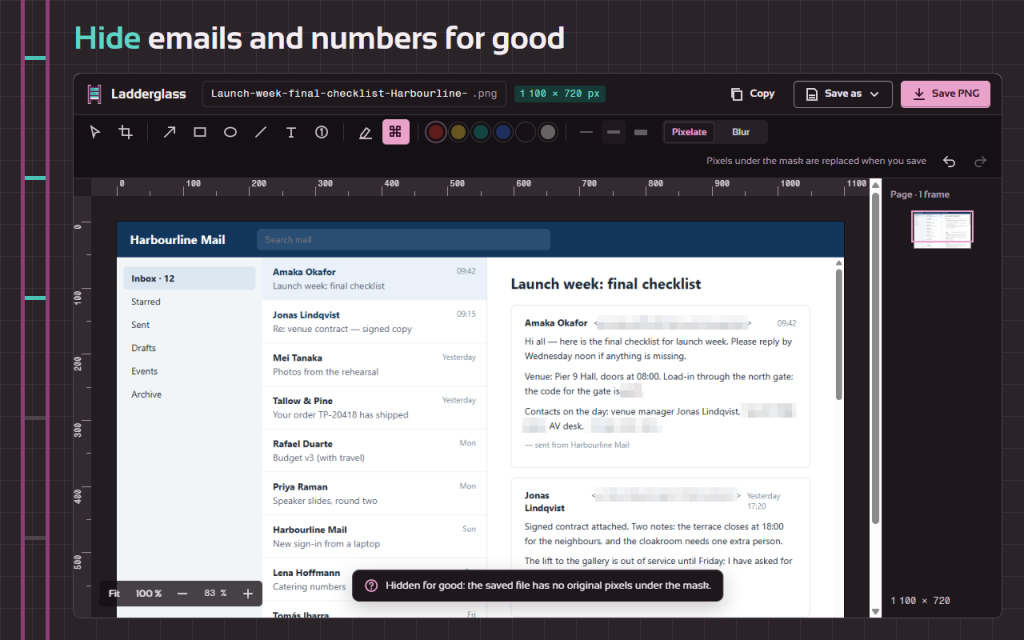
- Pixelate or blur e-mail addresses, names and numbers — the saved file has no original pixels under the mask
Save the way you need
- PNG for sharp text, JPG with a quality setting
- PDF with A4 or Letter pages (breaks fall between lines where possible) or one long page
- Copy to the clipboard and paste into a chat or a ticket
- File names from a pattern: {title}, {domain}, {date}, {time}, {n}
Keyboard first: shortcuts for every capture mode, a key for every tool, Ctrl+S to save and Ctrl+C to copy. Light and dark theme, 16 languages. Works offline. Your data stays in your browser.
Progettato per garantire la privacy
Screenshots never leave your computer. No account, no upload, no tracking, no analytics. Ladderglass reads a page only after you start a capture on it.
This version is free, with every function included.
Permissions: “active tab” and “scripting” — capture and scroll only the tab you ask for, only then; “storage” — settings and the open capture; “clipboard write” — the Copy button. The right-click menu is optional.
/ Note
Screenshot a pagina intera che arrivano fino in fondo, anche all’interno delle chat e delle caselle di posta. Ritaglia, evidenzia, sfuma, salva in formato PNG, JPG o PDF.
Disponibile come estensione per il browser.
Supporto · Contatta lo sviluppatore · Informativa sulla privacy · Condizioni di utilizzo
// OTTENERE L'APP