Ochremitten: Editor di foto
Editor di foto per il tuo browser
Gratuito · Funziona offline · I tuoi dati rimangono nel tuo browser · Edge
/ Screenshot
/ Informazioni su Ochremitten: Photo Editor
Ochremitten is a small photo editor that runs in your browser: correct colour, crop, add a caption and hide private details before you post a picture.
Made for sellers preparing product shots, authors marking up screenshots and anyone who needs to tidy one photo fast. Open a JPEG, PNG or WebP file, drop it on the work area, or right-click a picture embedded in the page and choose Edit in Ochremitten. For other web pictures, save the file first and open it.
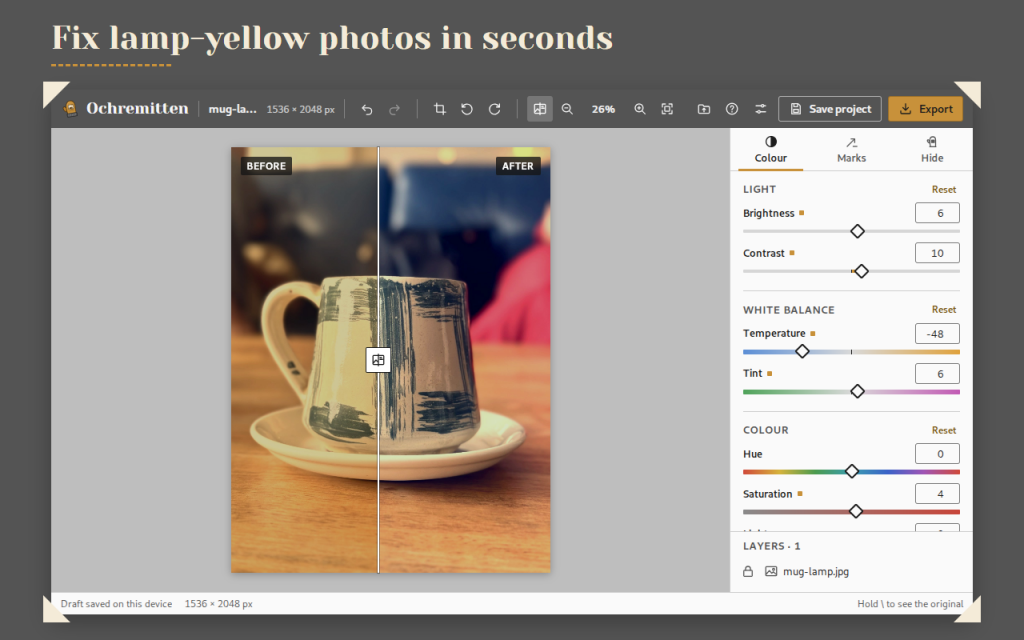
Fix the light and colour. Seven sliders with number fields cover brightness, contrast, temperature, tint, hue, saturation and lightness. Warm lamp light turns neutral in a few moves, and the before/after split shows the difference.
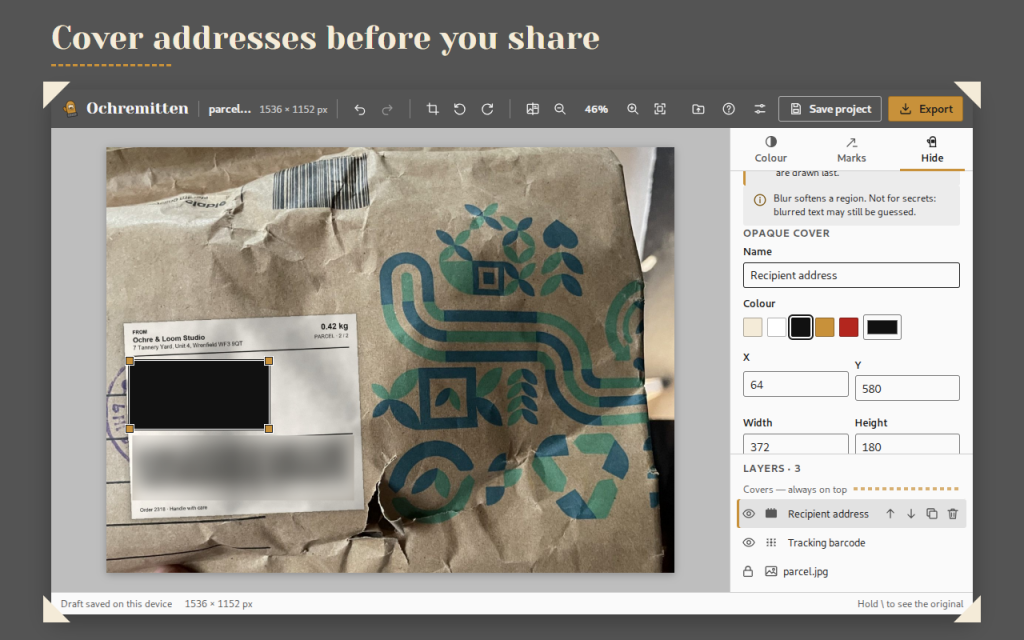
Hide what should stay private. An opaque cover sits above every other mark and is always exported at full opacity, so an address or a card number is really gone. Blur is a separate image blur tool for softening a background; it is not meant for secrets.
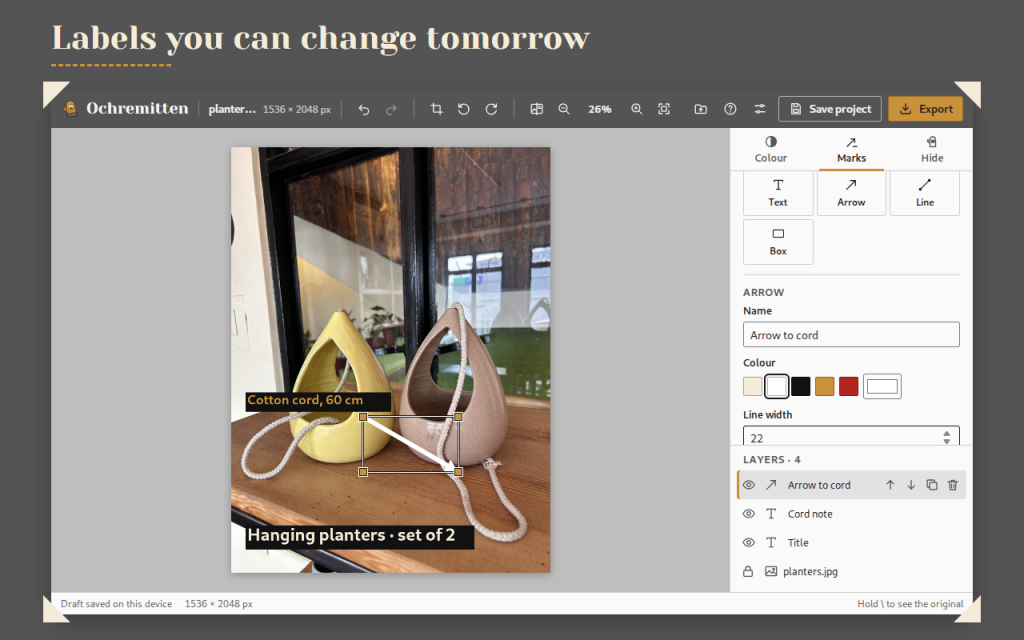
Change your mind tomorrow. Text, arrows, lines and boxes stay editable layers: rename, hide, reorder, duplicate or delete them. Save the project file and continue later.
- Correct yellow or blue casts with white balance
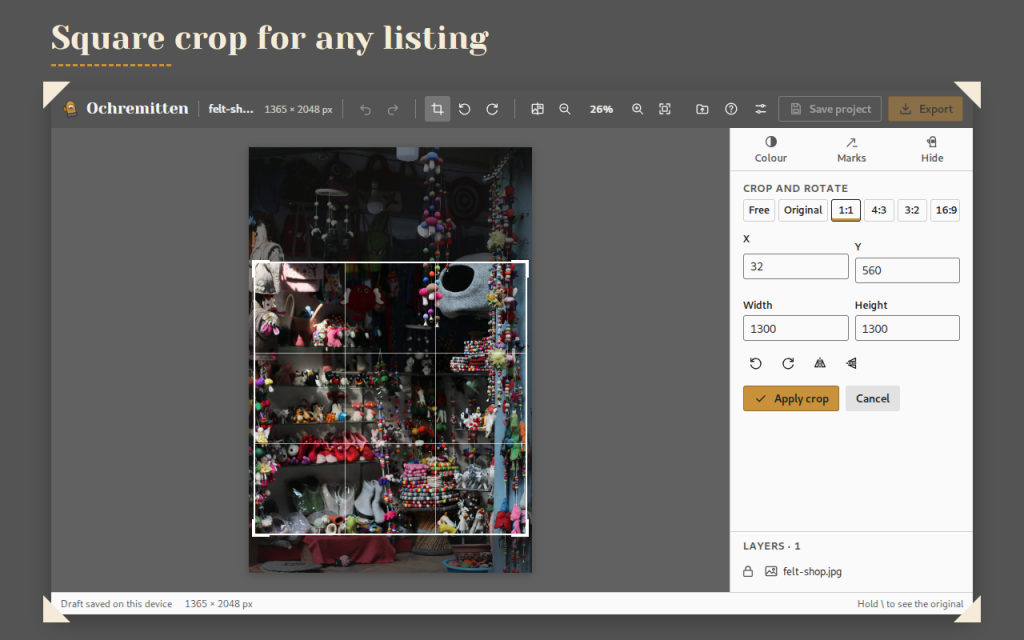
- Crop and rotate with Free, 1:1, 4:3, 3:2 and 16:9 frames
- Add text to a photo with a label or shadow behind it
- Point at details with arrows, lines and boxes
- Cover addresses, names and order numbers with opaque blocks
- Soften a busy background with blur
- Compare before and after with a split or by holding a key
- Undo and redo up to 60 steps
- Keep editable layers in a project file
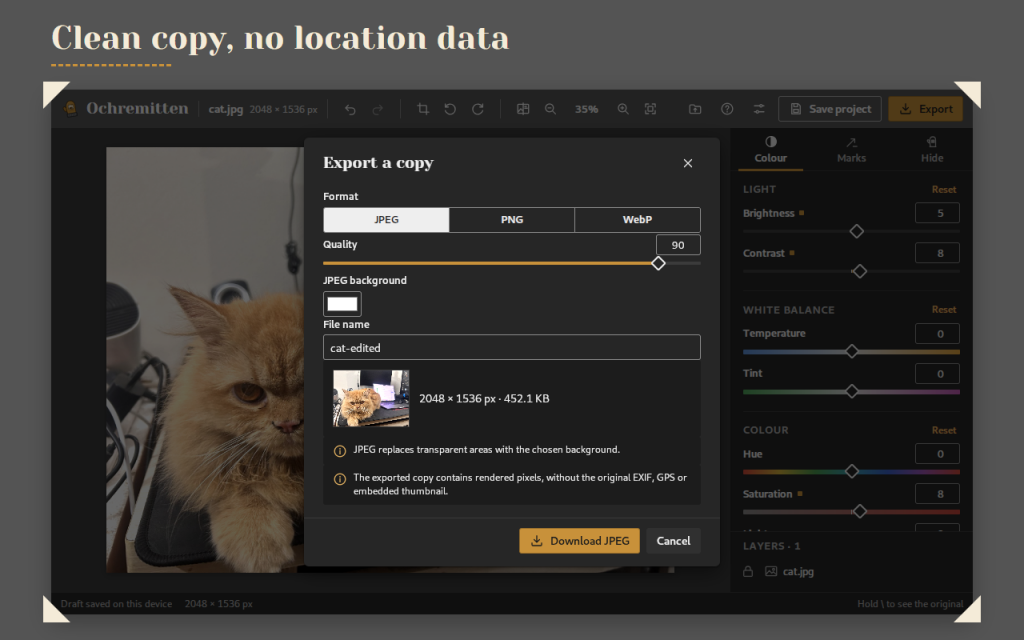
- Export PNG, JPEG or WebP and see the real file size first
- The exported copy carries no original EXIF or GPS location
- Light and dark themes, keyboard control, 16 languages
Funziona offline. I tuoi dati rimangono nel browser. Questa versione è gratuita.
Limits: one still image up to 24 megapixels and 8192 px per side. No RAW, PSD or animation.
Permissions: "storage" keeps your settings and the current draft in this browser. "contextMenus" adds the Edit in Ochremitten item to the right-click menu of pictures. The extension does not read web pages or your browsing history.
/ Note
Editor di foto per ritocchi veloci: correggi i colori, ritaglia, aggiungi didascalie e frecce, nascondi o sfoca i dati personali. Funziona offline.
Disponibile come estensione per il browser.
Supporto · Contatta lo sviluppatore · Informativa sulla privacy · Condizioni di utilizzo
// OTTENERE L'APP