Sayholm: Voice Recorder & Text
La tua voce, in parole ricercabili
Offline transcription · Synchronized playback · Text and subtitle export
/ Screenshot
/ Informazioni su Sayholm: Voice Recorder & Text
Sayholm is a voice recorder that turns speech into text on your phone. Record a lecture, an interview or a meeting, or import an audio or video file, and get a searchable transcript in which every word is tied to its moment in the audio. Audio to text conversion happens offline: no account, no minute limits, nothing uploaded.
RECORDING YOU CAN RELY ON
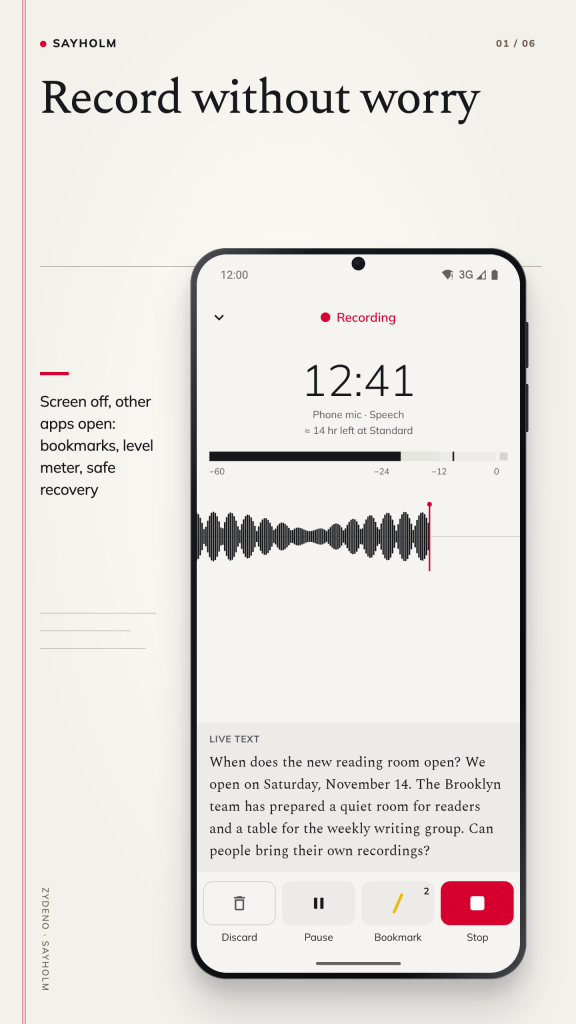
- One tap to record. Recording continues with the screen off or while you use other apps, and the notification lets you pause, add a bookmark or stop.
- A level meter with a speech band and a clip light shows whether the voice is coming through.
- Bookmark key moments from the record screen, the notification or a headset button.
- If the app is closed during a recording, the audio up to the last few seconds is recovered on the next start.
- Standard or High quality AAC, or lossless WAV, with the remaining recording time always in view.
TRANSCRIPTION ON THE PHONE
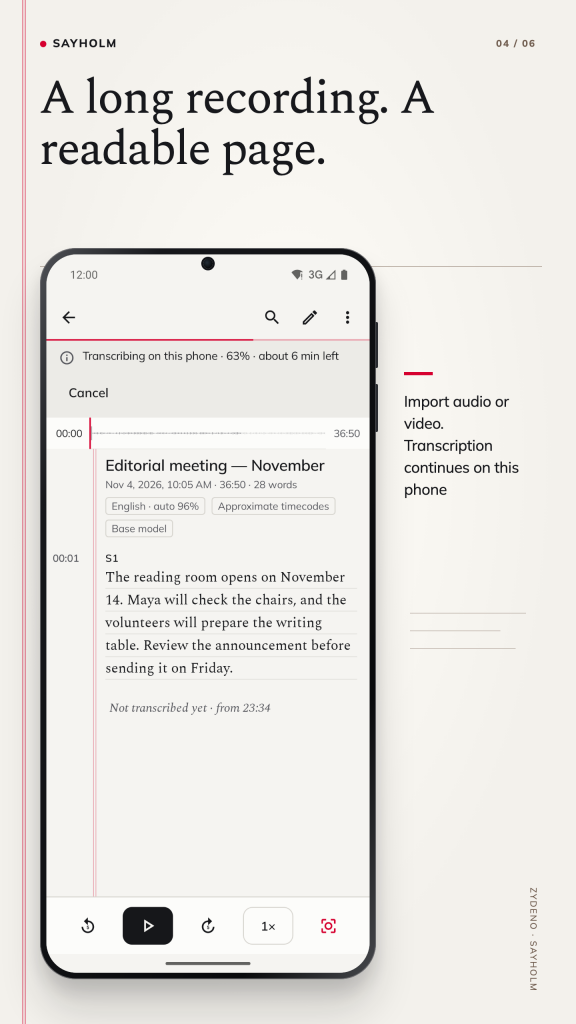
- Speech to text runs on the device with built-in speech recognition. No server is involved.
- 15 speech languages with automatic detection. Best results in English, Spanish and Japanese; Chinese (Traditional or Simplified characters), German, French, Portuguese, Russian, Korean and Indonesian usually work well with the built-in model too.
- On phones that are fast enough, text appears live while you record.
- For Hindi, Polish, Turkish and Italian, the app recommends a larger, more accurate model on phones with enough memory: free, about 190 MB, downloaded once and only after you confirm (Wi-Fi recommended). Arabic is in beta and makes noticeable errors even with the larger model.
READ, LISTEN AND CORRECT
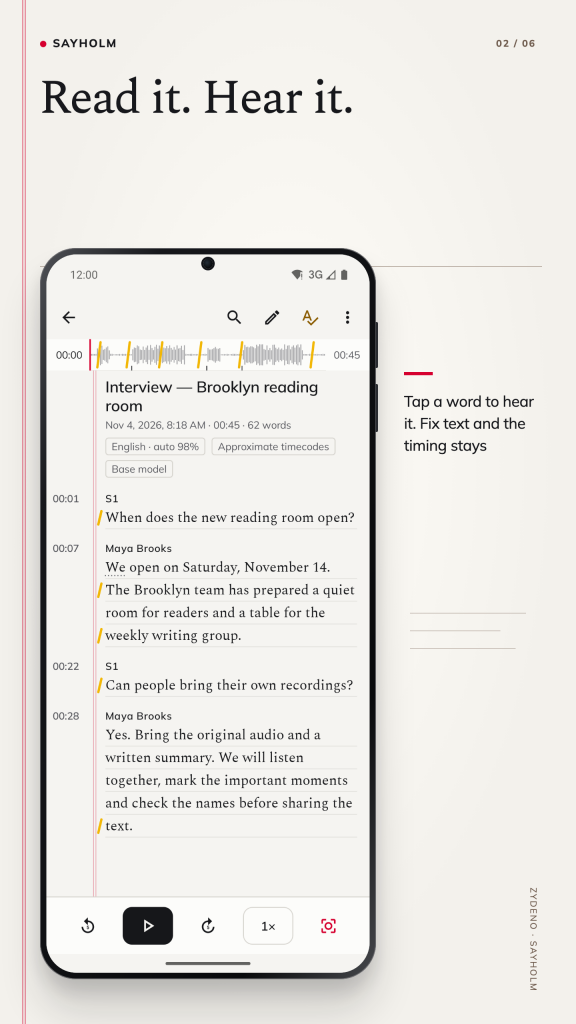
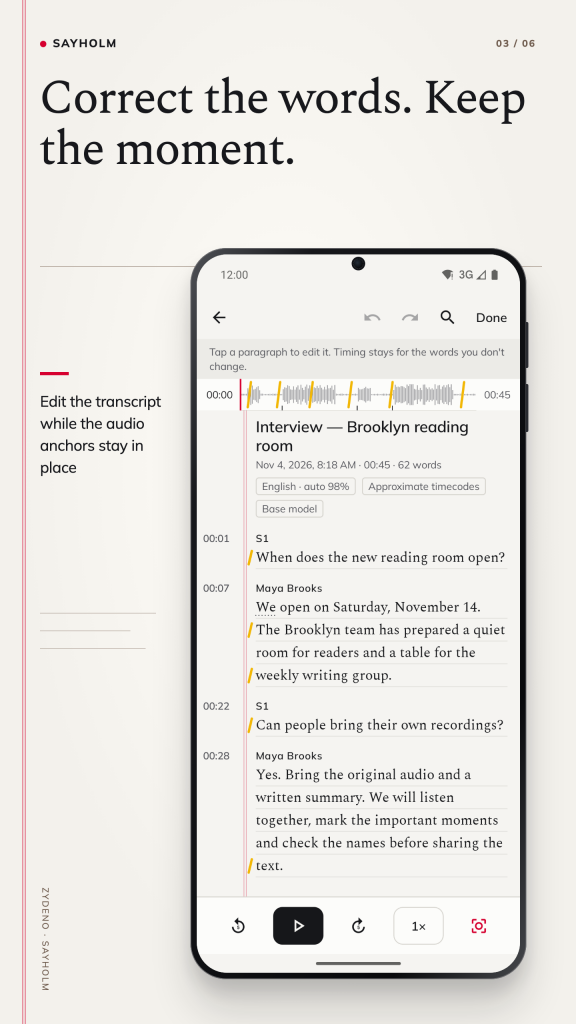
- The word being spoken lights up as the audio plays. Tap any word to jump to it.
- Playback from 0.5× to 3× without chipmunk voices, skip buttons and a short rewind when you resume.
- Correct words without losing their timing, mark speaker changes and give speakers names.
- Check pass: step through the words the model was unsure of, hear each one in context, then fix or keep it.
- Copy a quote with its timecode. Keyboard shortcuts and media keys, including foot pedals that send media keys, help you type up long recordings.
FIND ANYTHING THAT WAS SAID
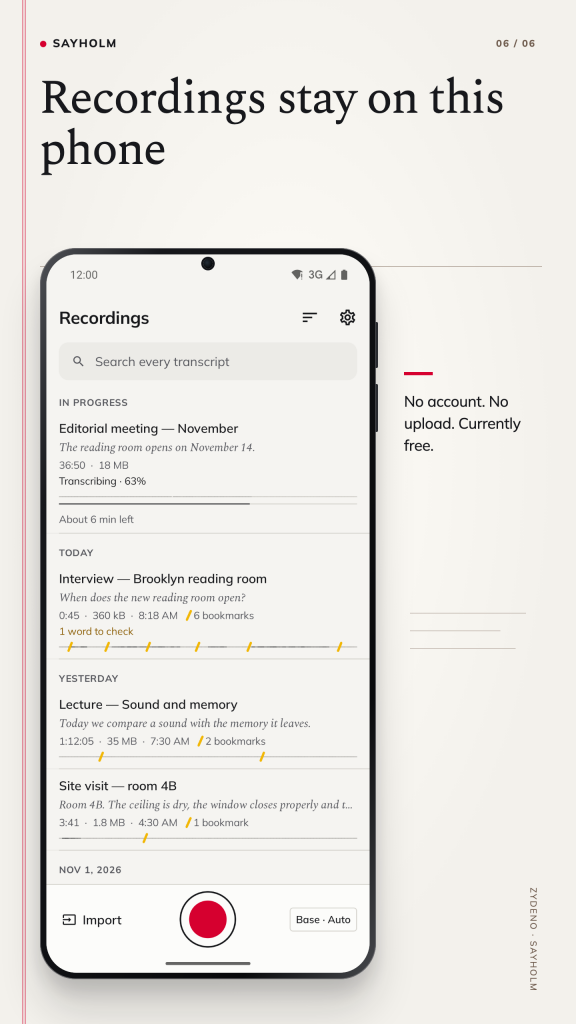
Search all your recordings at once. Each result shows the sentence and its timecode and opens the transcript at that word. Accents are ignored, and search works in Japanese, Korean and Chinese too.
IMPORT AUDIO AND VIDEO
Open audio and video files from your phone, or share them to Sayholm from another app. The sound goes through the same audio to text transcription as a recording.
EXPORT
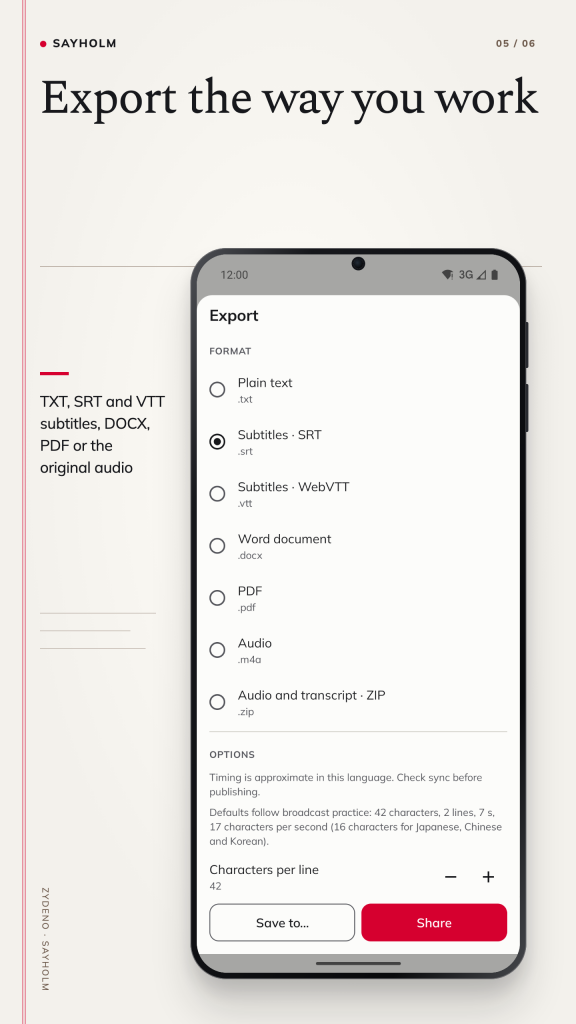
- TXT with optional timestamps and speaker names
- SRT and VTT subtitles with readable line lengths
- DOCX that opens in common word processors
- PDF on A4 or Letter paper, with timecodes in the margin
- The original audio, or everything in one ZIP file
PRIVATO PER DESIGN
- A voice recorder that keeps to itself: your recordings and transcripts are stored only on this phone. Record, transcribe and export in airplane mode.
- Sayholm records only while you see the REC lamp and the notification. Sayholm does not record phone calls; a call pauses the recording.
- In many places you need everyone's consent to record a conversation. Follow the law where you record.
- 16 app languages, including right-to-left Arabic.
Transcripts come from automatic speech recognition and can contain errors. Accuracy depends on the language, the speakers, the microphone and background noise. Check important passages against the audio before you quote or rely on them.
Gratis. Senza pubblicità, senza tracciamento, senza account.
Assistenza: [email protected]
Informativa sulla privacy: https://zydeno.com/sayholm/privacy-android.html
Condizioni d'uso: https://zydeno.com/sayholm/terms-android.html
/ Note
Keep the recording and the words together. Sayholm records speech or imports an audio or video file, then turns the sound into a searchable transcript on your phone. Tap a word to hear its moment in the original audio, bookmark a passage and return to it when you need it.
Listen, check and correct
Read along with highlighted words, change playback speed and correct text while keeping its timing. Speaker names, timecoded quotes and a check pass for uncertain words help you work through interviews, lectures and meeting notes. Automatic recognition can make mistakes: listen to important passages before quoting or relying on a transcript.
Take your work with you
Export plain text, SRT or VTT subtitles, a DOCX document, a PDF, the original audio or a ZIP containing audio and text. Keep your own exports of recordings you want to preserve; the developer does not hold a backup of your library.
Private recording on Android
Recordings and transcripts stay on the phone, without an account, advertising or tracking. Speech recognition runs on the device. Recording others requires appropriate consent; follow the rules where you record. Sayholm does not record phone calls, and automatic transcripts are not official records.
Available for Android on Google Play. The gallery shows six real English screens from the Android edition, covering recording, synchronized text, editing, processing, export and the recording library.
Contatta l'assistenza · Assistenza per l'app · Informativa sulla privacy di Android · Condizioni d'uso di Android
// OTTENERE L'APP