
Sillbrush: Clear Cache & Site Data
Borrar la caché y los datos del sitio
Gratis · Funciona sin conexión · Tus datos se guardan en tu navegador · Edge
/ Capturas de pantalla
/ Acerca de Sillbrush: Clear Cache & Site Data
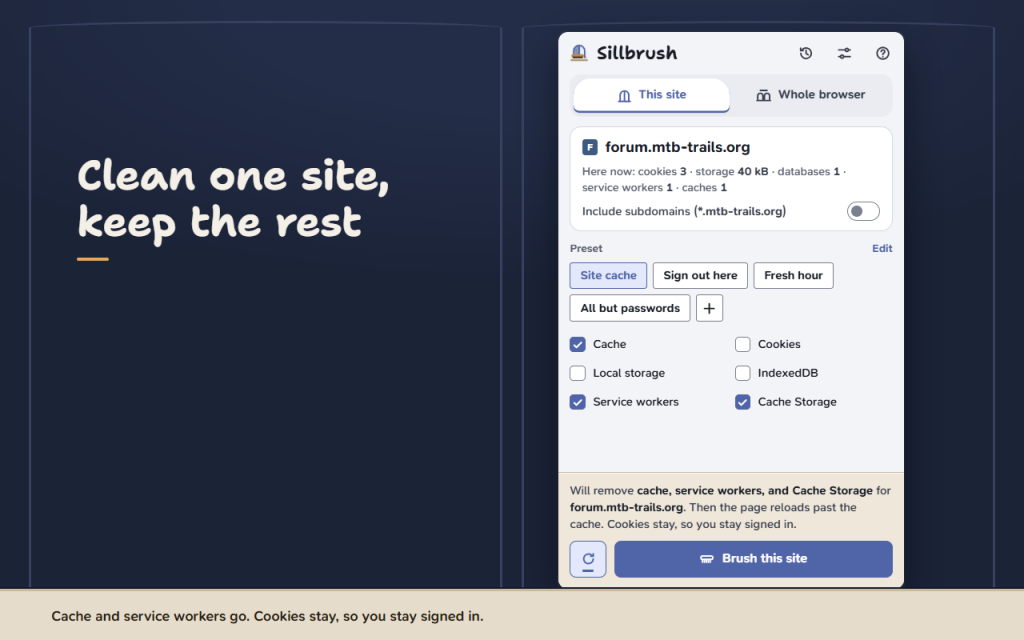
Clear cache in one click — for the current site only or for the whole browser. Sillbrush shows you which site it is about to clean and what will go before anything is removed, and afterwards it shows what really went.
Clean one site, not everything
- This site: cache, cookies, local storage, IndexedDB, service workers and Cache Storage of the page in front of you. Other sites keep you signed in.
- Include subdomains with one switch, or clean exactly this address.
- Reload the page past the cache right after cleaning, so a site that shows an old version is fresh again.
Or clear the whole browser
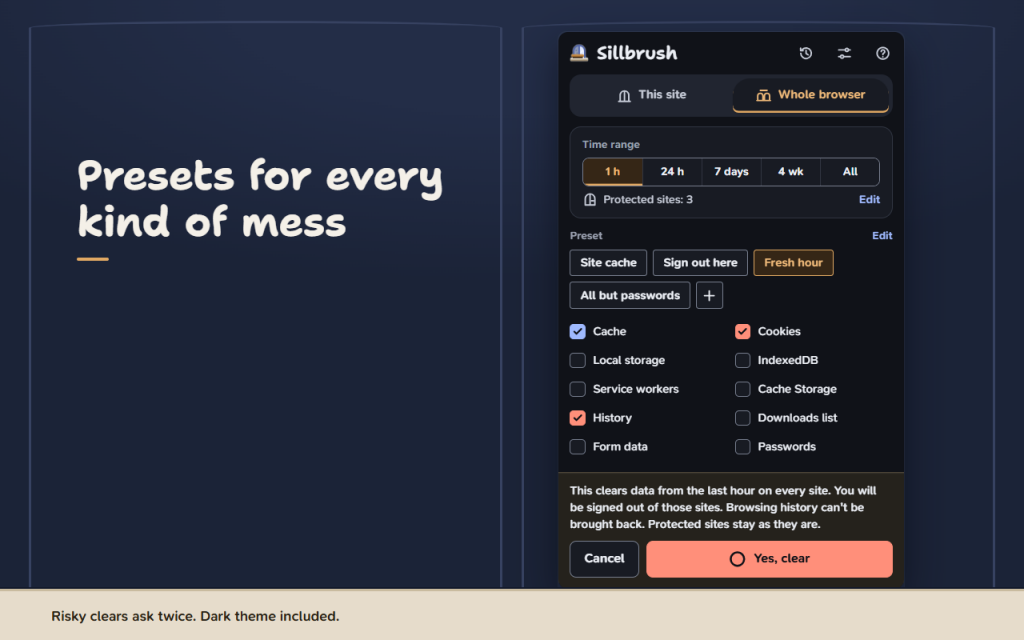
- Cache, cookies, site storage, history, the downloads list, form data and passwords (off by default).
- Time range: last hour, 24 hours, 7 days, 4 weeks or all time.
- Clearing cookies, history or passwords everywhere asks for a second click first.
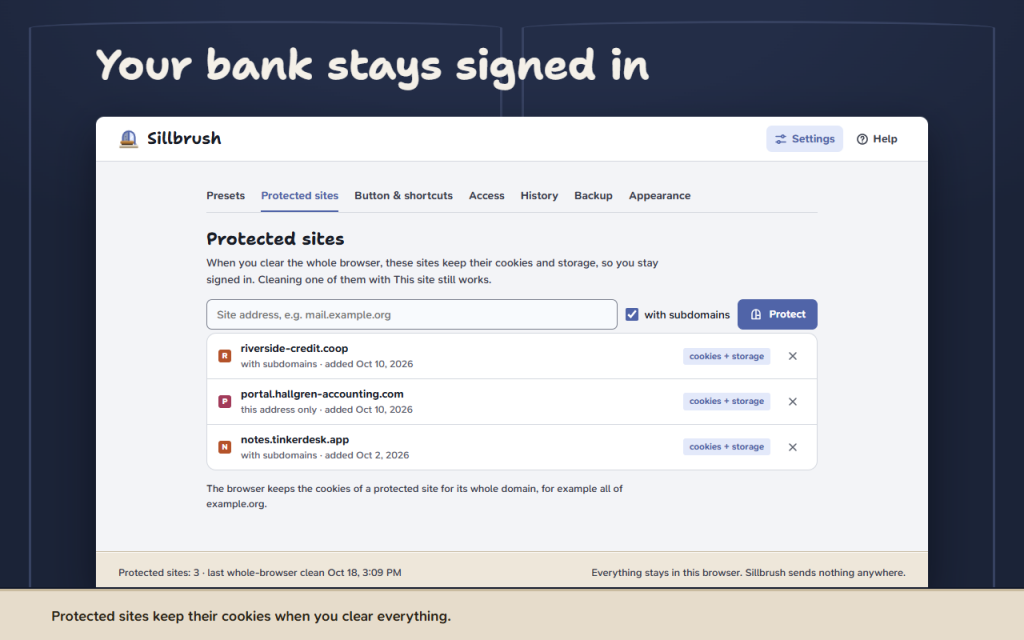
Protected sites
Add your bank, mail and work portal once. When you clear the whole browser they keep their cookies, so you stay signed in. In some browsers this needs the optional cookie access.
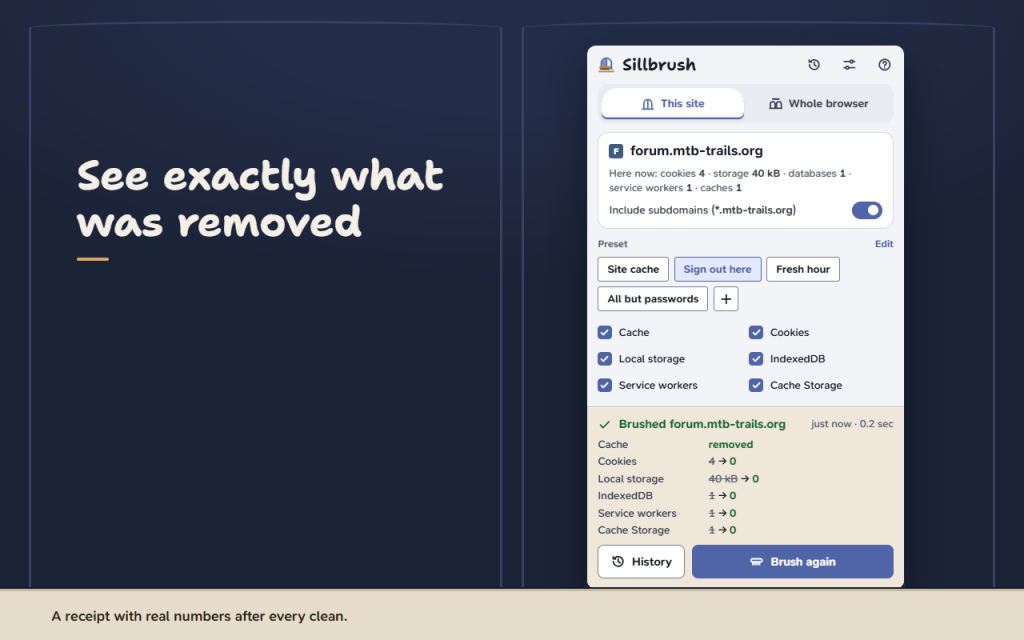
See what was removed
The receipt shows real numbers: storage 40 kB → 0, service workers 1 → 0, cookies 23 → 0 (exact cookie numbers with optional cookie access). A small number on the button confirms it for two seconds. No sound.
Presets and shortcuts
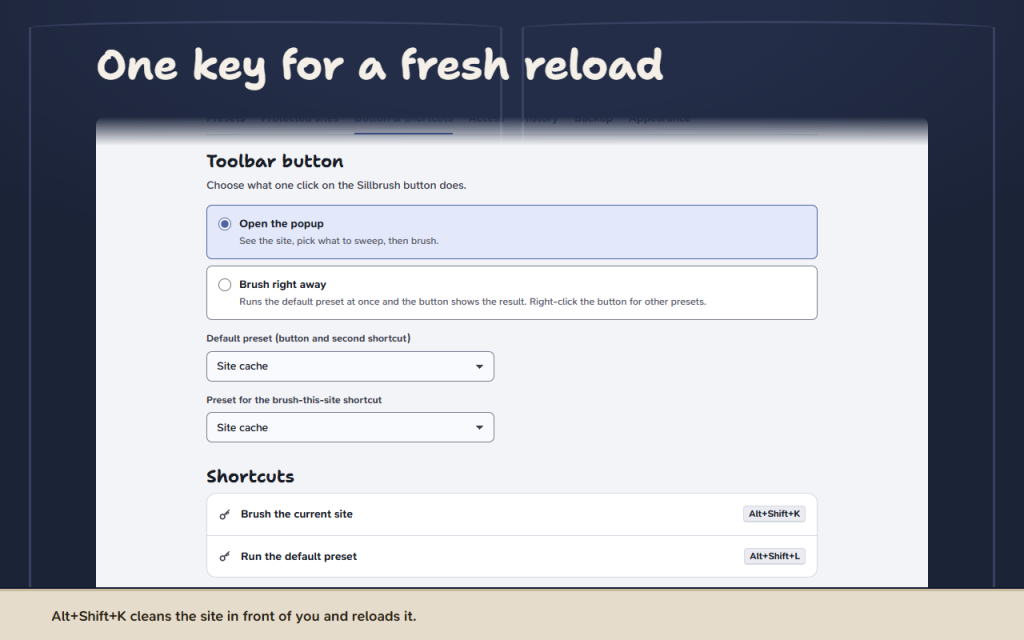
- Ready presets: Site cache, Sign out here, Fresh hour, All but passwords. Rename them or make your own.
- Alt+Shift+K brushes the current site, Alt+Shift+L runs your default preset.
- Right-click the button to run any preset.
- Or let one click on the button brush the site right away.
Honest about browser limits
Some browsers do not let extensions empty the cache of a single site. There Sillbrush reloads the page past the cache instead and says so in the popup and in Help.
Funciona sin conexión. Tus datos se guardan en tu navegador.
Presets, protected sites and the last 20 cleanings are kept only there. Sillbrush sends nothing anywhere and has no analytics.
For Firefox and Opera. 16 languages, light and dark theme, full keyboard control. This version is free.
Permissions: browsing data — to clear what you pick; active tab and scripting — to read and clean the open site only after your click or shortcut; storage — for your settings; context menu — presets on the button. Cookie access, notifications and site access are optional and asked only when you turn them on.
/ Notas
Clear cache in one click for the current site or the whole browser, see what was removed, keep protected sites signed in.
Disponible como extensión para el navegador.
Soporte · Ponte en contacto con el desarrollador · Política de privacidad · Condiciones de uso
// OBTENER LA APLICACIÓN