
Gorseline: Web Highlighter & Notes
Subrayador y notas para la web
Gratis · Funciona sin conexión · Tus datos se guardan en tu navegador · Edge
/ Capturas de pantalla
/ Acerca de Gorseline: Web Highlighter & Notes
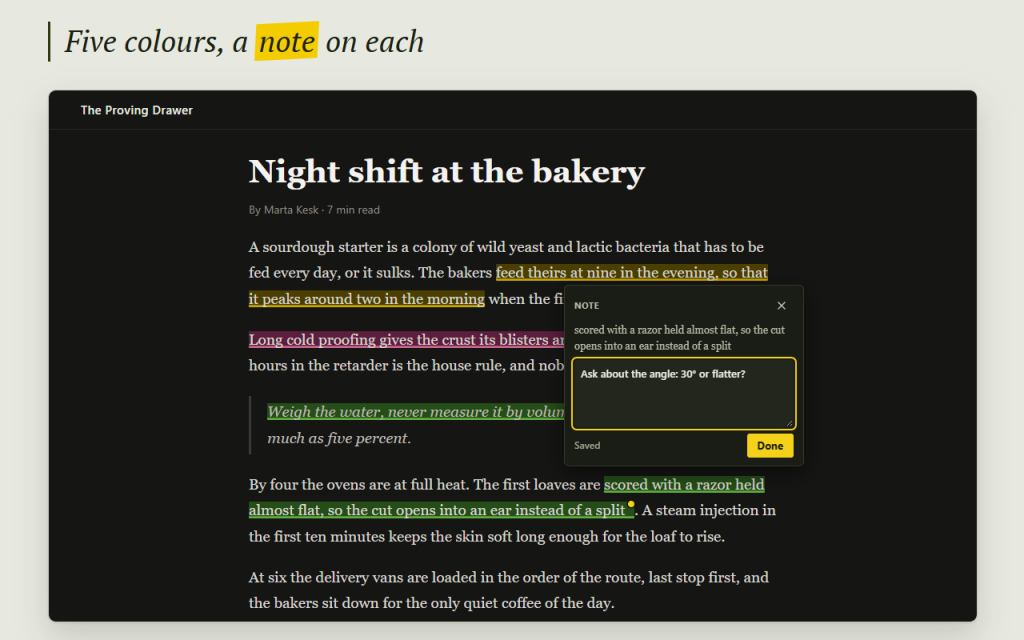
Gorseline is a web highlighter with notes: select text on any page, pick one of five colours, and the highlight is there the next time you open the page. Write a note next to any quote and find all of them later in one library with search.
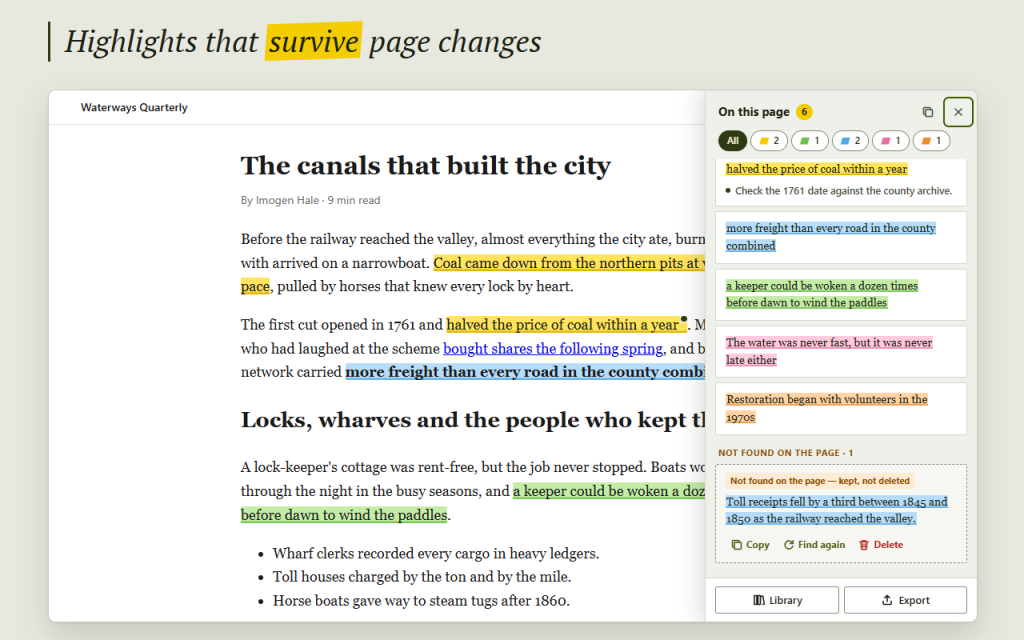
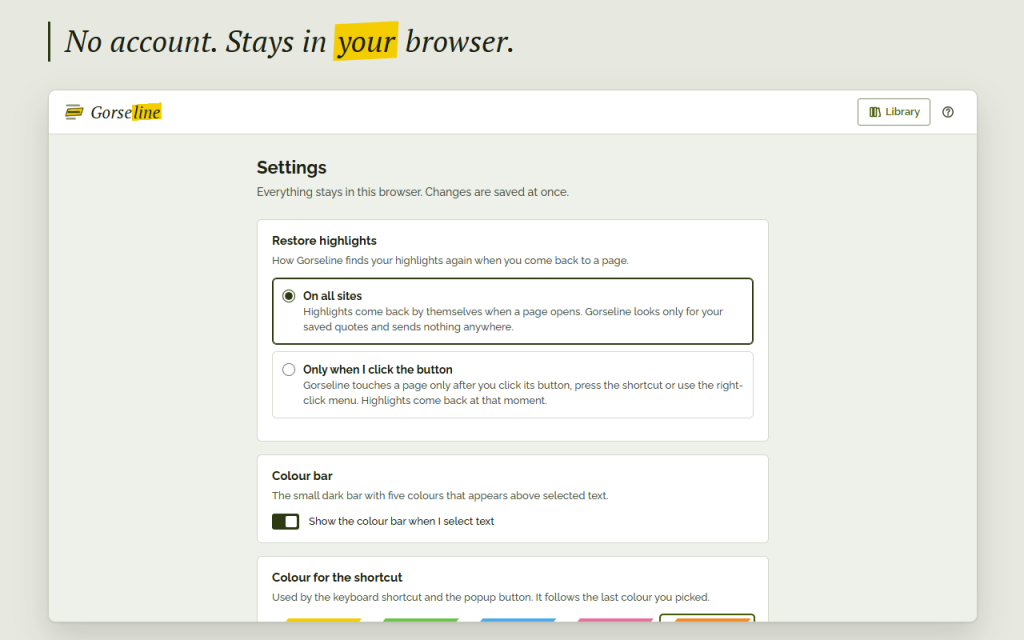
Highlights that survive page changes. Each quote is remembered three ways: its words with the text around them, its place in the text and its place in the page structure. Reloads, a new paragraph above, a redesign or a small edit inside the quote do not lose it. If the text really disappears from the page, the highlight is never deleted silently: it waits under "Not found on the page" in the panel and in your library, ready to copy.
- Five colours: Yellow, Green, Blue, Pink, Orange; keys 1 to 5 on the colour bar
- A note on each highlight, saved as you type
- Click a highlight to change its colour, copy it or delete it; Undo for 5 seconds or Ctrl+Z
- Page panel: every highlight in reading order, filter by colour, click to scroll to it
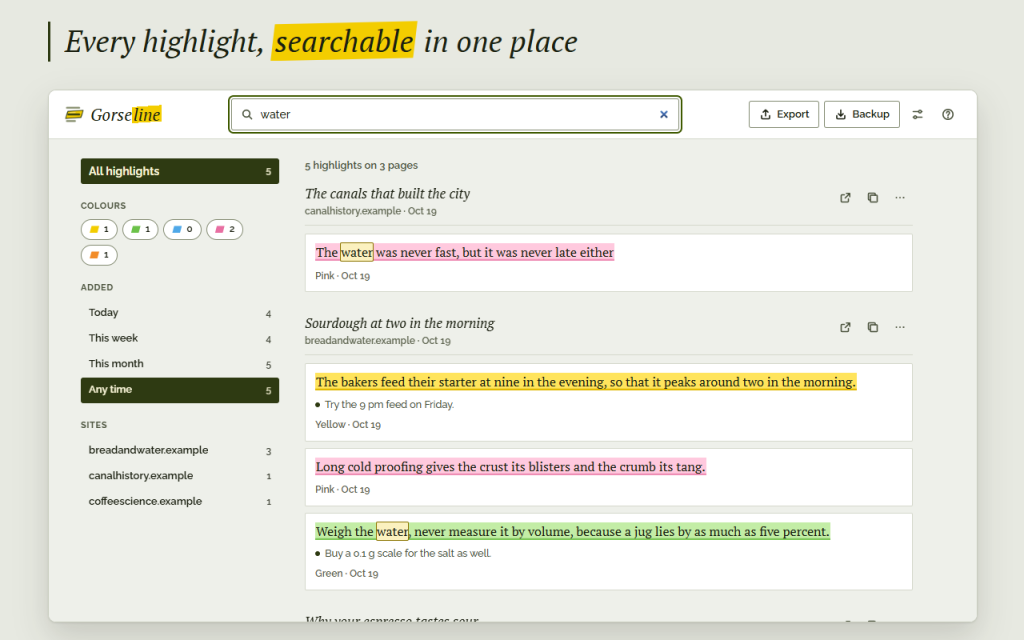
- Library of all pages with instant search through quotes, notes, titles and sites; filters by colour, date and site
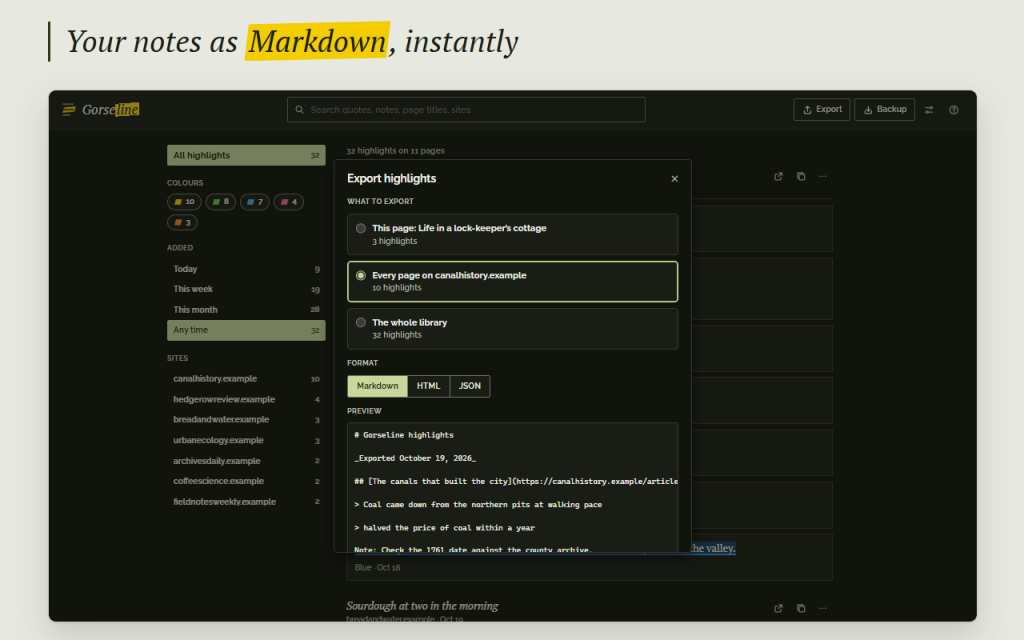
- Export a page, a site or everything as Markdown, HTML or JSON; copy a page as Markdown in one click
- Backup file and restore with merge or replace; a quiet reminder after 30 days
- Keyboard shortcuts: Alt+Shift+H highlights, Alt+Shift+L opens the panel
- Right-click menu "Highlight with Gorseline"
- Readable on dark websites: deep inks keep light text legible
- Never writes into text fields or editors
- Light and dark theme, keyboard access, 16 languages, right-to-left Arabic
Private by design: no account, no cloud, no analytics, no network requests. Highlights and notes live only in your browser storage, so keep a backup file. Works offline in Firefox and Opera.
Permissions: storage keeps highlights and notes in your browser; activeTab and scripting let Gorseline work on the current page when you click its button, press the shortcut or use the menu; contextMenus adds the right-click item. Access to all sites or to single sites is optional and asked for only when you choose it; with it, highlights return as soon as a page opens.
This version is free. Questions and ideas: [email protected]
/ Notas
Web highlighter with notes: mark text on any page in five colours and find every quote again in one searchable library.
Disponible como extensión para el navegador.
Soporte · Ponte en contacto con el desarrollador · Política de privacidad · Condiciones de uso
// OBTENER LA APLICACIÓN