Kelprake: Link Grabber & Multi-Link Opener
Recopilador de enlaces y abridor de enlaces múltiples
Gratis · Funciona sin conexión · Tus datos se guardan en tu navegador · Edge
/ Capturas de pantalla
/ Acerca de Kelprake: Link Grabber & Multi-Link Opener
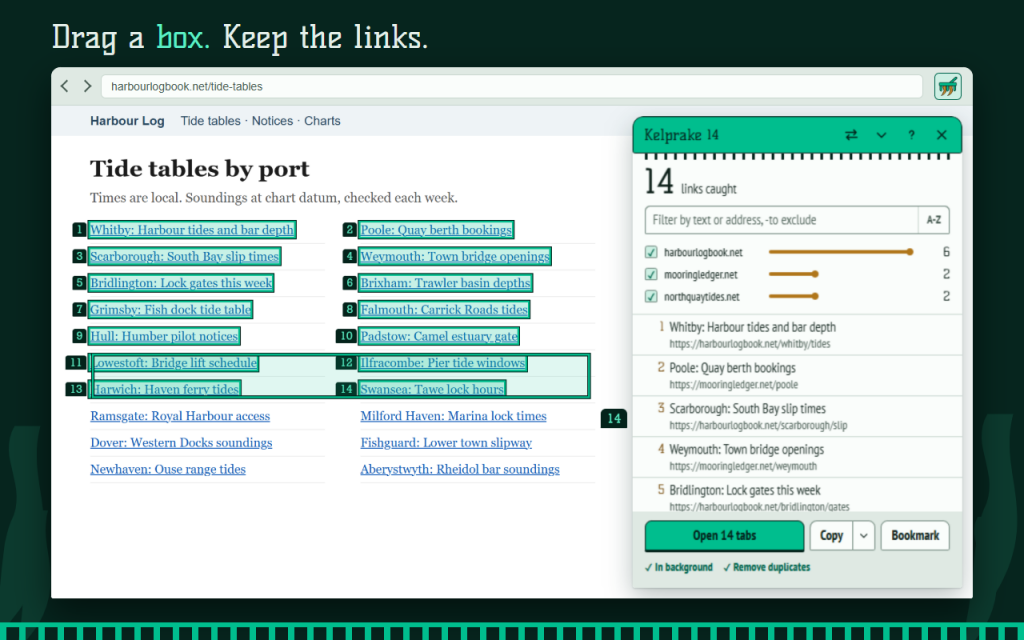
Link grabber for pages full of links: drag a box over the ones you want, check the list, then open them all in tabs, copy them or bookmark them.
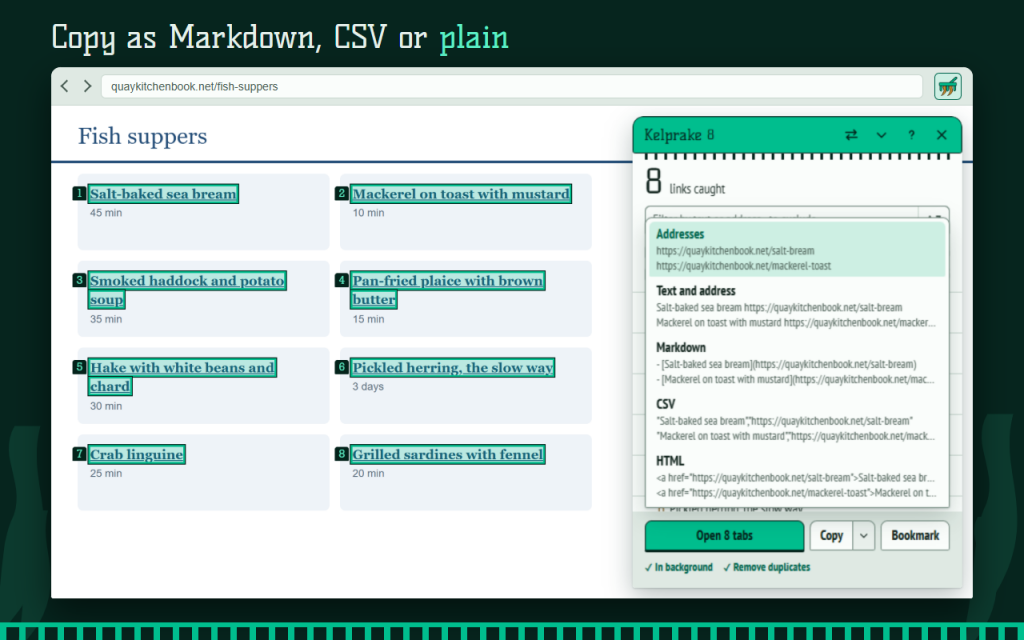
Press the toolbar button or Alt+Shift+K and draw a box with the left mouse button. Every link caught lights up and gets a number. The same number stands in the panel beside the page, so you can see exactly what you are about to open.
Catch links your way
- Drag in any direction: the links always come in page order, top to bottom and left to right, not reversed and not sorted A-Z unless you ask.
- Hold Shift to add, Alt to take out, click a link to switch it.
- Near the window edge the page scrolls at a steady speed, and links already caught stay caught.
- All links on this page collects everything in one step.
Check before you act
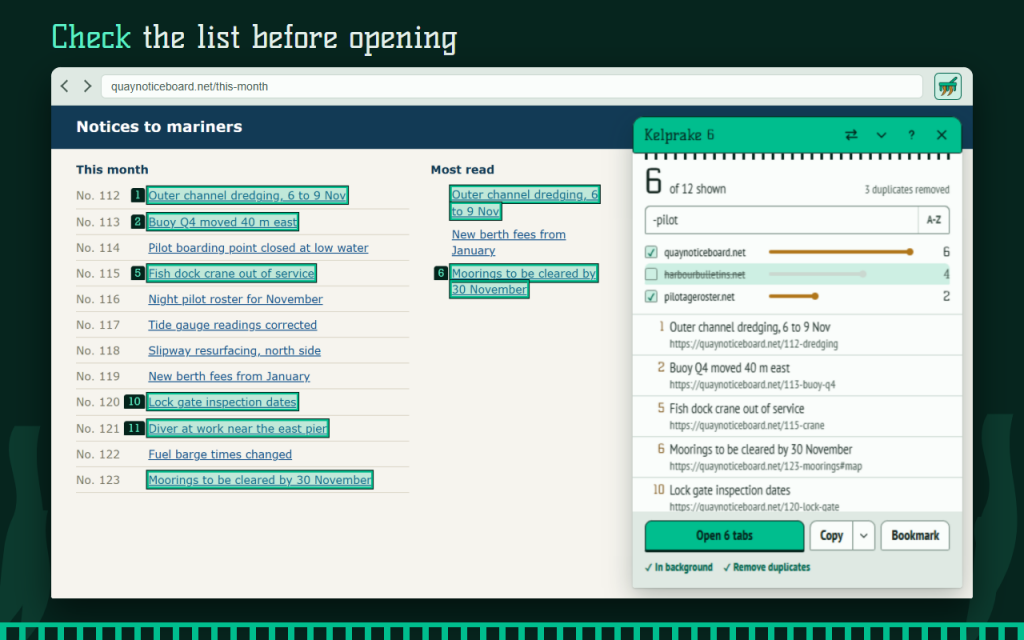
- Filter by text or address. Put a minus before a word to hide what matches: -login.
- Each site is listed with its link count. Click one to switch it off.
- Duplicates are removed and counted. Addresses that differ only after the # count as one.
Then do one thing well
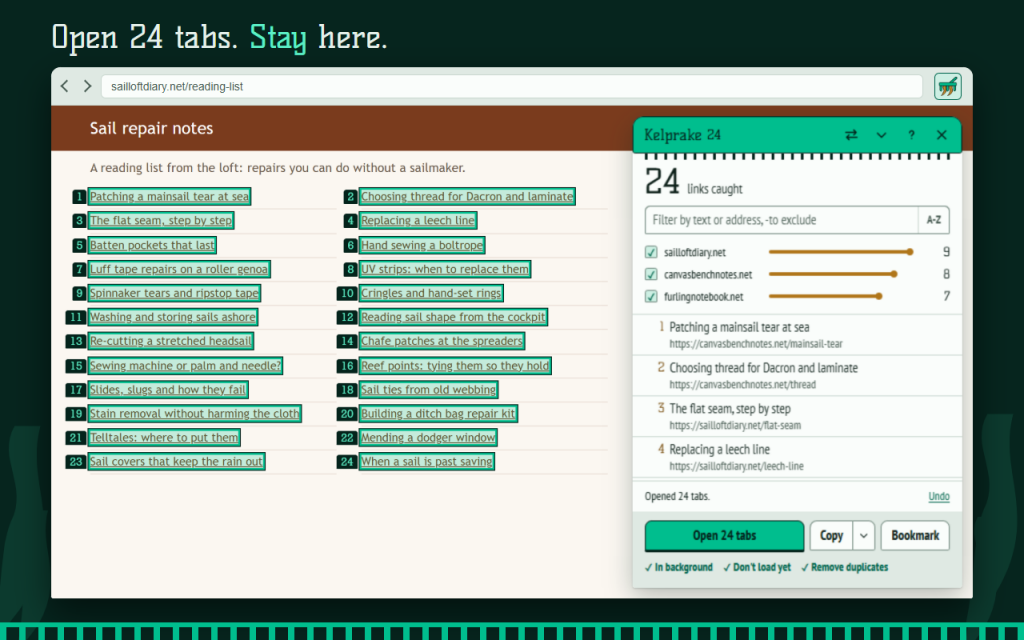
- Open in tabs, in the background, right after the current tab and in page order. You stay where you are. Over 20 tabs you are asked first, and the limit is yours to change. Undo closes them again.
- Don't load yet: where the browser supports it, tabs wait unloaded until you switch to them.
- Copy as plain addresses, text and address, Markdown, CSV or HTML. One line per link, no empty lines.
- Bookmark the set into a new folder named with the date and the page title.
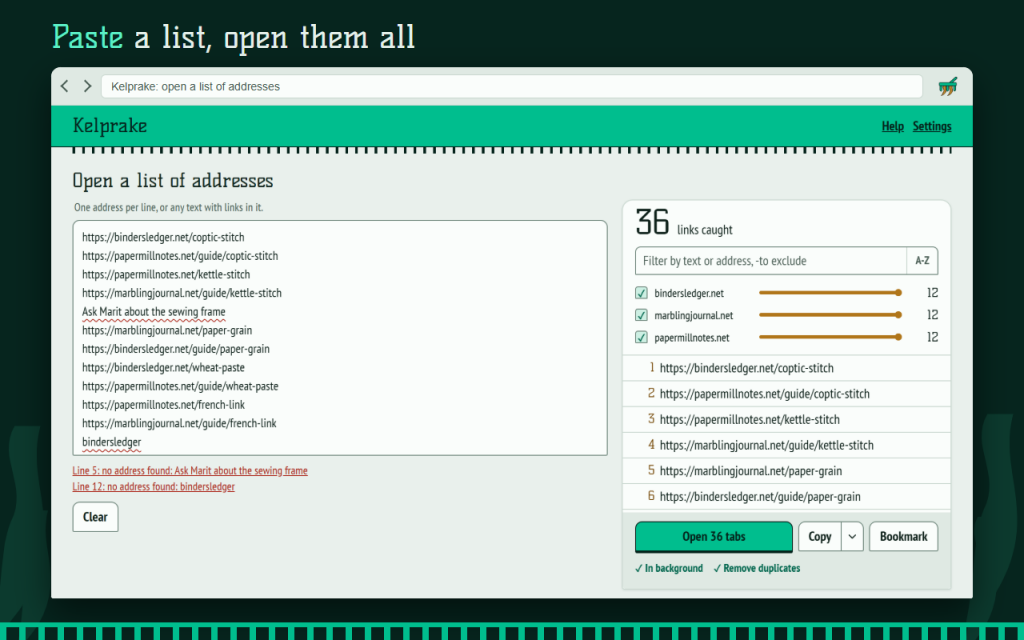
Open a list of URLs: paste addresses, one per line, or any text with links in it. Kelprake finds them, underlines the lines it cannot use and says why.
The left button only works in box mode, so mouse gestures and the right-click menu stay yours. Light and dark themes, keyboard control and 16 languages.
Private by design: Kelprake reads a page only after you press its button or shortcut and sends nothing anywhere. No account, no tracking, no ads. Works offline. Your data stays in your browser.
This version is free.
Permissions: active tab and scripting read the links of the current page only when you ask; storage keeps your settings; bookmarks is requested only if you use Bookmark.
/ Notas
Link grabber: drag a box over links, check the list, then open them in tabs, copy or bookmark. Or paste a list of URLs to open.
Disponible como extensión para el navegador.
Soporte · Ponte en contacto con el desarrollador · Política de privacidad · Condiciones de uso
// OBTENER LA APLICACIÓN