
Lopewheel: Controlador de velocidade de vídeo
Controlador de velocidade de vídeo para o seu navegador
Gratuito · Funciona sem ligação à Internet · Os teus dados permanecem no teu navegador · Edge
/ Capturas de ecrã
/ Sobre o Lopewheel: Video Speed Controller
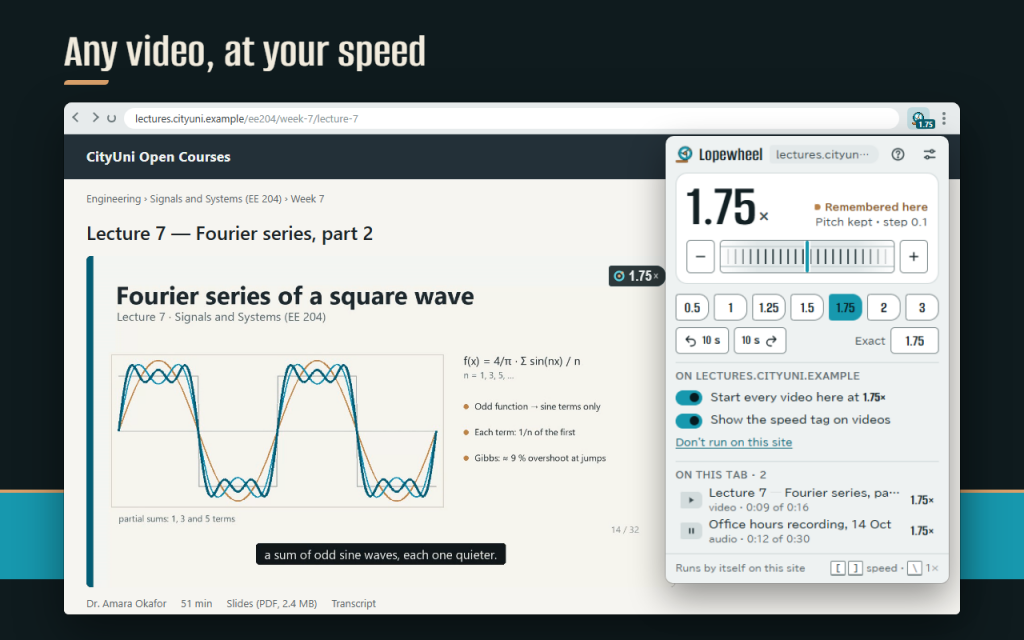
Video speed controller for any HTML5 video and audio on the web: lectures, talks, courses, podcasts, interviews and films.
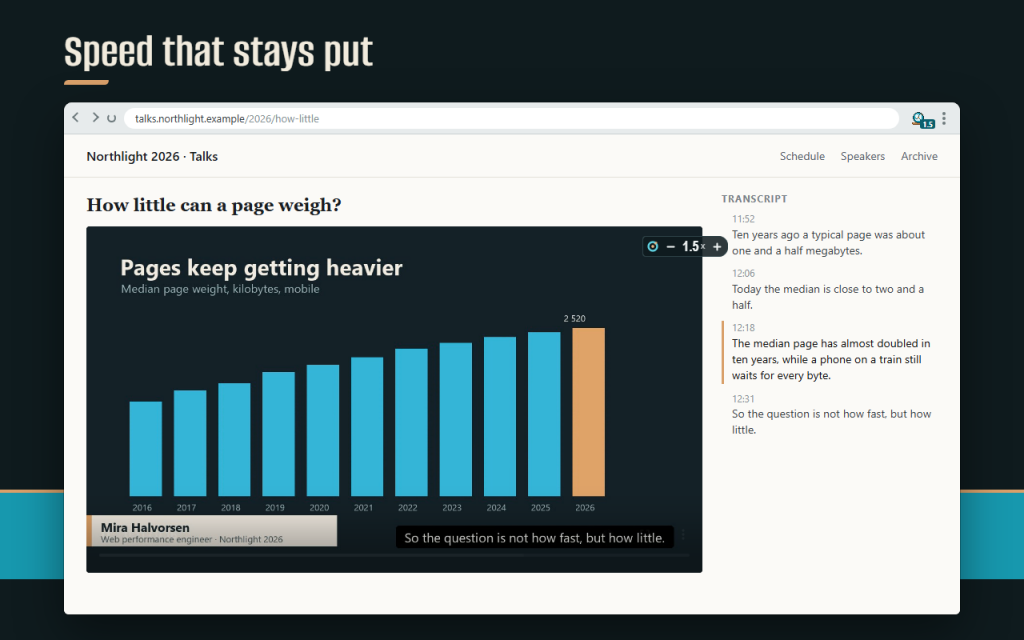
Turn the wheel in the popup, tap a preset, or use the keys right on the page. Lopewheel keeps the speed you chose after a pause, a seek, fullscreen or the next episode. Voices keep their natural pitch.
What you get
- Any speed from 0.07× to 16×, in steps of 0.05, 0.1 or 0.25.
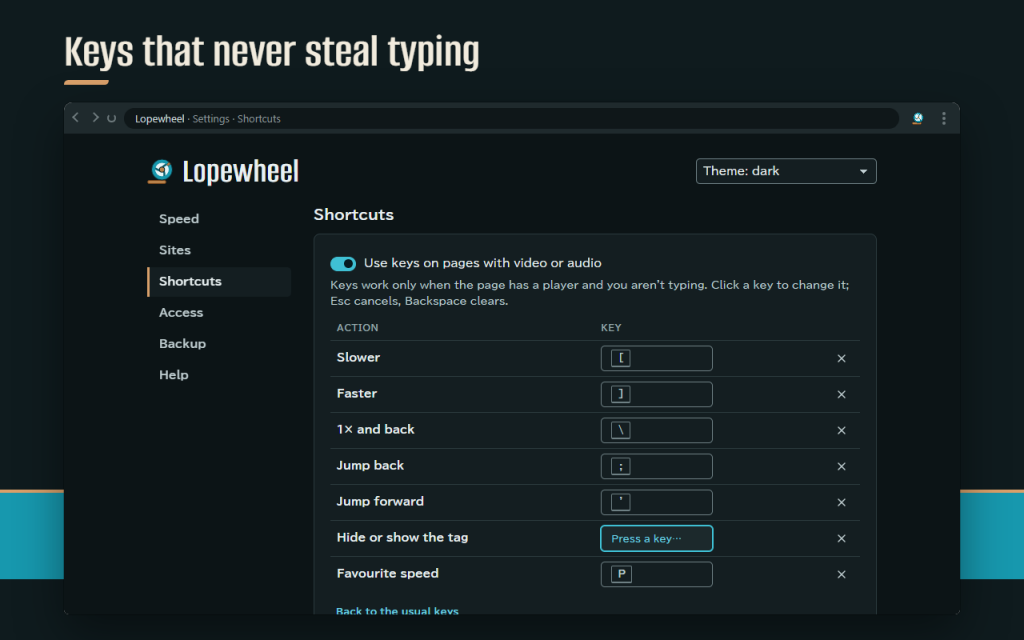
- Page keys: [ slower, ] faster, \ 1× and back, ; and ' jump back and forward, P favourite speed, H hide the tag. Every key can be changed.
- Keys that never steal typing: fields, editors and text input are left alone, and on pages without video or audio no key is touched at all, so find in page keeps working.
- A speed that holds. If a site resets it, Lopewheel puts yours back; if the site insists, Lopewheel stops arguing and tells you, instead of freezing the page.
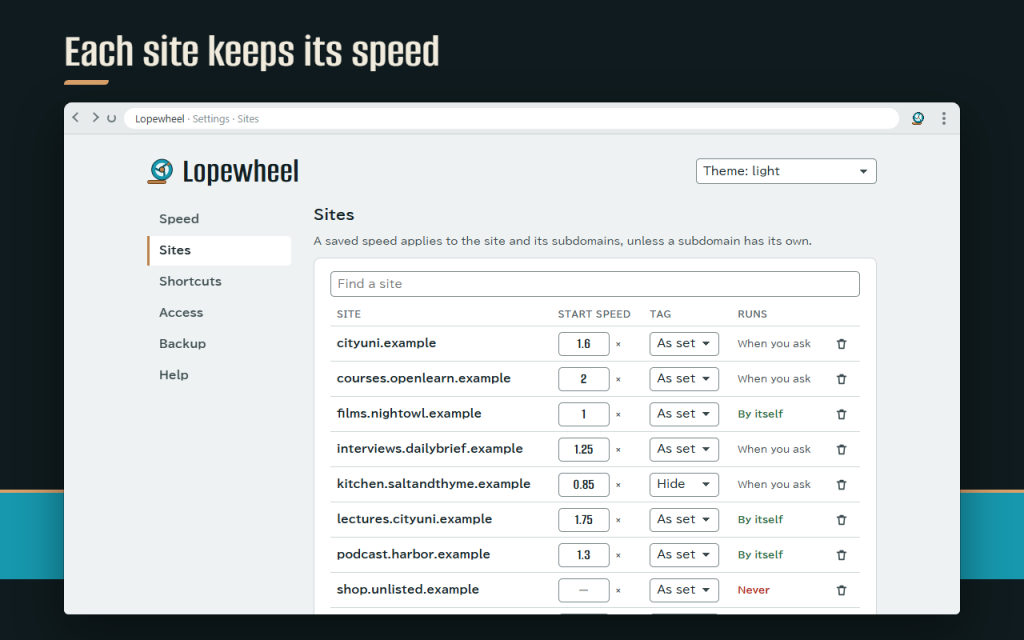
- Per-site speeds: lectures at 1.75×, a podcast at 1.3×, films at 1×. Subdomains follow their site.
- Choose how a new page starts: the site's speed, the last speed you used, or always 1×.
- A small speed tag on the video that you can drag, show only after a change, show on hover, or switch off.
- Players inside embedded frames and web components.
- The speed on the toolbar button, and browser-wide shortcuts that work in any tab.
Private and light
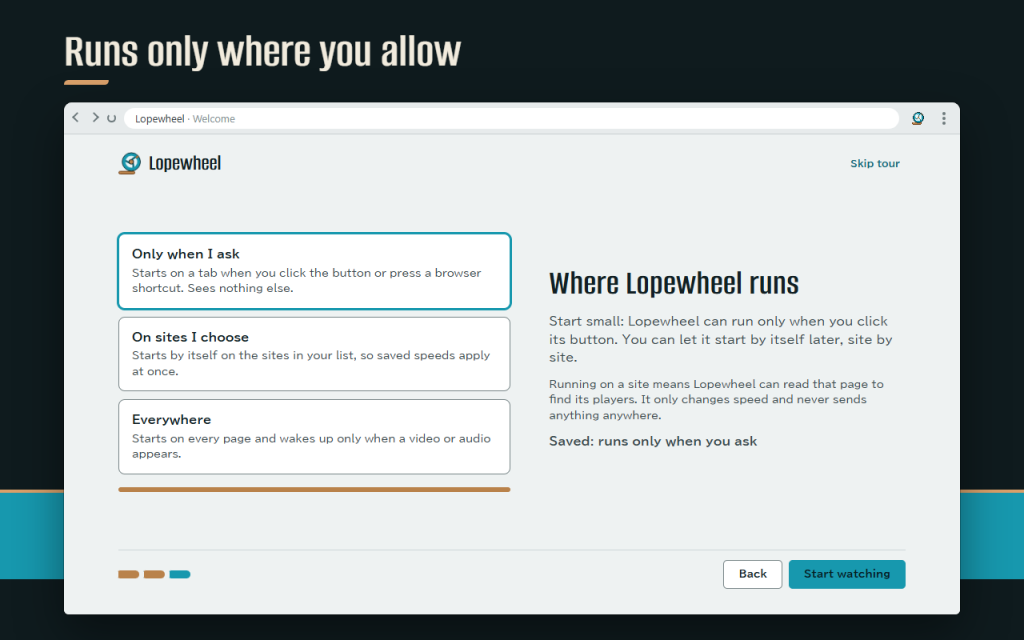
- Runs only where you ask: by default Lopewheel starts on a tab when you click its button. Let it start by itself on chosen sites or everywhere when you want to.
- On pages without video or audio it stays asleep: it doesn't watch the page and doesn't touch a single key.
- No account, no analytics, no network requests. Settings stay in your browser and can be exported to a file.
Works offline. Your data stays in your browser. In 16 languages. This version is free.
Permissions: storage keeps your settings in the browser. activeTab and scripting let Lopewheel start on the current tab when you click its button or press a shortcut. Access to websites is optional: it is requested only for the sites where you let Lopewheel start by itself.
/ Notas
Controlador de velocidade de vídeo para qualquer vídeo ou áudio: 0,07–16×, teclas que nunca interferem com a digitação, velocidade estável, velocidades definidas por site.
Disponível como extensão do navegador.
Suporte · Contacte o programador · Política de privacidade · Termos de Utilização
// OBTER A APLICAÇÃO