
Flicktrivet: Video Downloader
Video downloader for your browser
Gratuito · Funciona sem ligação à Internet · Os teus dados permanecem no teu navegador · Edge
/ Capturas de ecrã
/ Sobre o Flicktrivet: Video Downloader
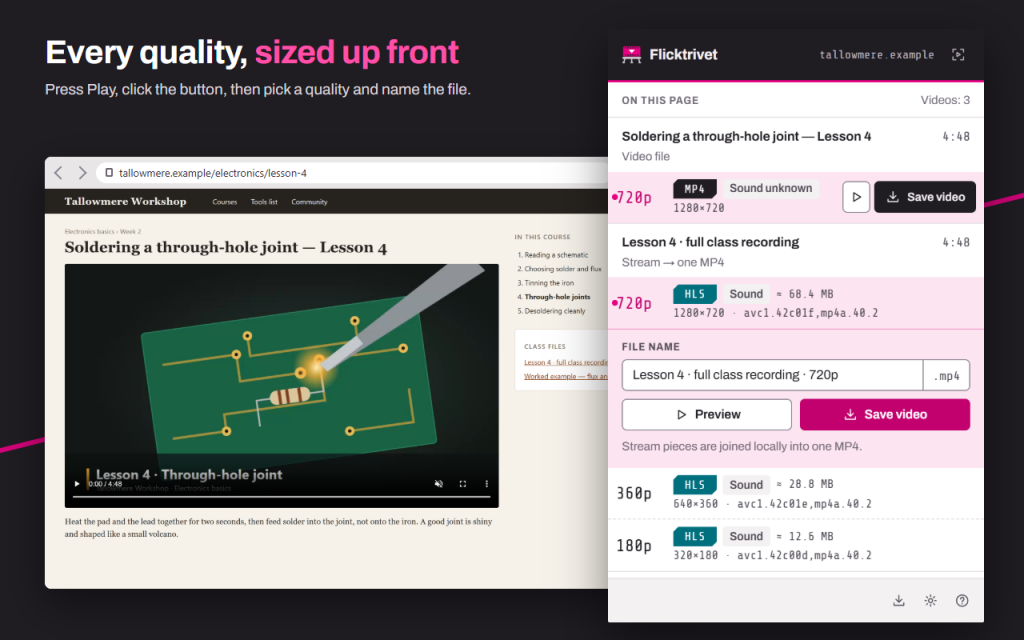
Flicktrivet is a video downloader that finds the videos on the current tab and saves them as files. Open the page, press Play, then click the Flicktrivet button.
See every video at a glance. Each one is listed with its qualities: a format plate (MP4, WebM or HLS), resolution, sound and approximate size. The video that is playing comes first.
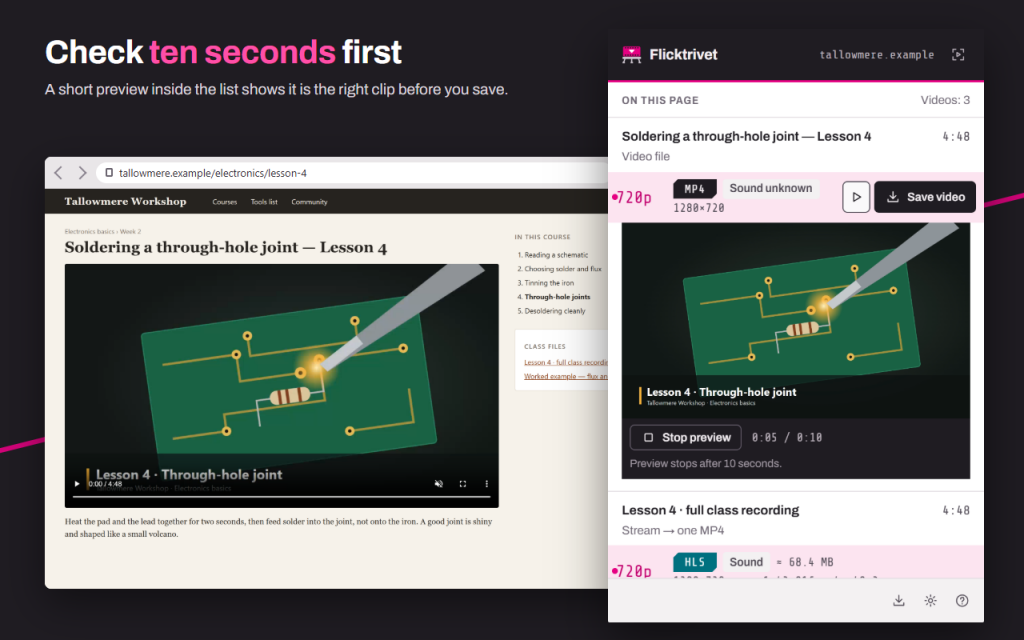
Check before you save. A 10-second preview shows the chosen quality, and the file name is yours to edit, also with a pattern: {title}, {quality}, {site}, {date}, {duration}.
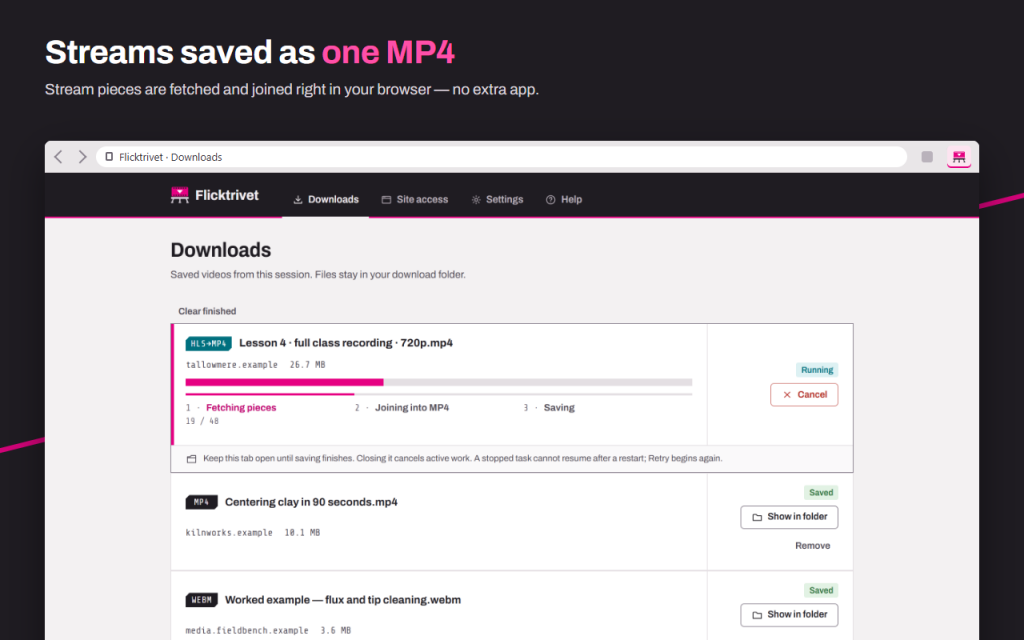
Keep the original quality. Direct MP4 and WebM are saved with their original bytes. Continuous, unencrypted HLS VOD (H.264 + AAC, MPEG-TS or a single muxed fMP4) is joined into one MP4 locally, without re-encoding.
- Finds the videos on the current tab when you click the button
- Shows format, resolution, sound and approximate size for each quality
- Puts the playing video at the top of the list
- Lets you preview 10 seconds before saving
- Names files your way with an editable pattern
- Saves direct MP4 and WebM byte for byte
- Joins unencrypted HLS VOD into one MP4 without re-encoding
- Shows progress (fetching pieces, joining, saving) with cancel and retry
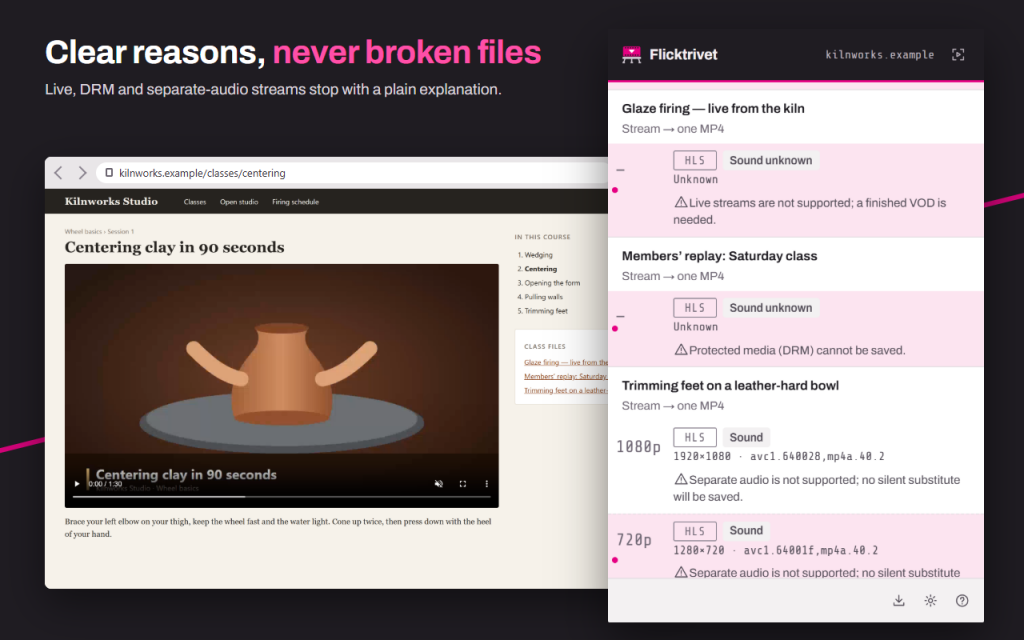
- Explains why a stream cannot be saved instead of failing silently
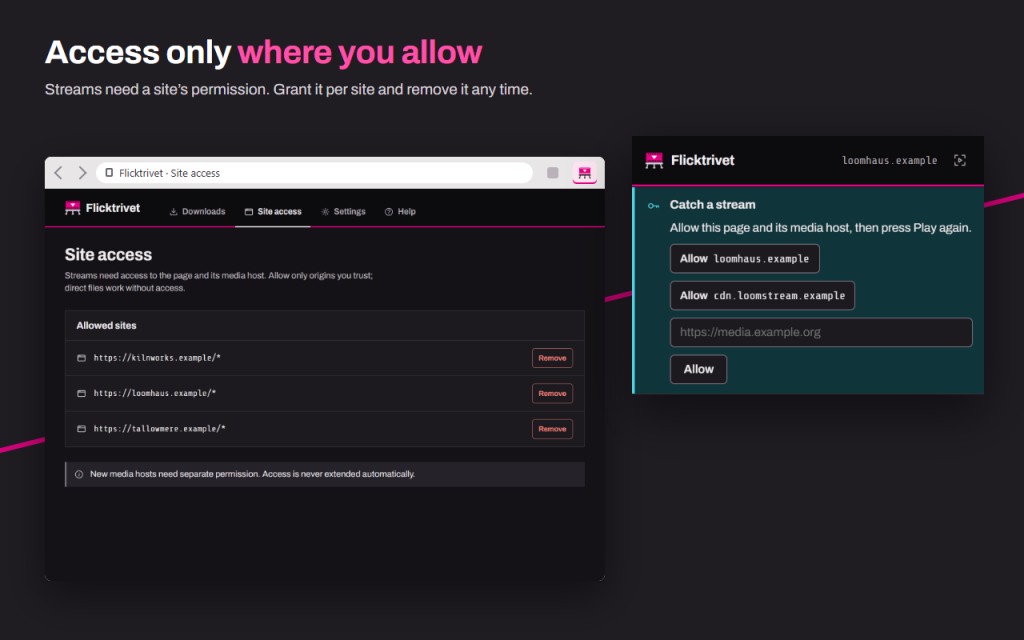
- Asks for stream access per site; revoke it any time on the Site access page
- No companion app, no time limits, no account
- Light and dark theme, 16 languages
Works offline. Your data stays in your browser. Processing is local, with no analytics; requests go only to the media sources you choose, and nothing is sent to Zydeno.
Limits: HLS up to 512 MiB per result, one HLS task at a time. DRM, encrypted media, live streams, DASH and separate audio are not supported. Does not save videos from YouTube.
Save only media you created or have permission to download. Flicktrivet does not bypass access restrictions or protection.
Permissions: activeTab and scripting look for video on the current tab after your click; downloads saves files; storage keeps settings. Optional: webRequest and access to the specific sites you approve, so streams can be found.
/ Notas
Video downloader for the current tab: pick a quality, preview, rename and save MP4, WebM or unencrypted HLS as one MP4.
Disponível como extensão do navegador.
Suporte · Contacte o programador · Política de privacidade · Termos de Utilização
// OBTER A APLICAÇÃO