
Seedtrunk: Tab Saver & Session Manager
Gestionnaire d'onglets et de sessions
Gratuit · Fonctionne hors ligne · Vos données restent dans votre navigateur · Edge
/ Captures d'écran
/ À propos de Seedtrunk: Tab Saver & Session Manager
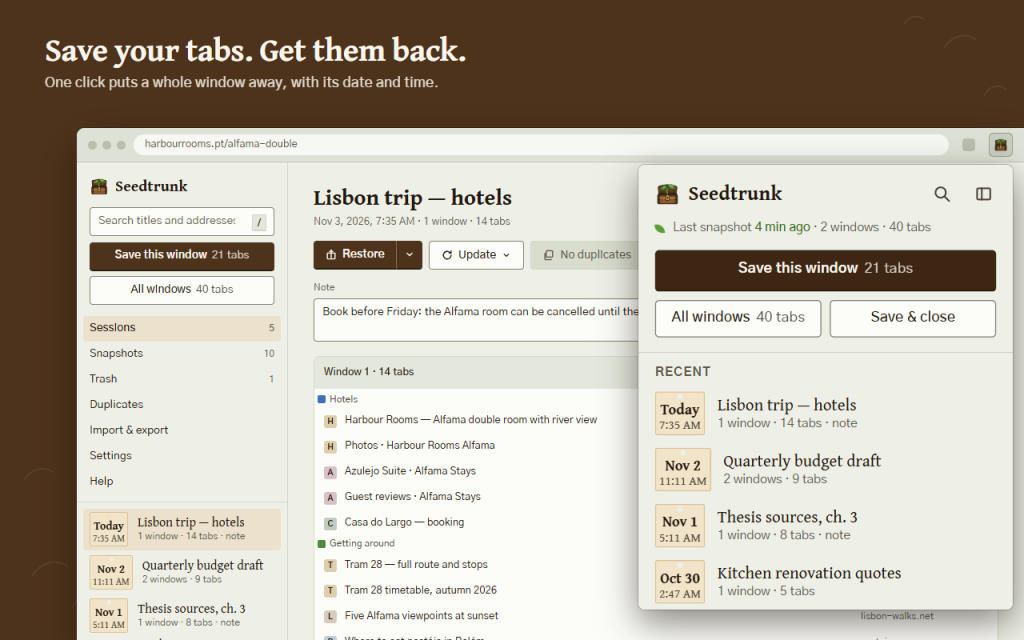
Seedtrunk is a tab saver and session manager: save tabs from one window or all windows as a named session and restore them in one click.
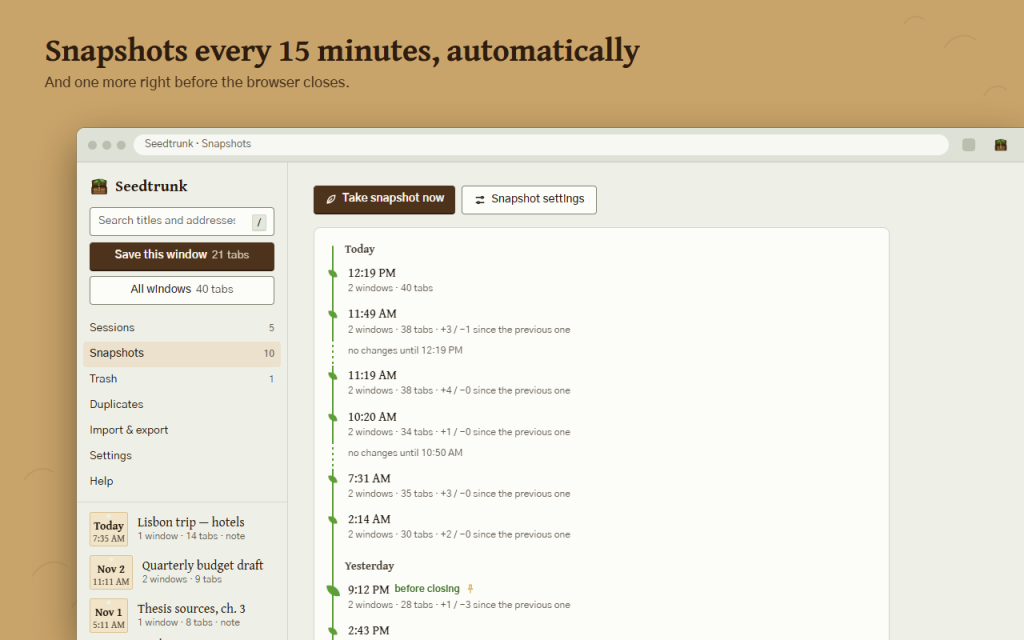
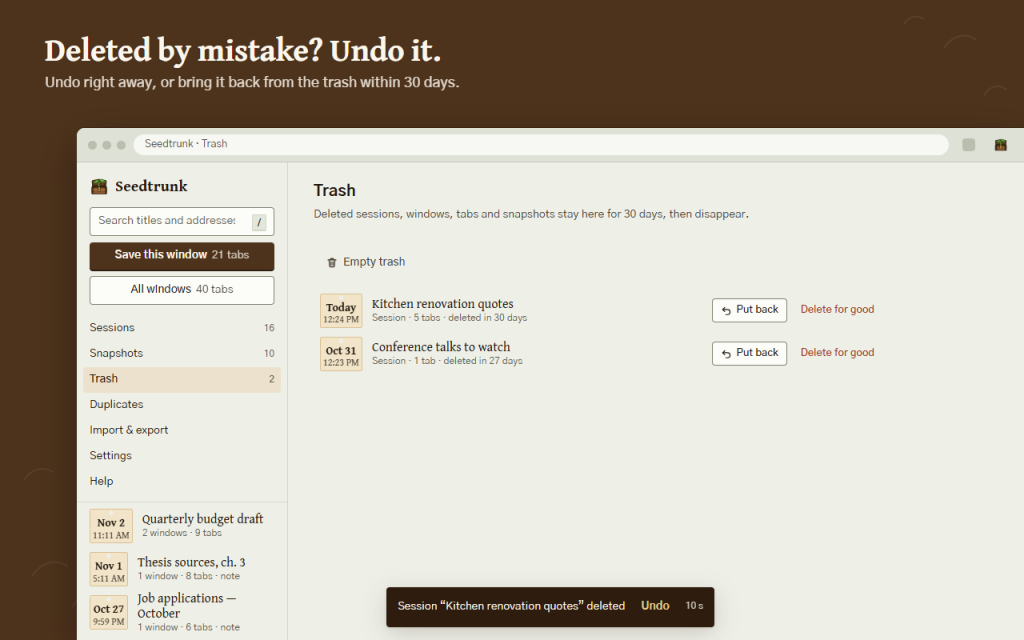
Seedtrunk is built around one promise: your saved tabs do not disappear. Every save shows its date and time, snapshots are taken on their own, and anything you delete waits in the trash for 30 days.
- Save tabs for later: this window, all windows, or save & close to free memory; name the session right away
- Restore a session, one window or one tab: in a new window, in this window, or in place of this window
- Big sessions restore lazily: 1000 tabs open without freezing, with progress and a Stop button
- Automatic snapshots every 5–60 minutes and one right before the browser closes, on a timeline; pinned snapshots are never cleaned up
- Undo after every delete, a 30-day trash, earlier versions of an updated session
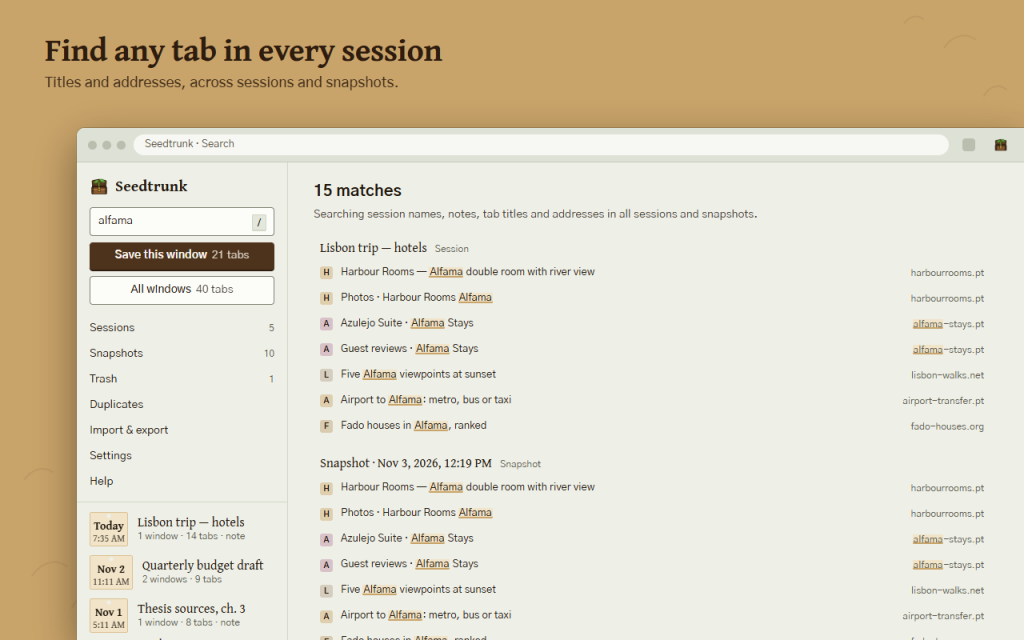
- Search titles and addresses across all sessions and snapshots
- Find and remove duplicate tabs inside a session, across sessions or in an open window
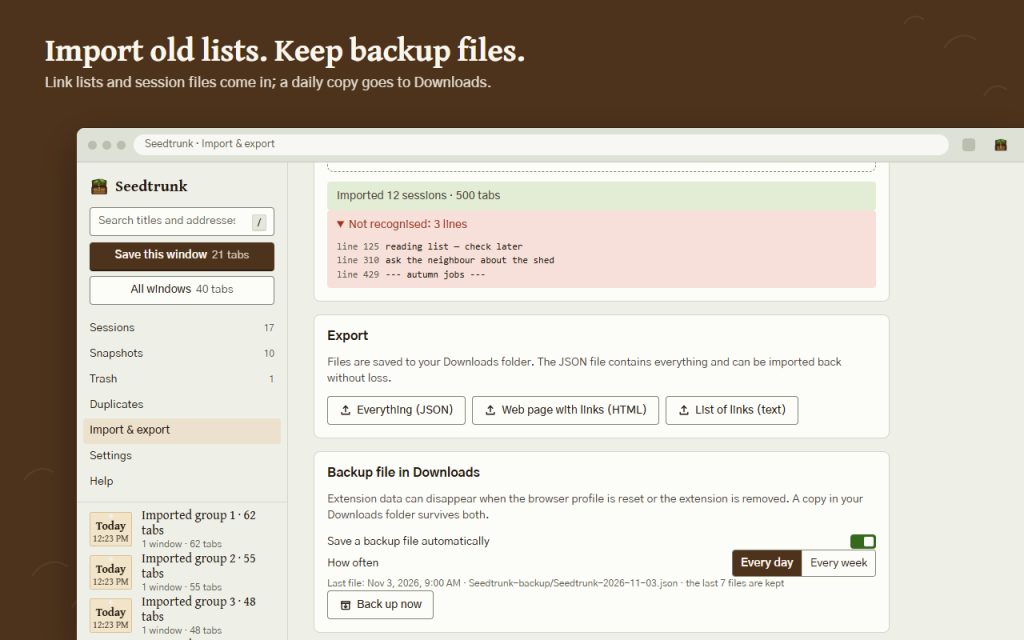
- Import the text export of OneTab and Tab Session Manager JSON files; lines that are not links are listed, never silently dropped
- Export everything to JSON (imports back without loss), a web page with links, or a plain list
- Optional backup file in your Downloads folder every day or week, so a profile reset cannot wipe your sessions
- Tab groups keep their names and colours, pinned tabs stay pinned; private windows are left out unless you turn them on
- Keyboard shortcuts, light and dark theme, 16 languages, right-to-left layout for Arabic
Private by design: no account, no server, no analytics, no ads. Seedtrunk does not read the pages you visit; it sees only tab addresses and titles, and all data stays in your browser. Works offline in Firefox and Opera.
Cette version est gratuite.
Permissions: tabs — to read tab addresses and titles and to open, group and close tabs; storage and unlimited storage — to keep sessions in your browser, even very large ones; alarms — for timed snapshots and cleanup; tab groups — to keep group names and colours; downloads (optional, asked only when you turn on backup files) — to save backup files to your Downloads folder.
/ Remarques
Enregistrez vos onglets et vos fenêtres sous forme de sessions nommées et restaurez-les en un seul clic. Instantanés, fonction « Annuler », corbeille de 30 jours et sauvegarde des fichiers.
Disponible sous forme d'extension de navigateur.
Assistance · Contacter le développeur · Politique de confidentialité · Conditions d'utilisation
// OBTENIR L'APPLICATION