RaddleFlitch: Draw on Web Pages
Draw on web pages for your browser
Gratuit · Fonctionne hors ligne · Vos données restent dans votre navigateur · Edge
/ Captures d'écran
/ À propos de RaddleFlitch: Draw on Web Pages
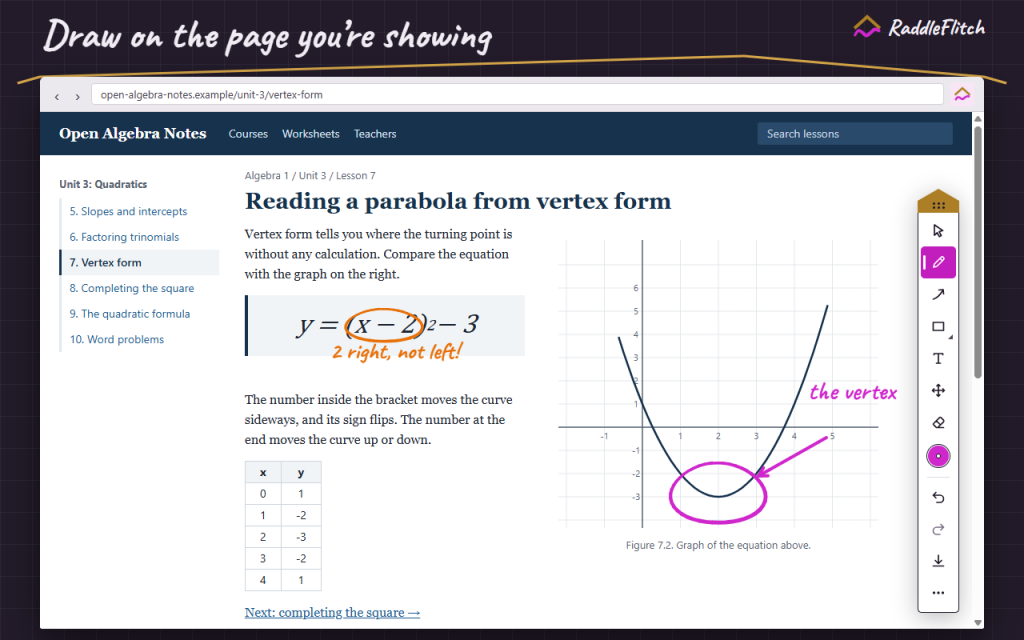
RaddleFlitch is a drawing app that lets you draw on web pages while you show them. Circle a detail during a lesson, connect two steps on a call, or point out a problem in a review without leaving the page.
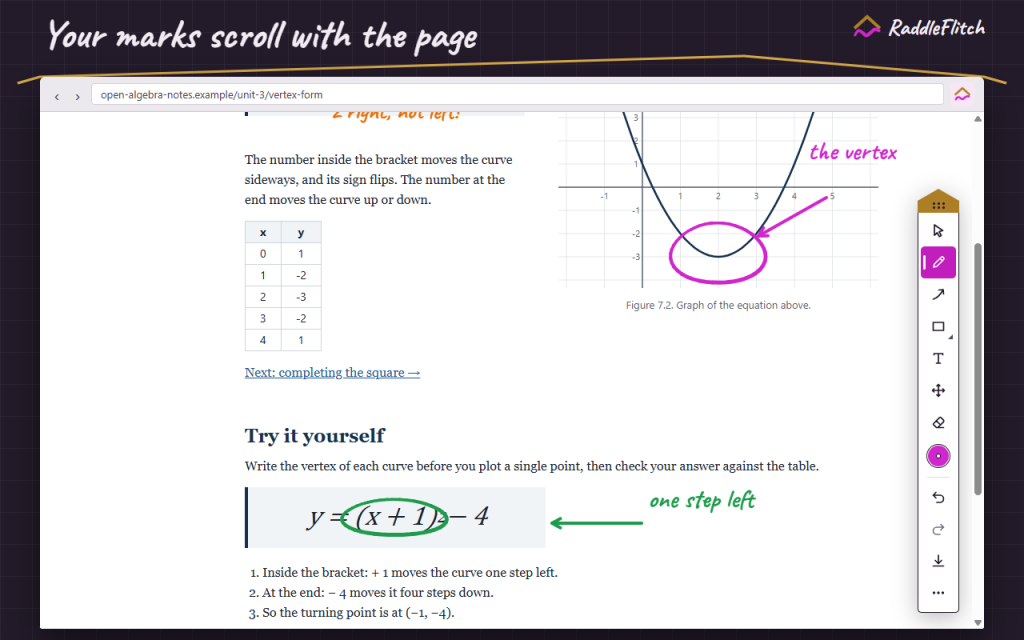
Your marks belong to the page. Scroll down and they stay on the same graph, paragraph or photo, so you can keep explaining instead of redrawing.
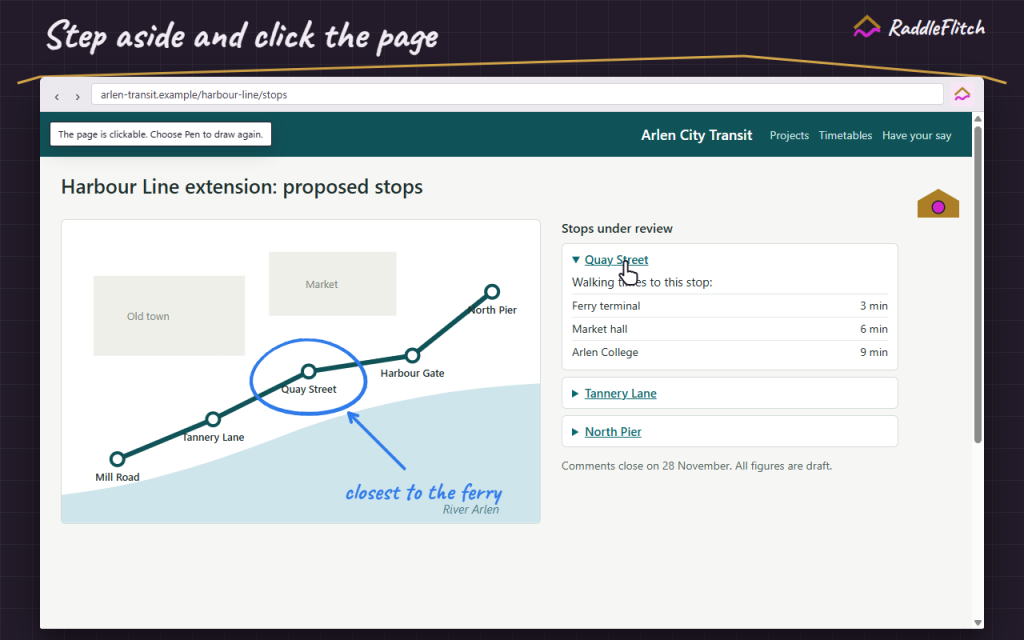
Need to click something? Switch to Use the page: links, menus and fields respond again and your drawing stays visible. Tuck the panel up to its small roof when viewers need the whole screen.
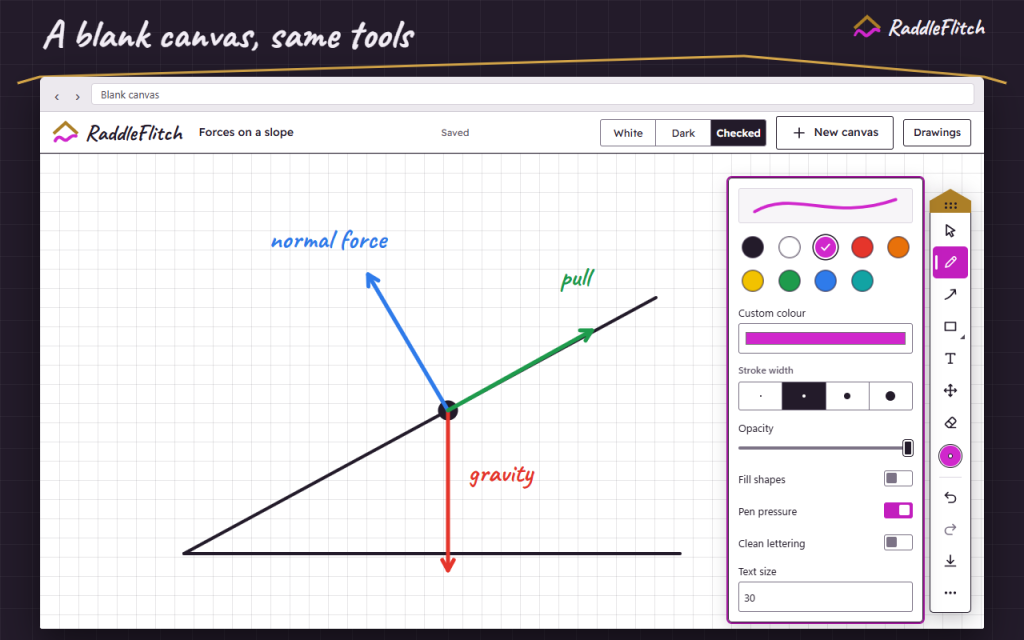
No page to draw on? Open a blank canvas with white, dark or checked paper and the same tools, for diagrams and quick sketches.
- Pen that follows stylus pressure, with a steady line for a mouse
- Arrows, lines, rectangles, ellipses and handwritten or clean text
- Move any object after drawing it; each one stays separate
- Undo and redo every step
- Object eraser that removes a whole mark at one touch
- Panel that fades while you talk and can be moved anywhere
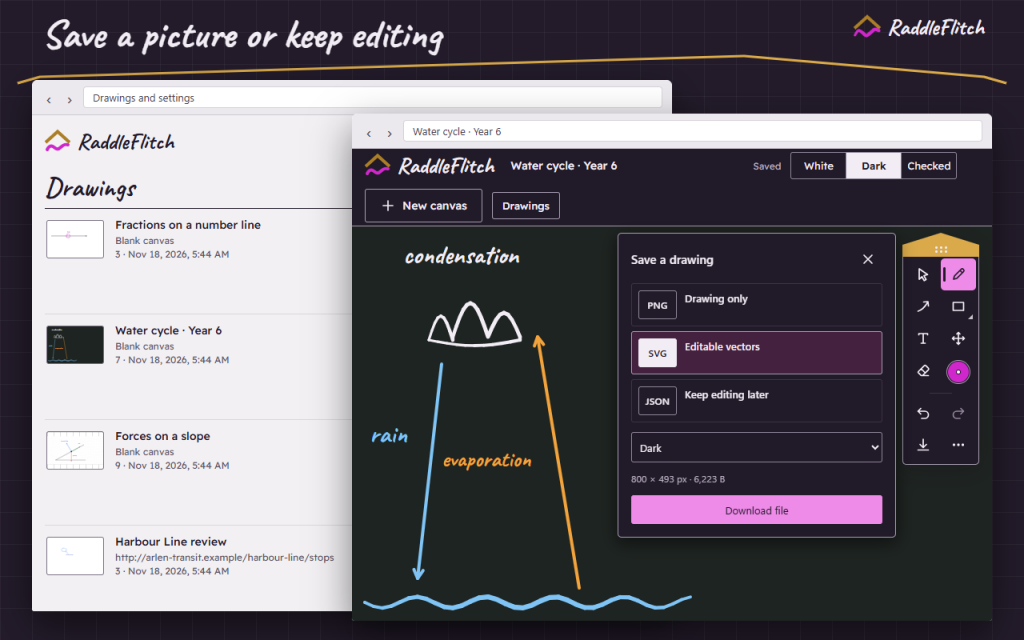
- Automatic local saving, with a list of all your drawings
- Export a PNG picture, an editable SVG or a JSON file to continue later
- Save the visible page together with your marks as a PNG
- Keyboard shortcuts, plus Alt+Shift+D to start drawing
Only share page captures you have permission to share.
Works offline. Your data stays in your browser. There are no accounts, ads or analytics, and nothing is sent anywhere. This version is free.
Good to know: marks follow the main page scroll. They do not follow nested scrolling areas or content the site rearranges. Browser pages and add-on stores cannot be drawn on; use the blank canvas there. After reloading a page, start drawing again to bring your marks back.
Permissions: activeTab gives access only to the tab where you start drawing, scripting adds the drawing layer to that tab, and storage keeps drawings, their page addresses and settings on your device.
/ Remarques
Draw on web pages or a blank canvas with pen, arrows, shapes and text. A drawing app for lessons and calls; export PNG, SVG, JSON.
Disponible sous forme d'extension de navigateur.
Assistance · Contacter le développeur · Politique de confidentialité · Conditions d'utilisation
// OBTENIR L'APPLICATION