
Tintcask: Color Picker & Palette
Eyedropper, contrast checks & palettes
Works offline · Your data stays in your browser · Chrome · Edge · Firefox
/ Screenshots
/ About Tintcask: Color Picker & Palette
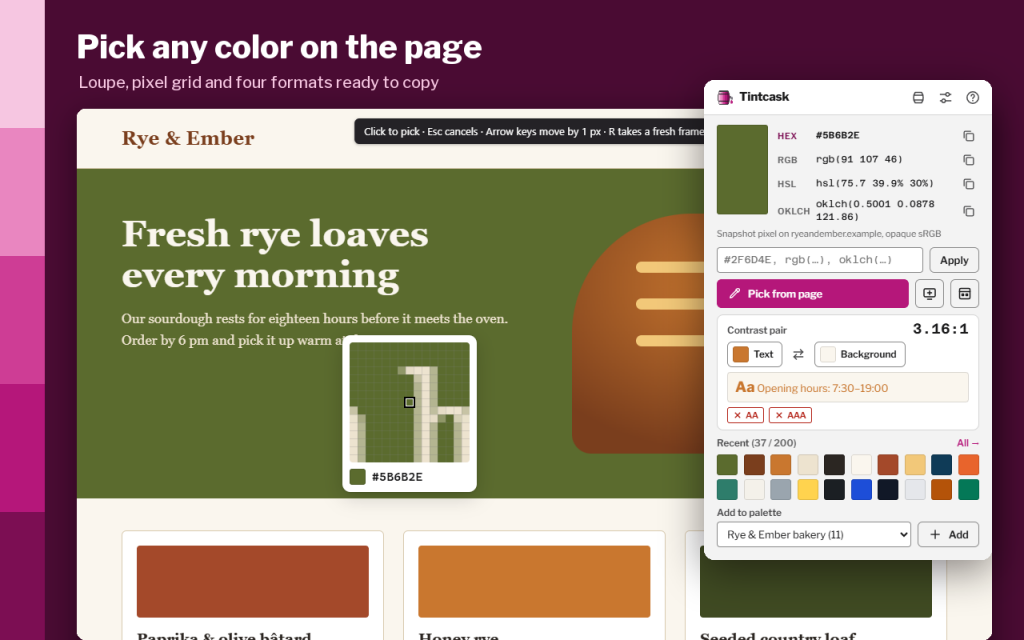
Tintcask is a color picker and eyedropper for web pages that remembers every color you pick. Click the toolbar button or press Alt+Shift+C, move the loupe over the page and click any visible pixel.
Get the code in the format you need: HEX, RGB, HSL or OKLCH, copied in one click.
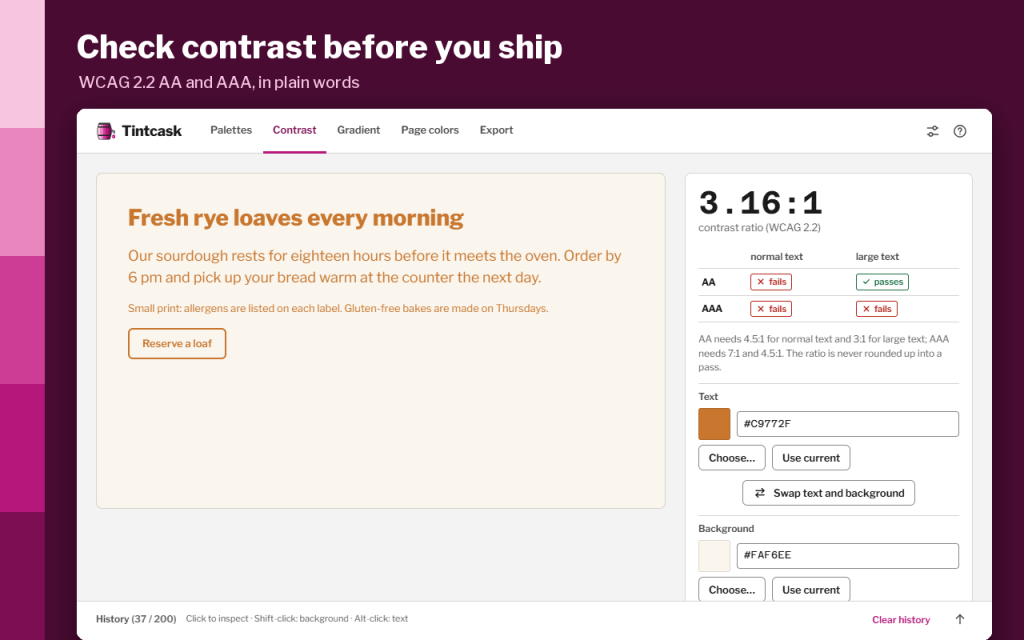
Check readability before you ship. The WCAG 2.2 contrast checker shows AA and AAA for normal and large text and suggests the nearest text color that passes.
History, named palettes, gradients and CSS export keep your colors in order. Everything is stored in your browser.
WHAT IT DOES
- Pick any visible pixel with a 15×15 loupe; arrow keys move it by 1 px, Esc cancels.
- Copy HEX, RGB, HSL or OKLCH with one click.
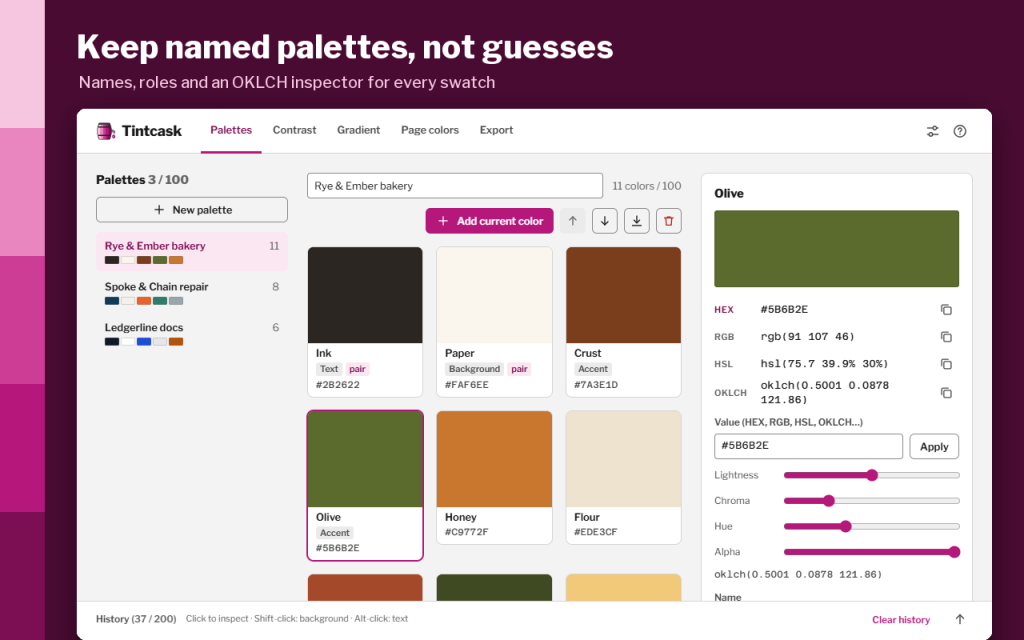
- Type or paste any CSS color and fine-tune it with OKLCH sliders.
- Check text and background contrast against WCAG 2.2 AA and AAA, for normal and large text.
- Get the nearest passing text color when a pair fails.
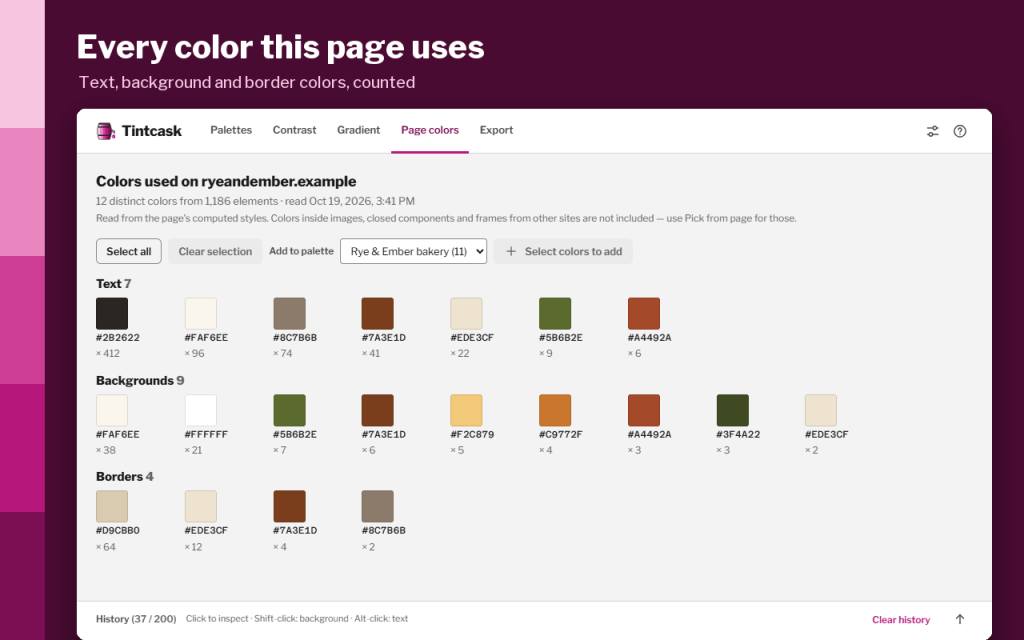
- See every color a page uses for text, backgrounds and borders, sorted by frequency.
- Keep the last 200 picked colors in history.
- Build up to 100 named palettes with roles such as text, background and accent.
- Create linear or radial gradients with up to 8 stops and copy the CSS.
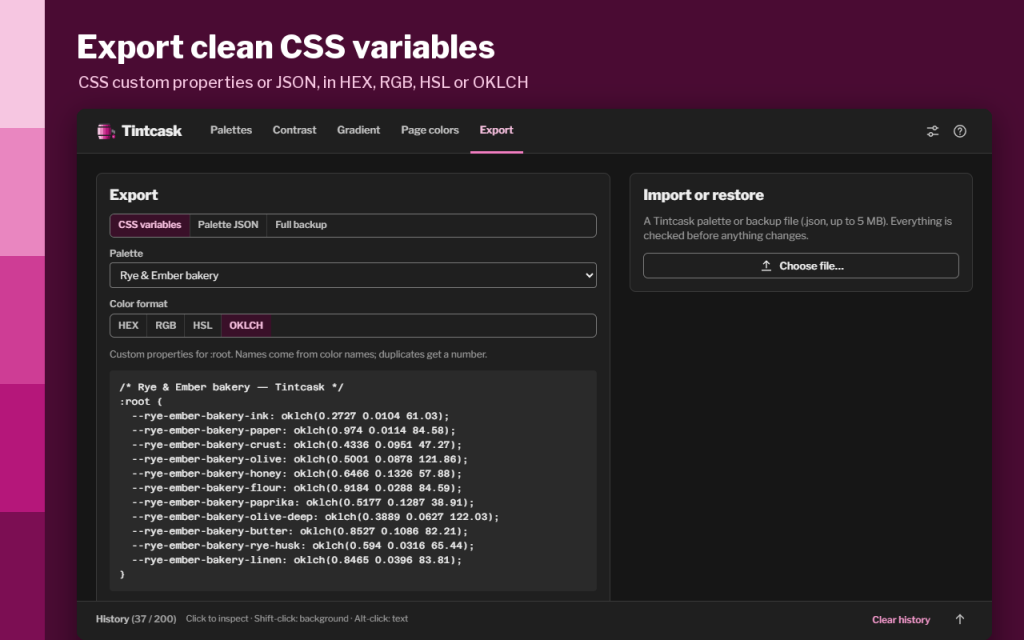
- Export a palette as CSS custom properties or JSON, and back up or restore everything.
A picked pixel is the color the browser drew on screen, so Tintcask never pretends to know the original CSS behind it. Built-in browser pages and add-on stores can't be read by any extension.
16 languages, light and dark themes, full keyboard control.
Works offline. Your data stays in your browser.
Permissions: activeTab lets Tintcask read only the tab you click on, and only when you ask; scripting draws the loupe on that page; storage keeps your history and palettes on your device; the optional clipboard permission is used only to copy colors.
/ Notes
Pick a rendered page color, then keep it in a named palette or copy its HEX, RGB, HSL or OKLCH value. The contrast checker helps compare text and background combinations before exporting CSS.
History and palettes stay in this browser profile. The sampled pixel reflects what the browser draws, not necessarily the original CSS color. Browser settings pages and add-on stores restrict extension access.
// GET THE APP