Angoleto: Floor Plan Creator
Measure rooms, draw plans, view in 3D
Floor plan app for measured rooms: draw walls, place furniture, view in 3D · Android
/ Screenshots
/ About Angoleto: Floor Plan Creator
Angoleto is a floor plan creator for renovations, kitchen fitting and room surveys. Works with laser meters in Bluetooth keyboard mode. Draw each room to your measurements, arrange furniture at real size and look around the result in 3D. Your plans stay on your phone and work without a connection.
START FROM THE TAPE MEASURE
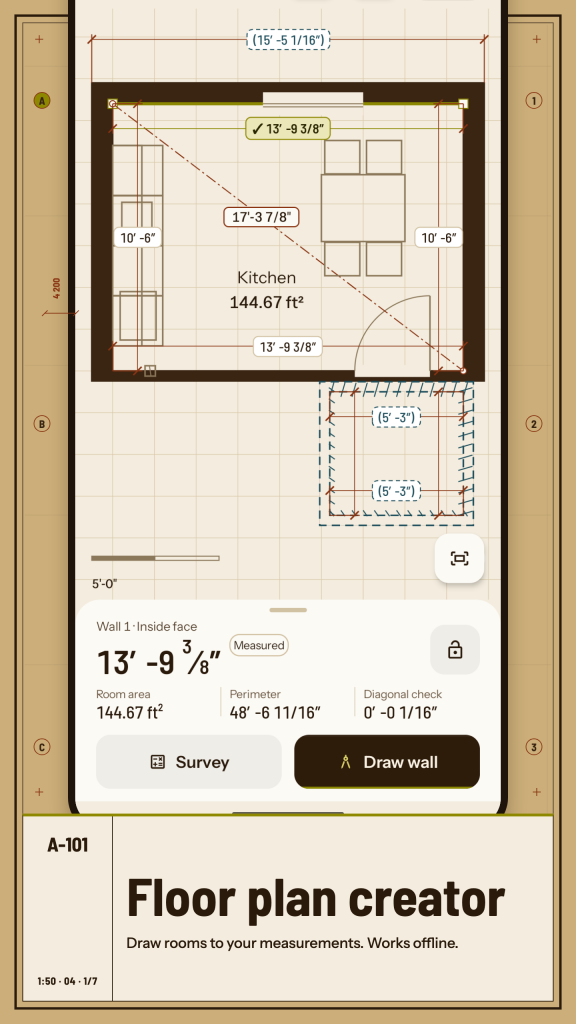
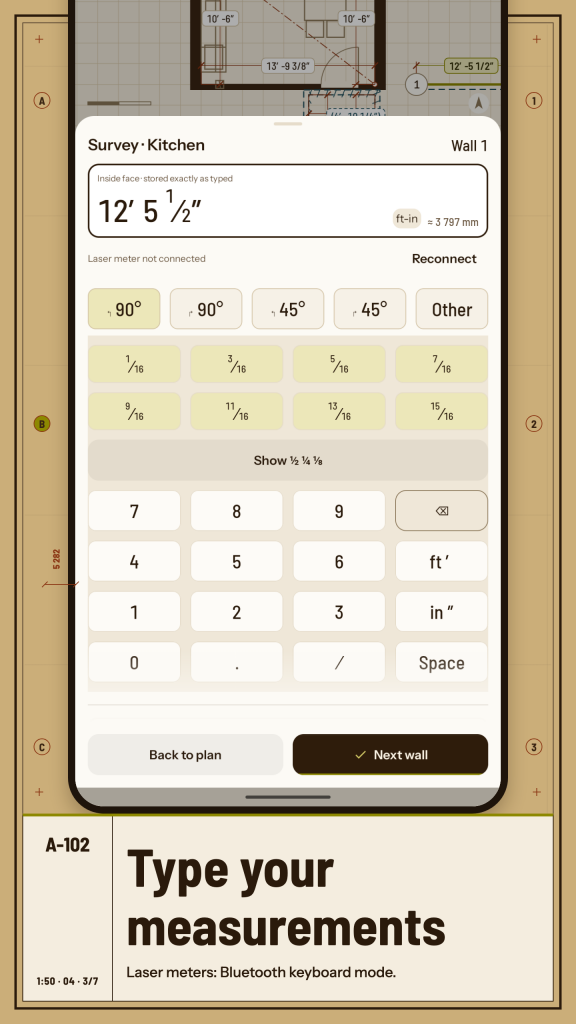
This floor plan app is built around the numbers you take on site. Sketch a wall roughly, tap its dimension and type the real length. Survey entry keeps the keypad open and moves to the next wall after every value, so you can walk a room and enter it as you go. Measure along the inside face, add a diagonal to fix a room that is out of square, and add a second diagonal as a check that shows the residual instead of silently moving a wall.
Mark each value as Measured, Estimated or Proposed so you remember what still needs checking on site. Lock a dimension and Angoleto tells you which locked values a change would conflict with before anything moves.
DRAW ROOMS, WALLS AND OPENINGS
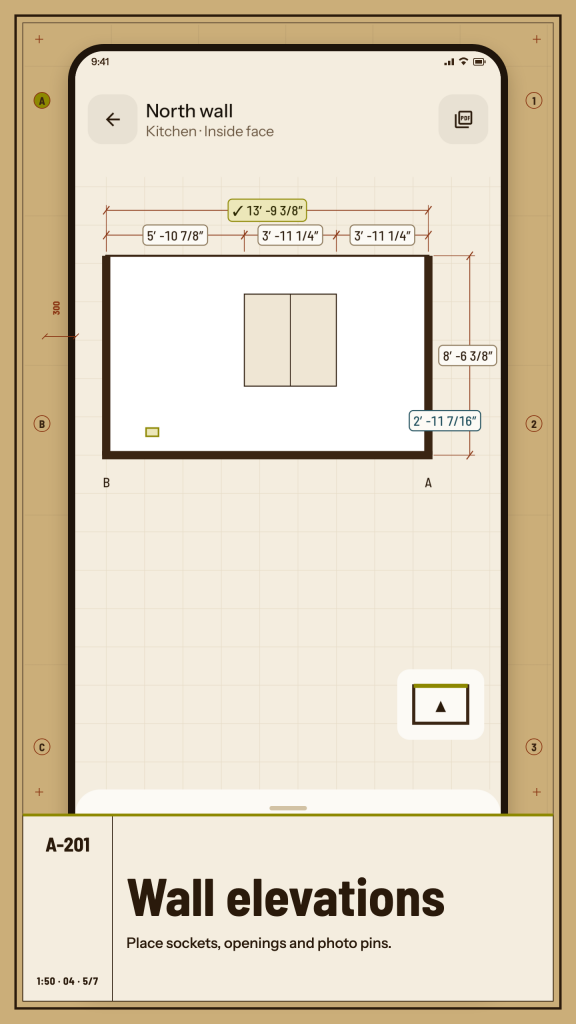
Attach the next room behind a wall using the partition thickness you measured at the door. Add doors, windows, recesses, columns, beams and a pitched ceiling, plus notes and photo pins on a wall. Whether you want to draw floor plans for one kitchen or sketch a house plan for a whole flat, rooms, levels and openings stay in one editable drawing. As a floor plan creator for real homes, it copes with rooms that are not rectangles; curved bays are approximated with short segments.
PLACE FURNITURE AT REAL SIZE
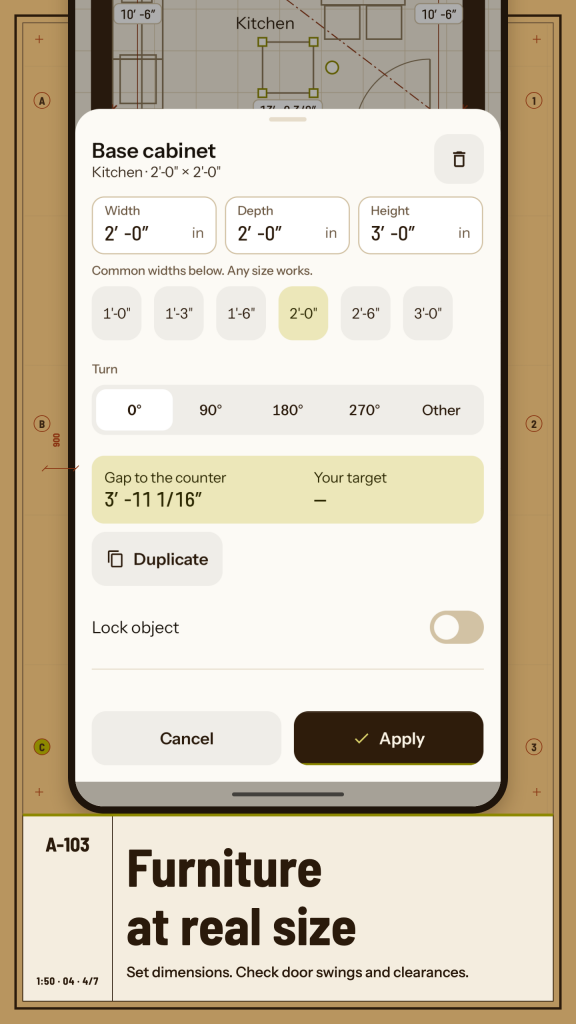
Choose from 46 furniture and fixture types: base, wall and tall cabinets, worktops, sofas, beds, tables, wardrobes, appliances, bath and sanitary ware, radiators and more. Set width, depth and height, rotate, and see the available gap beside a door swing. Use it as a furniture layout tool and compare room layout options before you buy: duplicate a variant before changing a measured plan, then reveal the differences between the two. Angoleto shows the space and never declares a layout safe for you.
SEE IT IN 3D
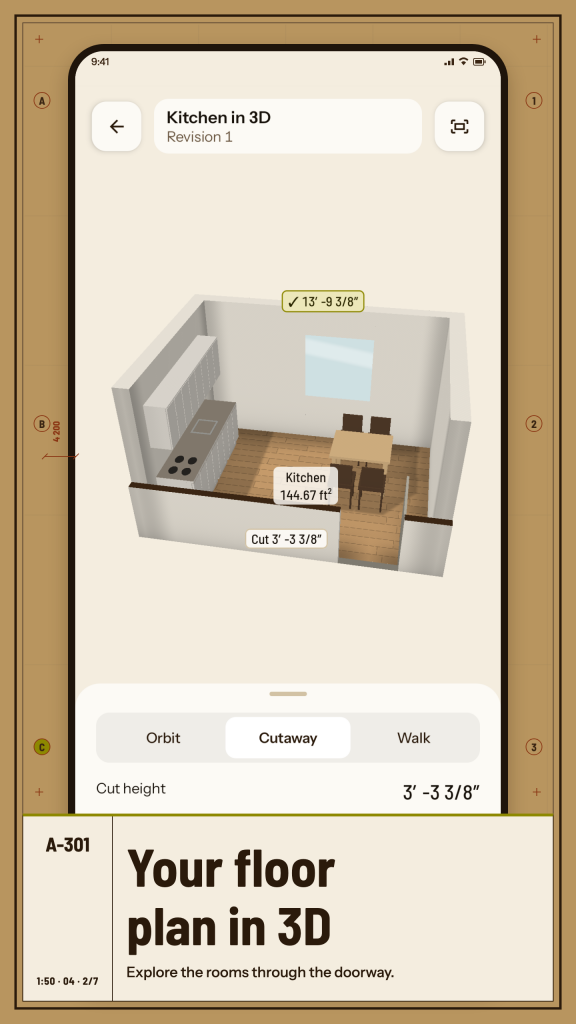
The 3D floor plan is built from the same walls you drew: walls rise from the plan, openings are cut into them, and the camera can enter at the doorway you choose. Orbit the room, use a wall cutaway or walk through with a joystick or step buttons. Switching from the 3D floor plan back to 2D puts you at the same wall.
READ AREAS AND QUANTITIES
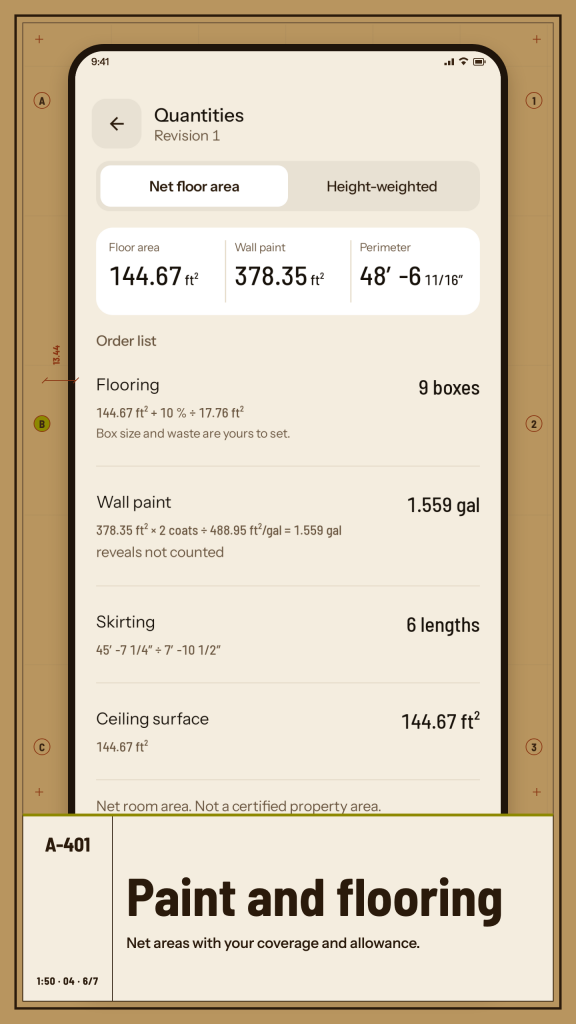
The worksheet lists room and level areas, perimeters, floor quantities and paint quantities. Enter the coverage printed on your paint, add an allowance, and see the formula behind each number. Choose the area boundary you need, such as inside faces, and keep the basis printed on the sheet.
EXPORT A PLAN SOMEONE CAN USE
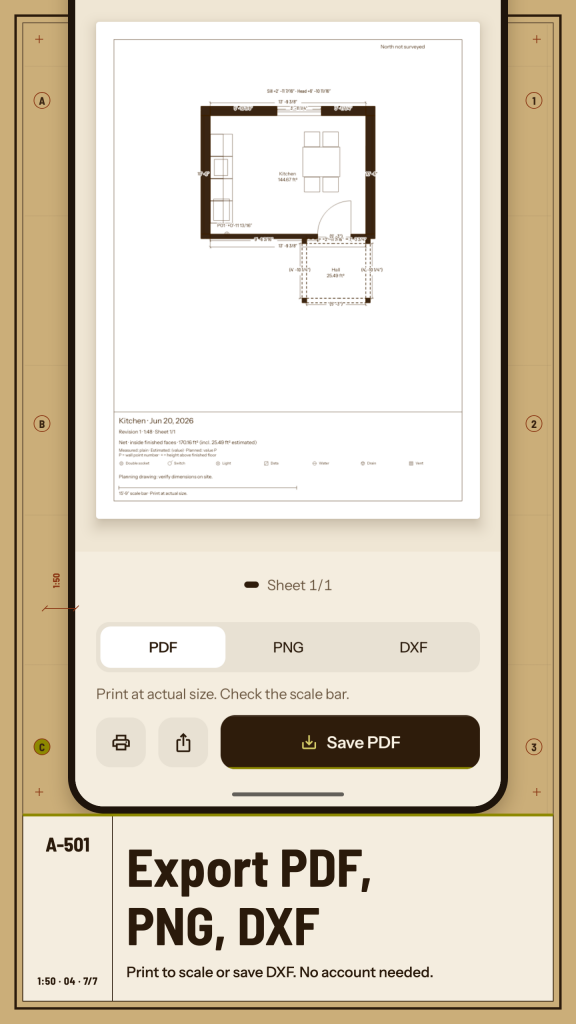
A floor plan maker earns its keep when the result can leave your phone. Export PDF and PNG at the scale and paper size you pick, with a scale bar and a title block, or print at actual size. Save SVG, CSV and DXF files for CAD programs: drawings keep their real size, and each file names its unit. Back up or move a whole project, with photos and history, in one .angoleto archive saved wherever you choose.
UNITS AND LANGUAGES THAT FIT WHERE YOU LIVE
Metres, centimetres, millimetres or feet and inches; square metres or square feet; A4 or Letter. As a floor plan app for many countries, Angoleto takes its defaults from your region, and every unit can be changed separately. Angoleto is available in 16 languages, including right-to-left layouts, dark theme and large text.
OFFLINE AND PRIVATE
There is no account and no address is required. Projects, photos and settings are stored on your device. This version is free and has no ads.
Angoleto makes planning drawings, not a surveyor's report or a permit drawing. Check dimensions on site before you order or build.
/ Notes
Angoleto is a floor plan creator for renovations, kitchen fitting and room surveys. Works with laser meters in Bluetooth keyboard mode.
Available on Huawei AppGallery.
App support · Contact the developer · Privacy Policy · Terms of Use
// GET THE APP