
Namesmith: Batch File Renamer
See every new name before renaming
Preview every rename · Photo dates · MP3 tags · Windows
/ Screenshots


/ About Namesmith: Batch File Renamer
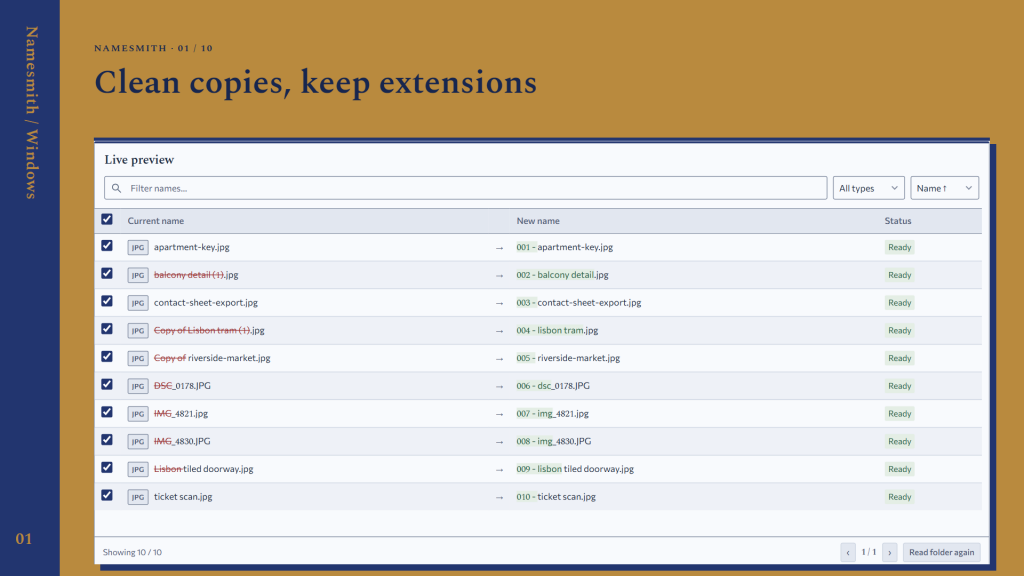
Namesmith is a batch file renamer for Windows that shows old and new names side by side. Give photos, music and documents useful names, then check the result before applying it.
Clean up a folder: replace text, remove copy labels, change case and add sequential numbers. Combine rules in your chosen order or correct a single name with F2.
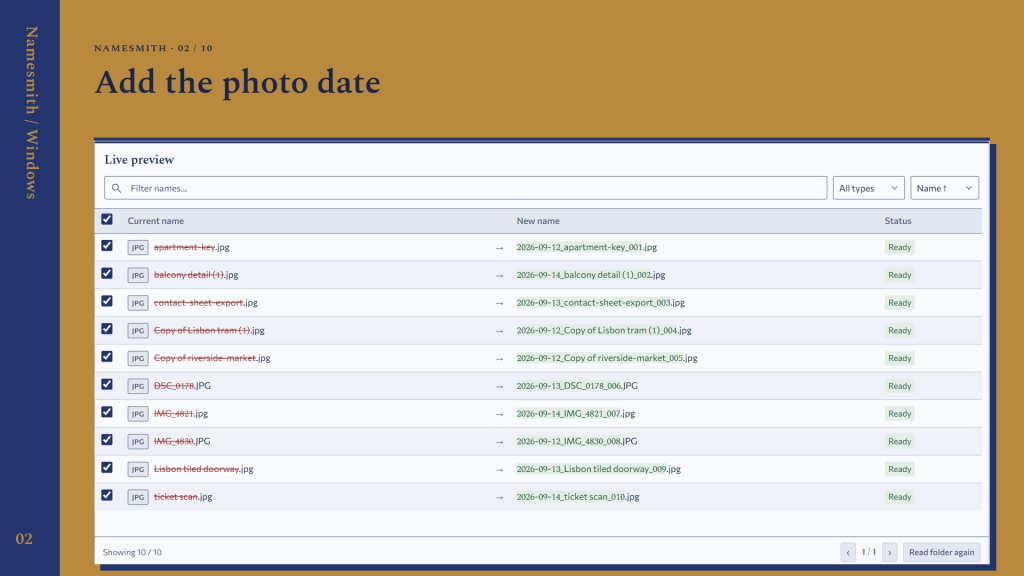
Rename photos by date taken and name MP3 files from artist and title tags. Keep companion JPG and XMP files on the same base name, with their extensions preserved.
Use CSV rename lists or build a naming template. Save a project with examples of expected names; inspect each step to see which rule or metadata field produced the result.
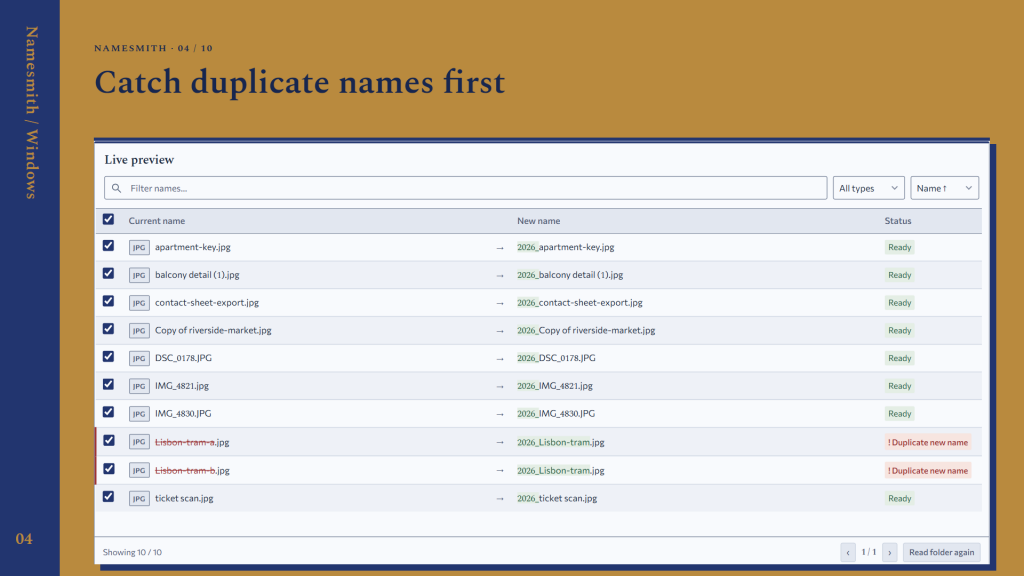
Review duplicate destinations and invalid names before applying. Use local rename history to preview an undo plan and restore completed file names.
Details
Windows 10 (2004+) or Windows 11, x64. WebView2 is included. Undo restores names, not file contents; projects and rename logs are not content backups. On your device. Offline · No account. The desktop web runtime is included. Offline use requires no separate runtime download. Files are processed offline. Runtime diagnostics may be sent to its provider; see Privacy policy. Watching stays on while this process runs. Closing the window hides it while folders are watched; reopen Namesmith to stop watching. Dry-run is the default. Project imports contain no folder permissions. Choose folders on this computer.
/ Notes
Arrange rename rules and compare old and new names before applying them. Saved projects can include expected-name examples, while local history provides a preview of an undo plan.
Undo restores names, not file contents, so rename logs are not file backups. Folder watching continues while the process runs; reopen Namesmith to stop watching if closing the window has only hidden it.
// GET THE APP