Rungquilt: Schrittzähler
Schrittaufzeichner für Ihren Browser
Kostenlos · Funktioniert offline · Ihre Daten bleiben in Ihrem Browser · Edge
/ Screenshots
/ Über Rungquilt: Step Recorder
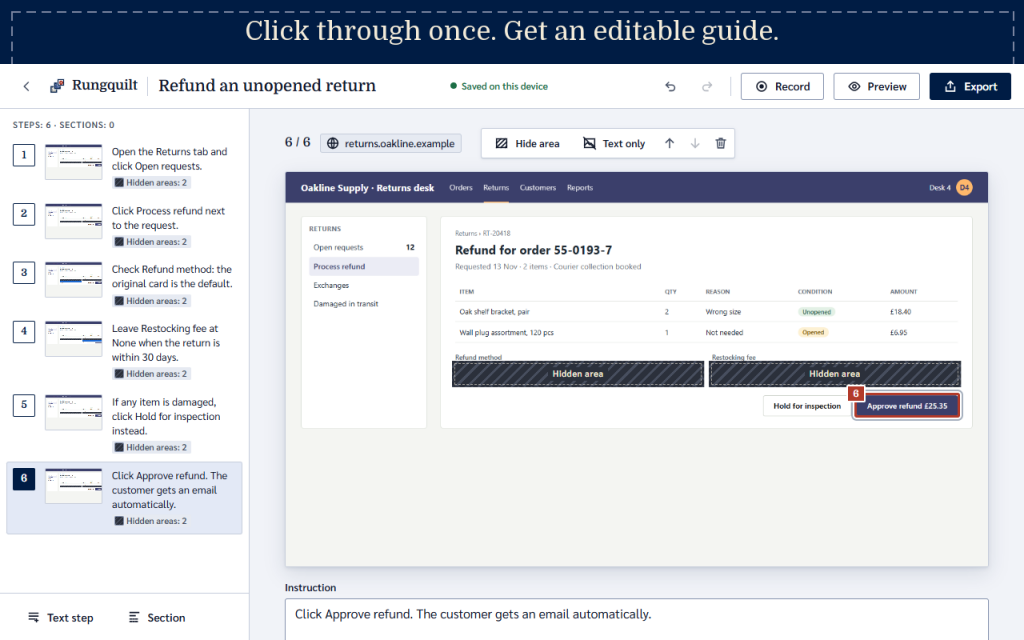
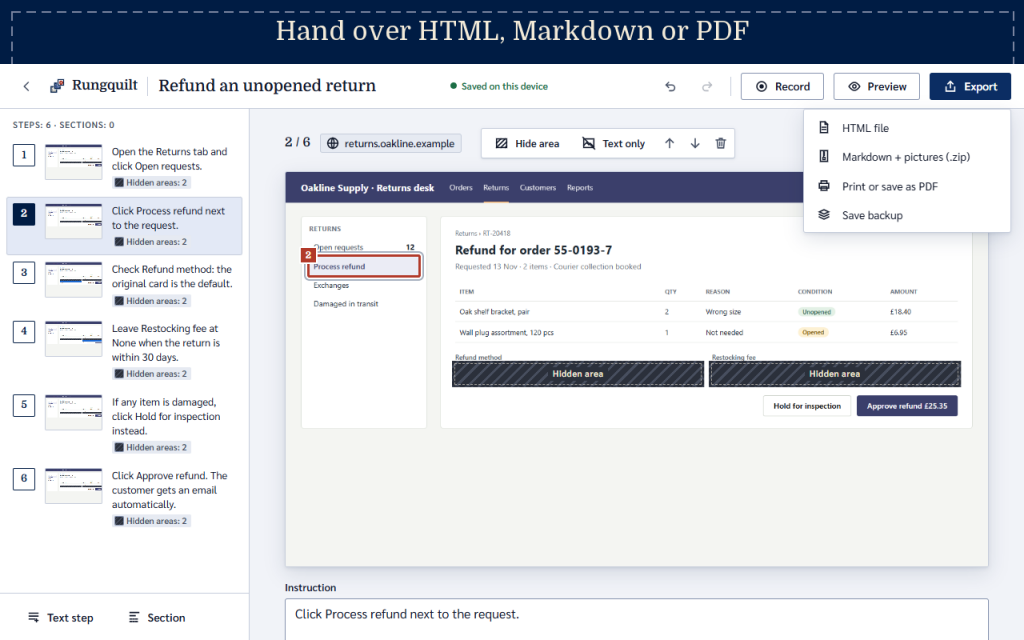
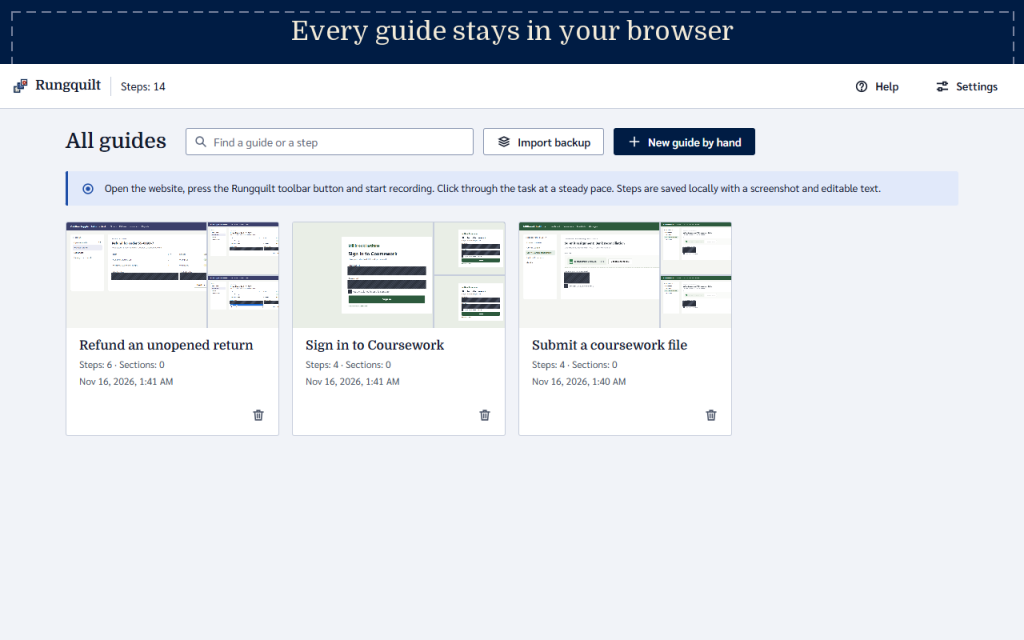
Rungquilt is a step recorder for how-to guides with screenshots: click through a task once in one tab, and every click becomes a numbered step with a picture, a click marker and a short instruction you can edit.
Explaining a web process to a customer, a student or a new colleague usually means a dozen screenshots and a long email. Here you simply do the task. Step text is written from the button or field name, so most steps need no typing.
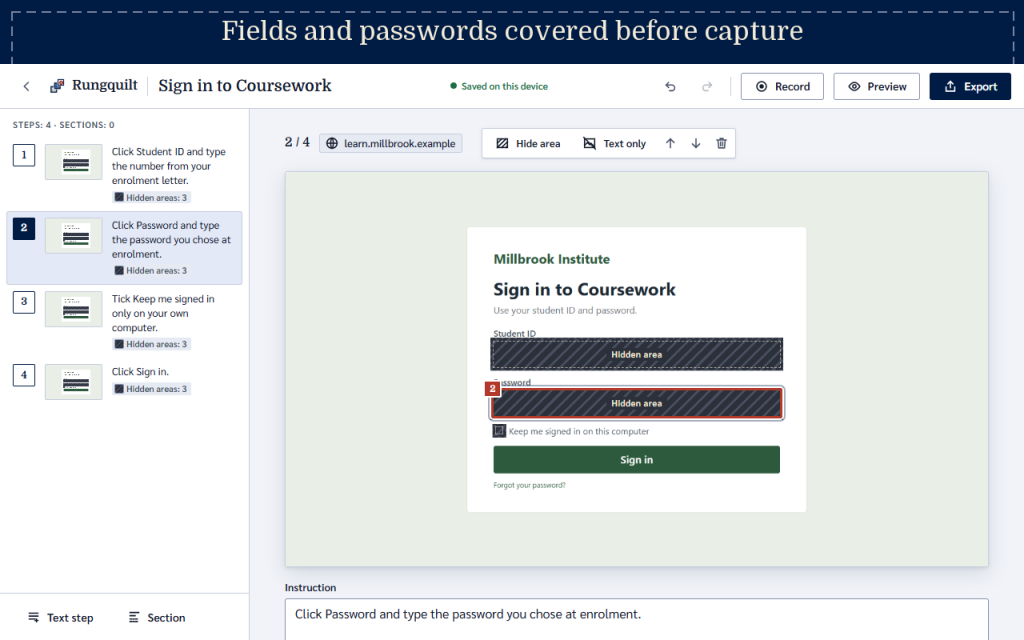
Private details are covered before the picture is taken: text fields, passwords and editable areas are hidden automatically, and you can hide any other area in the editor.
When the guide is ready, hand it over as one HTML file, as Markdown with PNG pictures, or as a PDF from the print view.
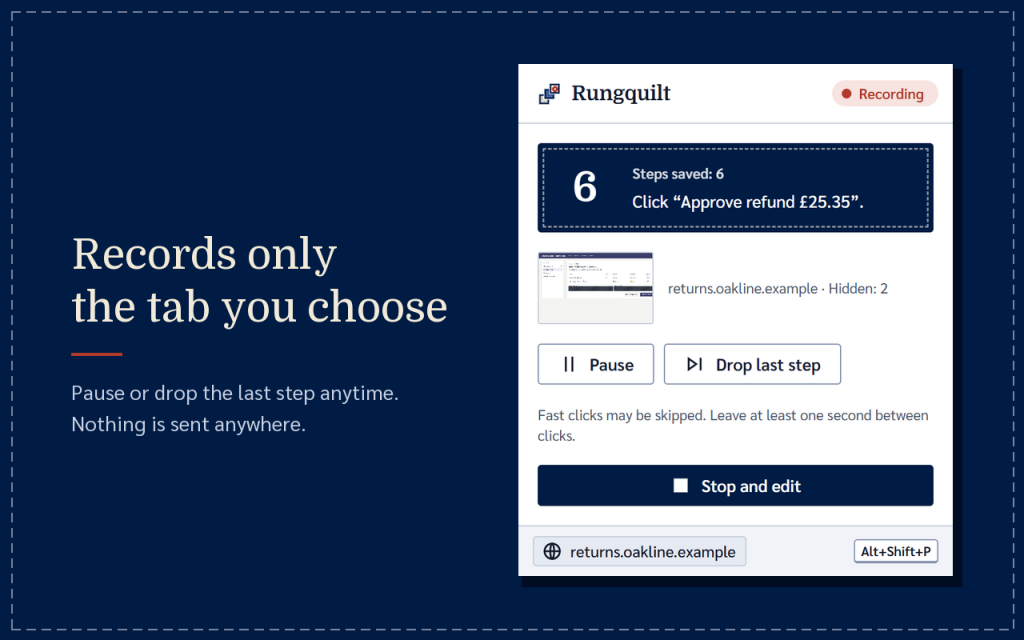
- Records clicks only in the tab where you pressed Start
- Pause or drop the last step while you record
- A click marker on every screenshot shows where to click
- Step text from the button name, with no AI and no account
- Edit, reorder, delete and undo steps; add text steps and sections
- Fields and passwords covered before capture; hide more areas by hand
- Allow another site for a multi-page task, only when you choose
- Export one offline HTML file, Markdown with PNG in a ZIP, or PDF
- JSON backup moves your guides to another browser profile
- Interface in 16 languages, light and dark theme
Leave about a second between clicks. Pictures and ordinary page text are not recognised as private, so look through the guide before you share it.
Works offline. Your data stays in your browser. Guides are kept in this browser profile; nothing is sent to Zydeno or any other service. This version is free.
Permissions: "storage", "unlimitedStorage", "activeTab", "scripting". Storage keeps guides and screenshots on this device. activeTab and scripting let the extension see clicks and take screenshots only in the tab where you start recording. Access to another site is requested separately, only when you allow it.
/ Anmerkungen
Schrittaufzeichnung für Anleitungen mit Screenshots. Klicken Sie einmal durch eine Aufgabe, bearbeiten Sie die Schritte und exportieren Sie das Ergebnis als HTML, Markdown oder PDF.
Als Browser-Erweiterung verfügbar.
Support · Wenden Sie sich an den Entwickler · Datenschutzbestimmungen · Nutzungsbedingungen
// GET THE APP