Rubricrook: PDF Editor & Notes
PDF-Editor & Notizen
Kostenlos · Funktioniert offline · Ihre Daten bleiben in Ihrem Browser · Edge
/ Screenshots
/ Über Rubricrook: PDF Editor & Notes
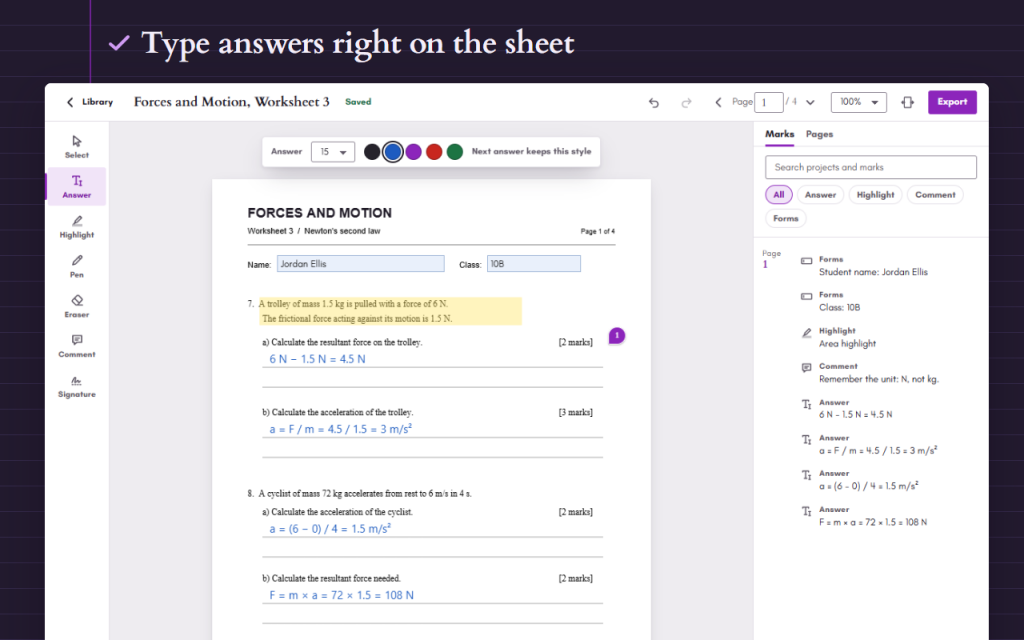
Rubricrook is a PDF editor for worksheets, homework and everyday forms: type answers right on the page, highlight, draw, comment and fill form fields in your browser.
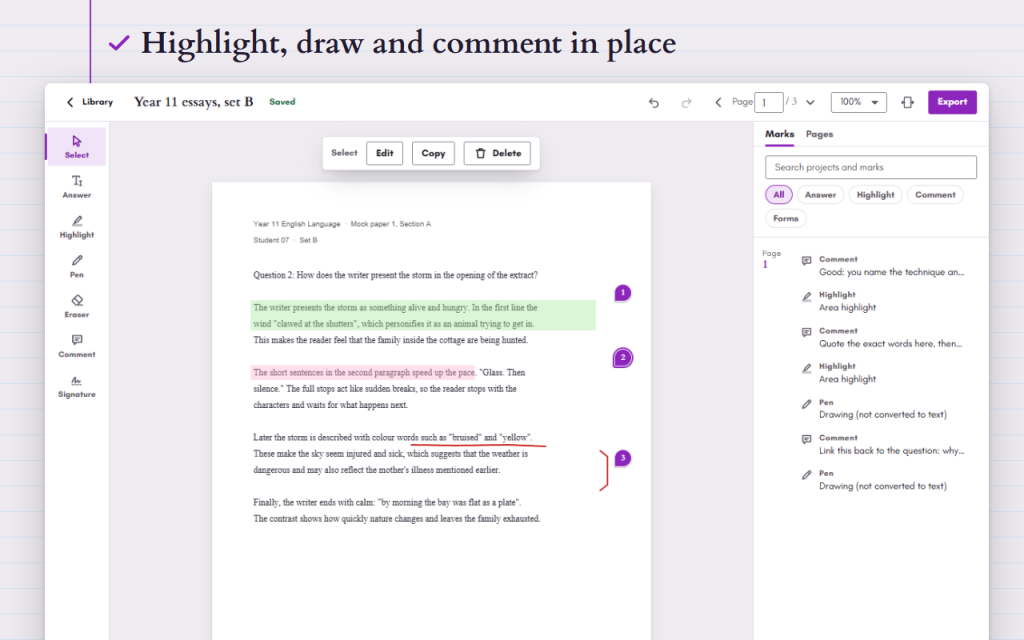
Open a PDF from your computer and pick a tool. Answer puts typed text exactly where you click, so you write on the sheet instead of fighting text boxes. Highlight marks an area or a selected quote, Pen draws freehand and Eraser removes only your strokes.
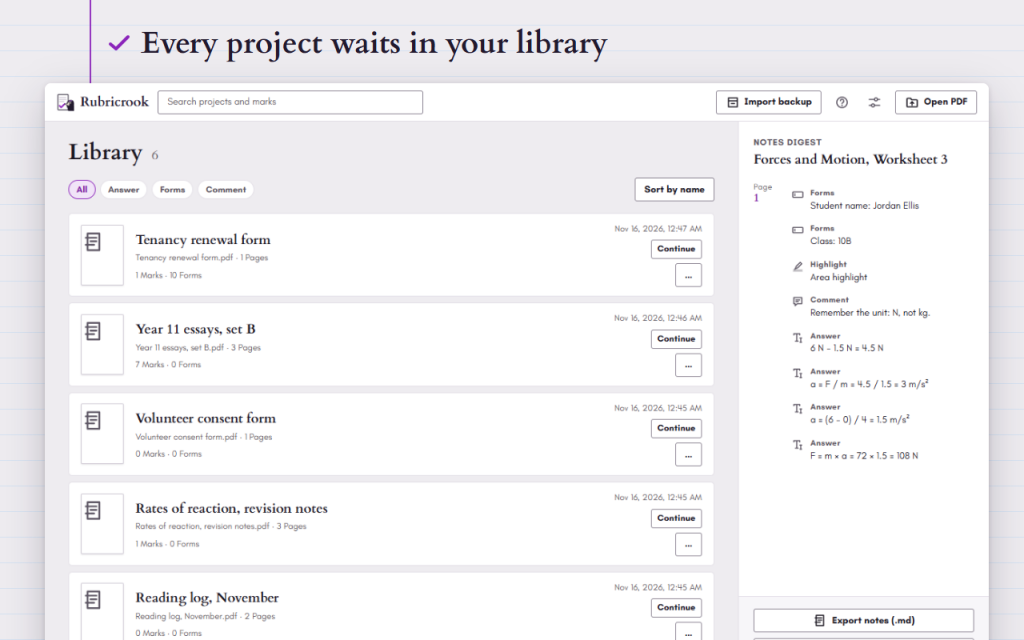
Every PDF becomes a project in your library. Changes save automatically, so you can close the tab and continue the same worksheet tomorrow, or search across all projects and marks.
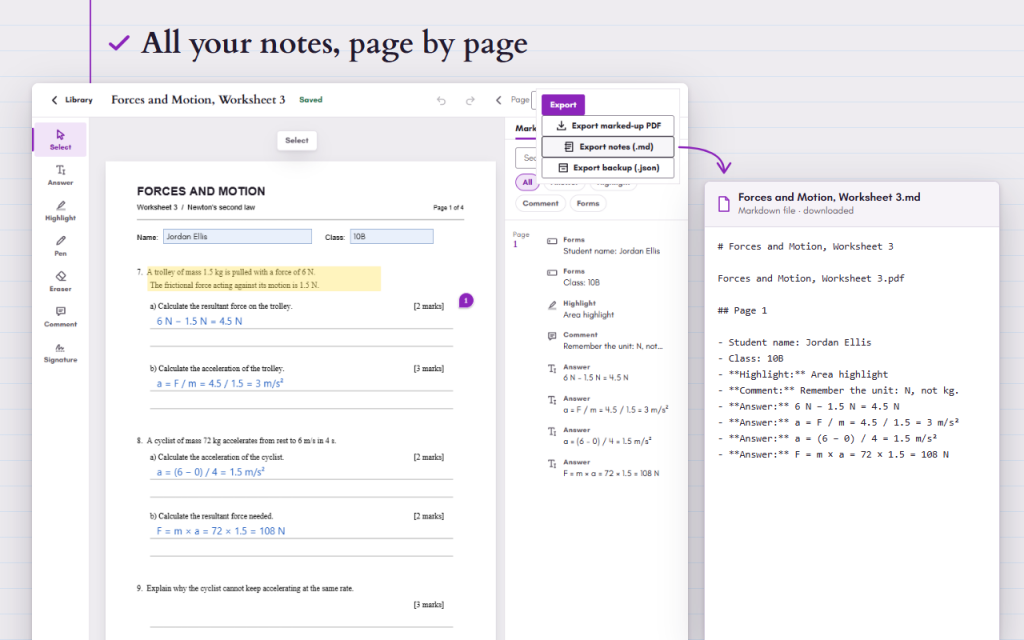
When you finish, export a marked-up PDF to hand in or share, a Markdown digest of all your notes page by page, or a JSON backup to keep editing later.
- Type answers anywhere on the page in your chosen size and colour
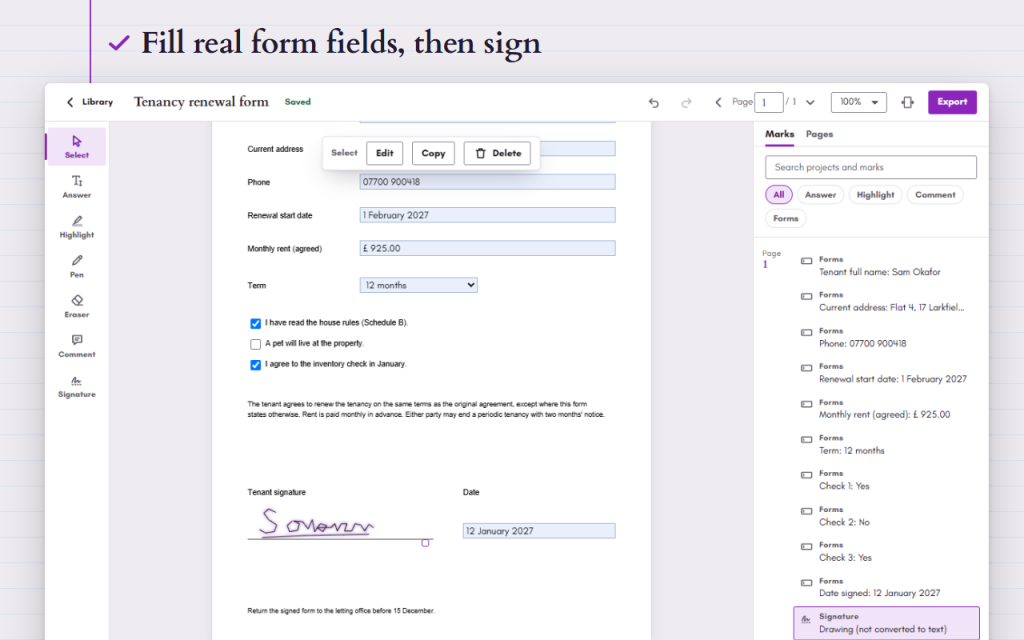
- Fill real form fields: text boxes, checkboxes and drop-down lists
- Highlight areas or selected text in five colours
- Draw with the pen and erase only your own strokes
- Add numbered comments that stay readable in the exported PDF
- Place a drawing of your signature on forms and letters
- Undo and redo every step
- See all marks listed page by page, with filters and search
- Keep every PDF as a project that saves itself
- Export a marked-up PDF, a Markdown notes digest or a JSON backup
Works offline. Your data stays in your browser. No account, no uploads, no ads. This version is free.
Good to know: marks are added on top of the PDF; the original text is not rewritten. No OCR, no encrypted PDFs. The signature is a drawing, not a certified digital signature. Files up to 20 MiB.
Permissions: "storage" keeps your project library on this device. PDFs open only through the file picker when you choose a file.
/ Anmerkungen
PDF-Editor für Arbeitsblätter und Formulare: Geben Sie Antworten direkt auf der Seite ein, markieren Sie Textstellen, zeichnen Sie, fügen Sie Kommentare hinzu, unterschreiben Sie und exportieren Sie Ihre Notizen.
Als Browser-Erweiterung verfügbar.
Support · Wenden Sie sich an den Entwickler · Datenschutzbestimmungen · Nutzungsbedingungen
// GET THE APP