
Posternbolt: Authentifizierungserweiterung
Authentifizierungs-Erweiterung für Ihren Browser
Kostenlos · Funktioniert offline · Ihre Daten bleiben in Ihrem Browser · Edge
/ Screenshots
/ Über Posternbolt: authenticator extension
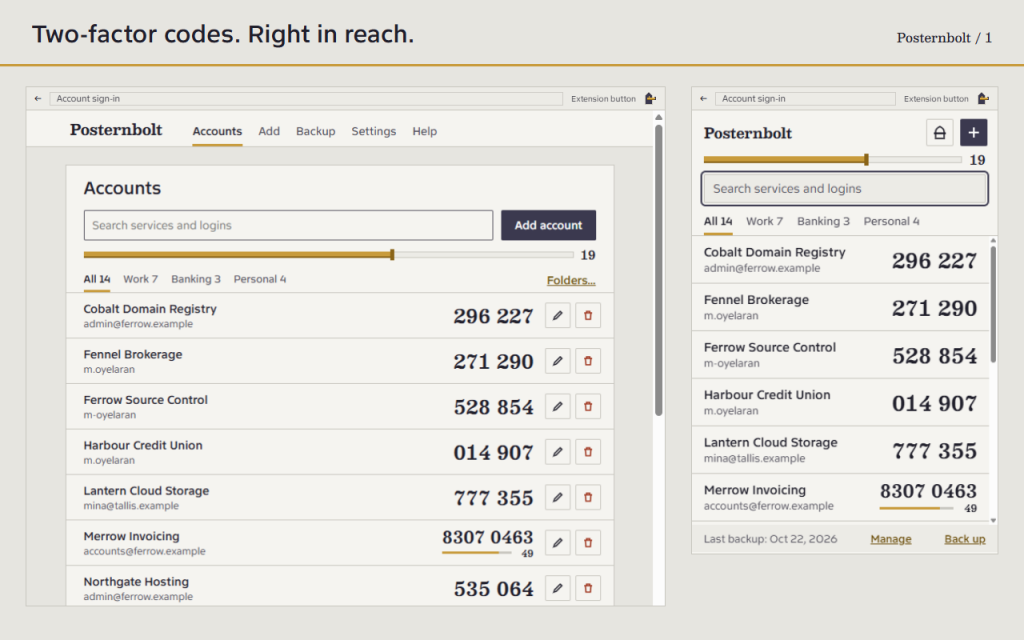
Posternbolt is an authenticator extension for two-factor (2FA) codes in your browser toolbar. Open it, find your login and copy the current code without a phone or an online account.
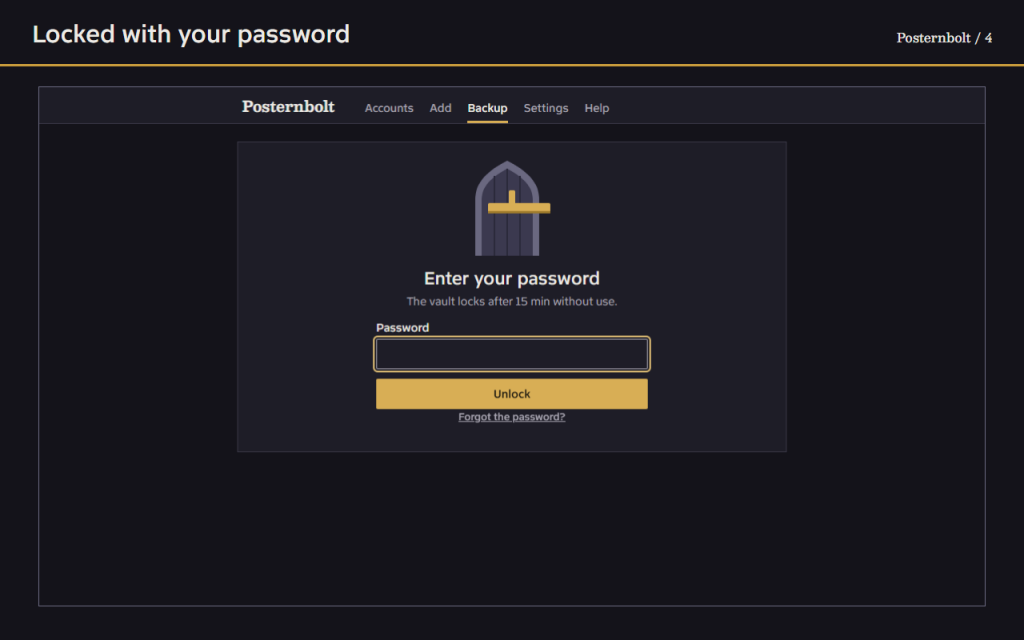
A password is required before any account is stored. The vault is encrypted with AES-256-GCM, using a key derived from your password with PBKDF2-SHA-256 at 600,000 iterations.
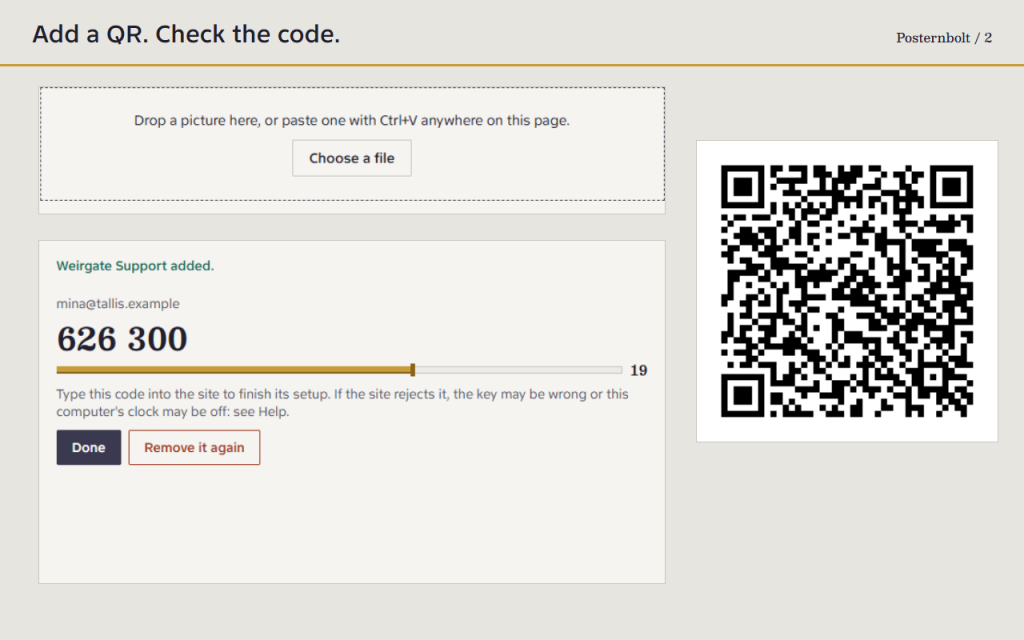
- Read a QR code from the page you have open.
- Use a picture of the code: choose a file, drag it in, or paste it.
- Type or paste the key the site shows you.
- Time-based codes (TOTP, RFC 6238) with SHA-1, SHA-256 or SHA-512, 6 to 8 digits, and the period the site asks for.
- A sliding timer shows how long the code stays valid.
- One click or Enter copies a code.
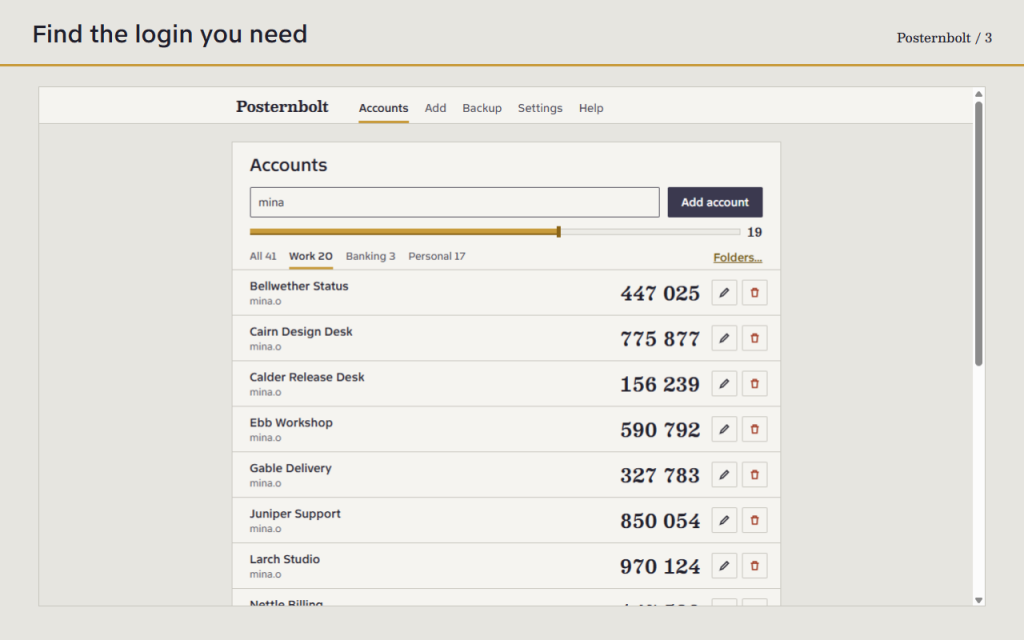
- Search by service or login, and sort accounts into folders.
- Works from the keyboard alone, in light and dark themes and in 16 languages.
- It locks by itself after the time you choose, and when the browser closes.
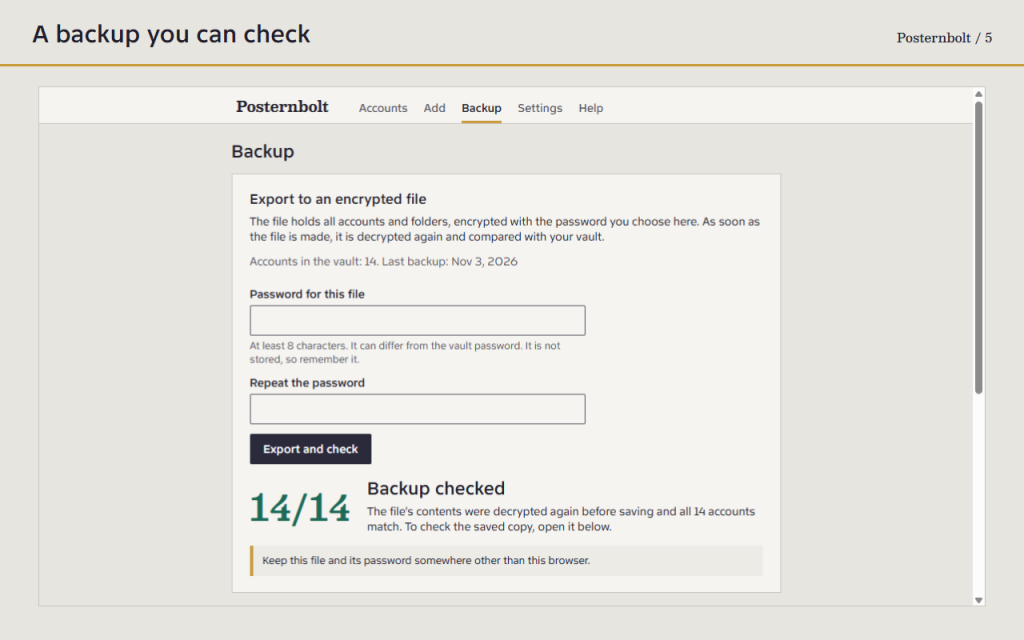
- Export everything to an encrypted file with its own password.
Before handing a backup to the browser for saving, Posternbolt decrypts its contents again and compares the accounts with your vault. The result shows how many match. This checks the file contents, not whether your computer has finished writing the file.
Open a saved file later to check it, or to restore it on another computer. Accounts already present are not duplicated. Moving from another app? Transfer QR codes and lists of otpauth links can be imported.
There is no password recovery. If you forget the password and have no backup, the codes are gone. Uninstalling the extension or losing your browser profile deletes the vault, so keep a backup file somewhere else. Keeping codes and passwords in one browser is more convenient, but weaker than a separate device. While the vault is unlocked, malware on your computer could reach your codes. Counter-based (HOTP) codes are not supported yet, and some services only show a code for their own app.
Works offline. Your data stays in your browser. No cloud, registration or analytics.
Three permissions, each explained in Help: storage for the encrypted vault, active tab to read the visible page once when you ask for it, and alarms for the auto-lock timer. No access to all sites and no scripts injected into pages.
/ Anmerkungen
Authentifizierungs-Erweiterung für Zwei-Faktor-Codes in Ihrer Symbolleiste. Fügen Sie einen QR-Code oder einen Schlüssel hinzu, suchen Sie nach Konten und erstellen Sie ein verschlüsseltes Backup.
Als Browser-Erweiterung verfügbar.
Support · Wenden Sie sich an den Entwickler · Datenschutzbestimmungen · Nutzungsbedingungen
// GET THE APP