
Factorlatch: Mathematischer Rechner mit Schritt-für-Schritt-Anleitung
Mathe-Rechner mit Lösungsschritten für Ihren Browser
Kostenlos · Funktioniert offline · Ihre Daten bleiben in Ihrem Browser · Edge
/ Screenshots
/ Über Factorlatch: Math Solver with Steps
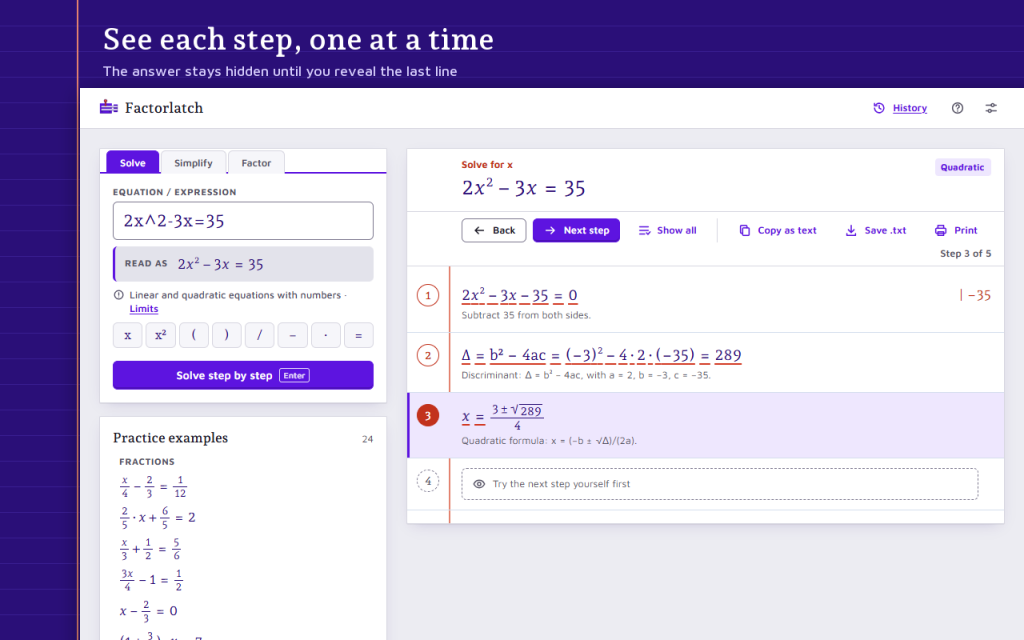
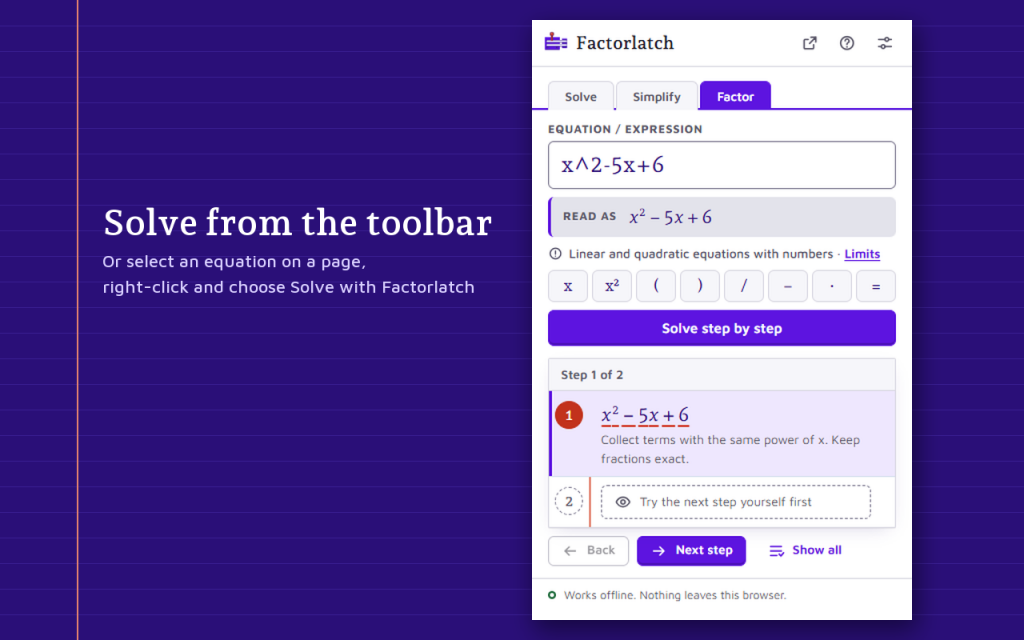
Factorlatch is a math solver with steps for school algebra: type an equation or select one on a page and see how it is solved, one line at a time.
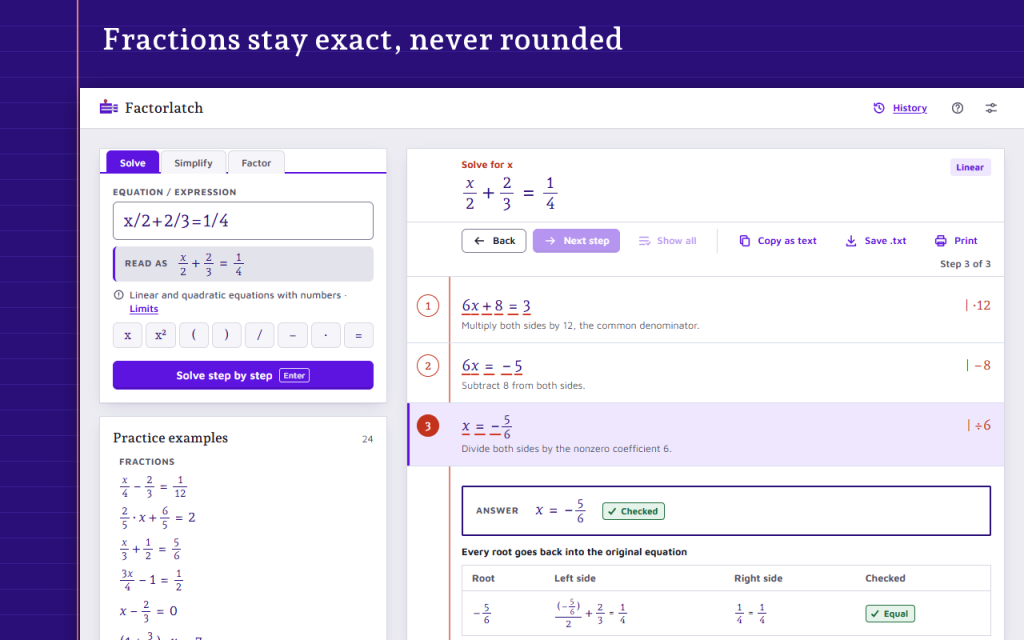
Each step says what was done and why: “Multiply both sides by 12, the common denominator”, “Subtract 8 from both sides”. A red mark shows the operation applied to both sides. The answer stays hidden until you reveal the last step, so you can try the next move yourself first.
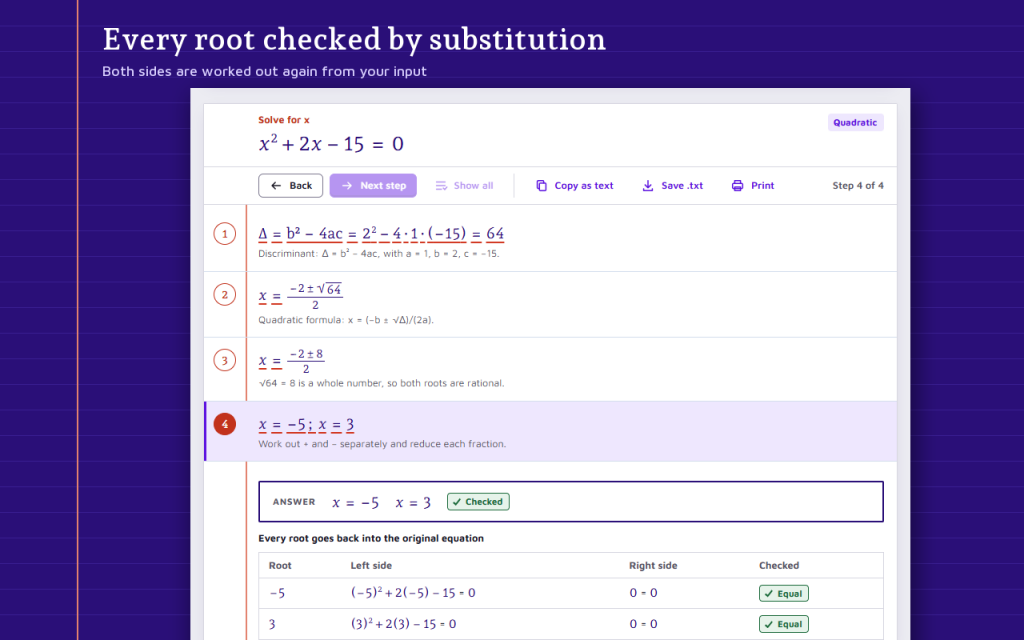
Every root goes back into the original equation. A table shows the left side and the right side for each root, so a student or a parent can see that the answer is right instead of trusting it.
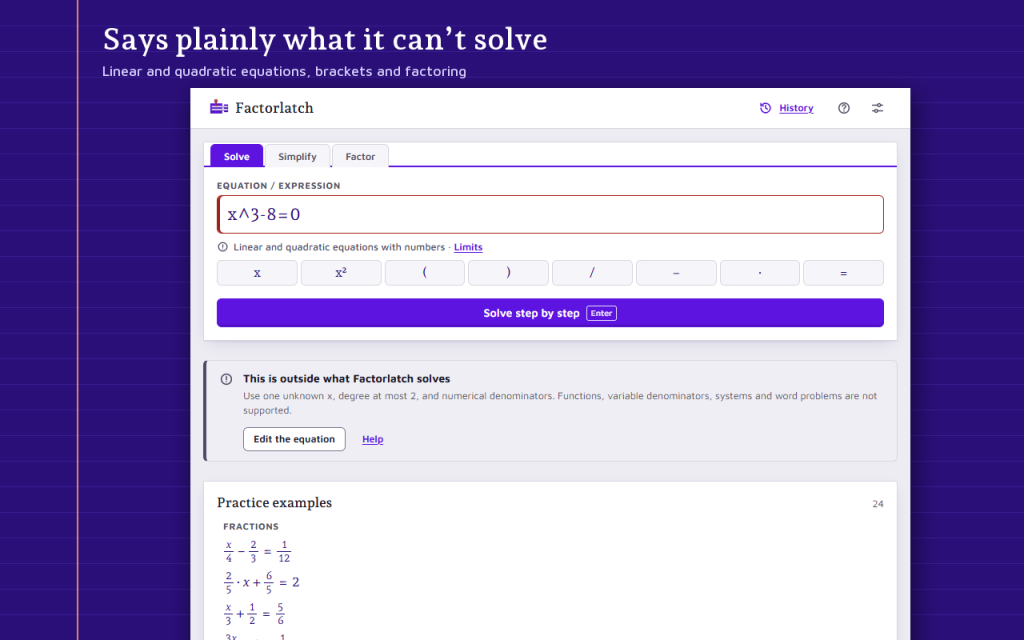
Fractions stay exact: x = −5/6, not −0.8333. Irrational roots keep the square root and get a labeled decimal approximation. When an equation is outside the scope, Factorlatch says so plainly instead of guessing.
- Solve linear and quadratic equations in x step by step
- Simplify mode expands brackets and collects like terms
- Factor mode factors quadratics over the rational numbers
- Discriminant and quadratic formula shown with real numbers
- “Read as” preview shows how your input was understood
- Substitution check for every root, side by side
- 24 practice examples and “Try a similar one”
- Copy the solution as text, save it as .txt or print it
- Right-click selected text: Solve with Factorlatch
- Light and dark theme, 16 interface languages, keyboard shortcuts
Not supported: powers above 2, inequalities, variables in denominators, functions, systems, word problems, photos and handwriting. This version is free.
Works offline. Your data stays in your browser. No account, no AI service, no analytics.
Permissions: “storage” keeps your settings, the current equation and the optional history (off by default, up to 50 solutions) on this device. “contextMenus” adds the right-click item for selected text; only the text you select is passed, and only after you click it. The extension does not read web pages.
/ Anmerkungen
Mathematik-Rechner mit Lösungsschritten für lineare und quadratische Gleichungen, Brüche und Faktorisierung. Jede Wurzel wird überprüft. Funktioniert offline.
Als Browser-Erweiterung verfügbar.
Support · Wenden Sie sich an den Entwickler · Datenschutzbestimmungen · Nutzungsbedingungen
// GET THE APP