Slate Gannet: Screen Recorder
Screen recorder for your browser
Free · Works offline · Your data stays in your browser · Edge
/ Screenshots
/ About Slate Gannet: Screen Recorder
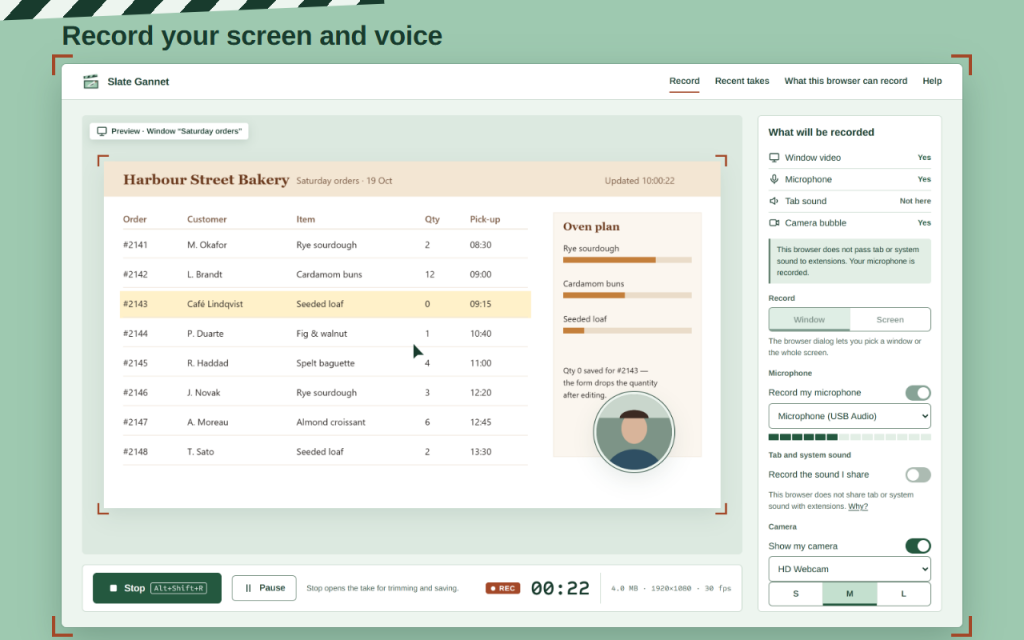
Screen recorder for a tab, a window or the whole screen, with your microphone and an optional camera bubble. Record, trim the start and end, and save the file. No account, no upload, no time limit.
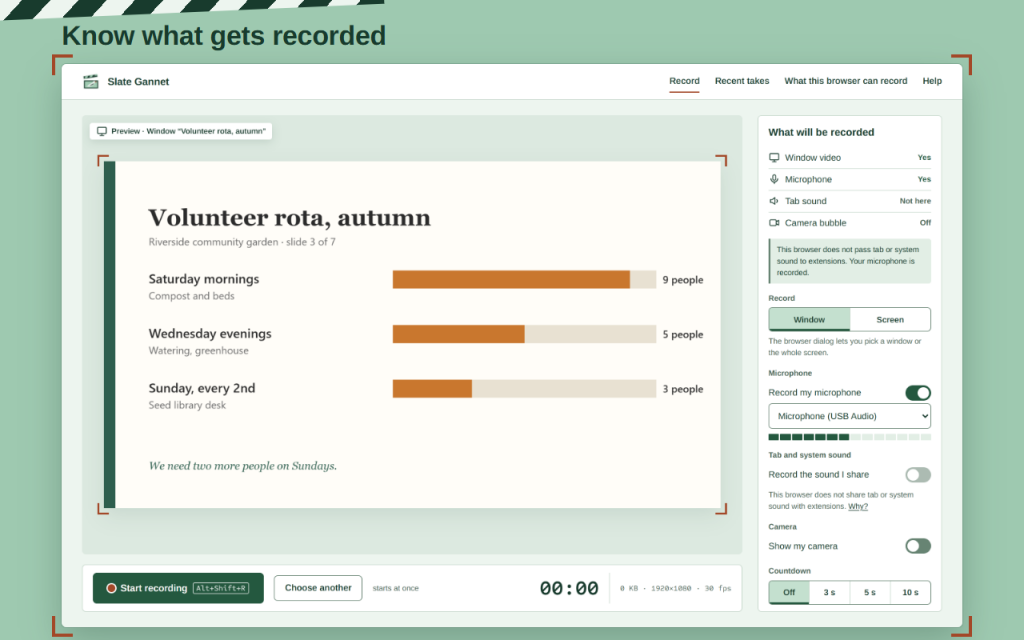
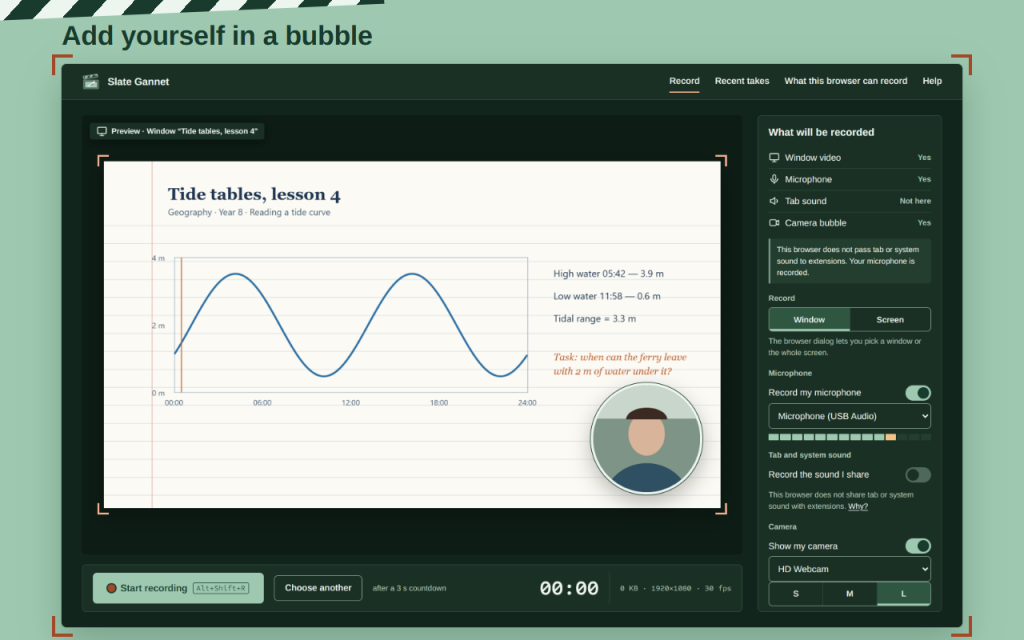
Before you press Start, the panel “What will be recorded” says Yes or Not here for the picture, the microphone, the tab sound and the camera bubble, so a take never comes out silent by surprise. The microphone level bar moves when you speak.
What you can do
- Record a tab, a window or the entire screen: the browser’s own dialog lets you pick it, and the preview shows it first.
- Record your voice from any microphone, and the tab or system sound where the browser shares it.
- Add yourself in a round camera bubble: S, M or L, drag it to any corner.
- Countdown of 3, 5 or 10 seconds, Pause and Resume, and Stop from the recorder tab, the toolbar button, a keyboard shortcut or the browser’s “Stop sharing”.
- Live timer and file size while you record.
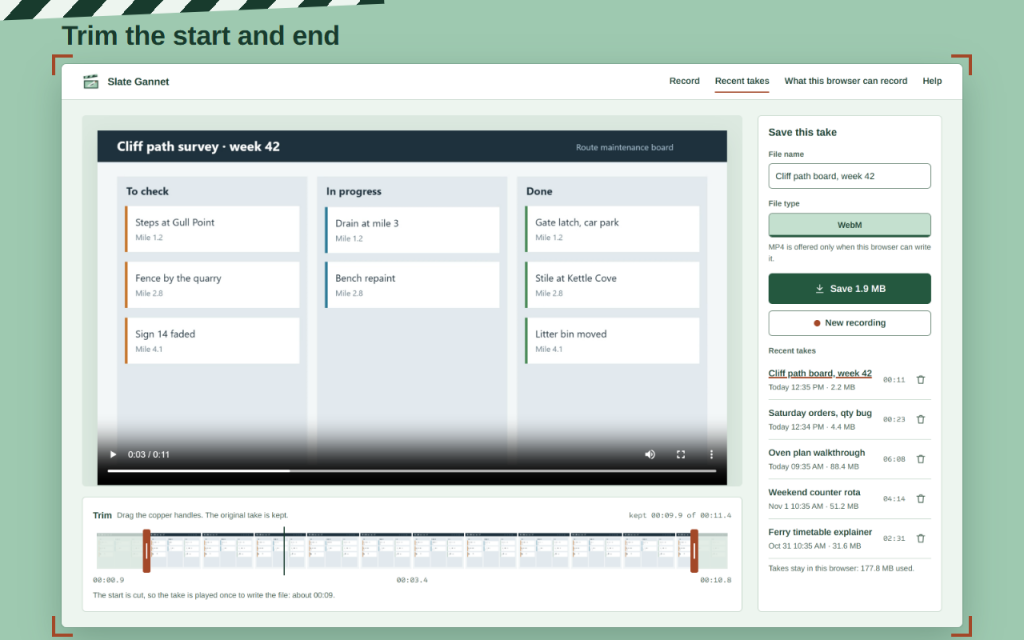
- Trim the start and the end with copper handles, then save WebM, or MP4 where the browser can write it.
- 720p, 1080p or the source size, at 30 or 60 frames per second.
- No watermark and no time limit.
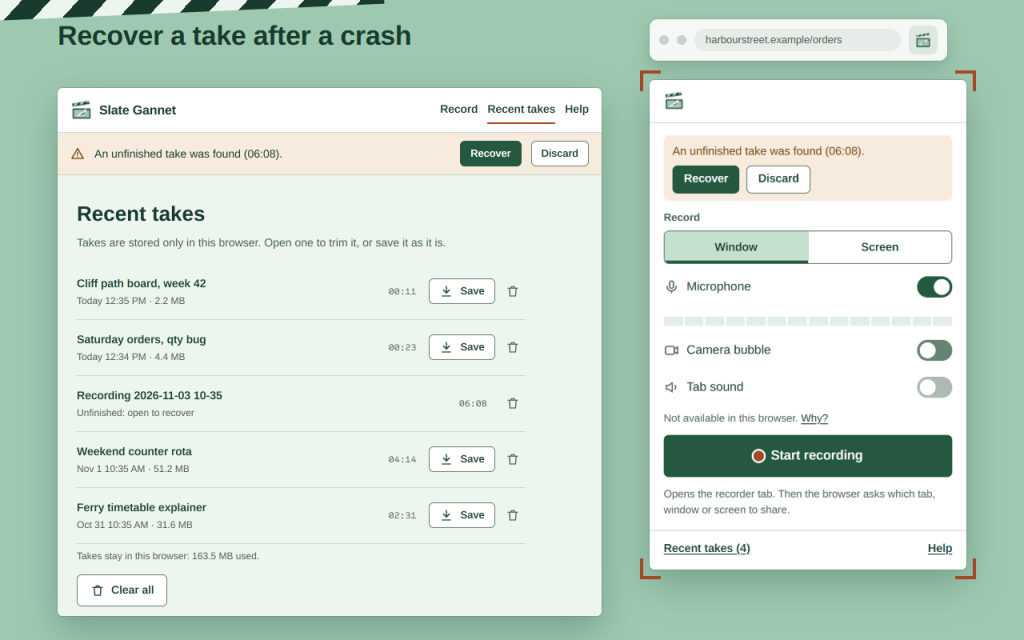
- An unfinished take is recovered after a crash or a closed tab: the recording is written to this browser every second.
- The last 5 takes stay in this browser, with their size and one-click deletion.
Honest about each browser
The page “What this browser can record” checks your browser at run time. Works in Firefox and Opera: the microphone works everywhere; tab and system sound are recorded where the browser passes them to extensions, and the panel tells you before you start when it does not. The sources on offer also depend on the browser: where a single tab cannot be picked, you choose a window or the screen.
Private by design
Works offline. Your data stays in your browser. Takes and settings are stored only in your browser. Nothing is sent to Zydeno or anyone else, there is no analytics, and the extension asks for no access to your pages.
This version is free. Help and a short tour are built in, in 16 languages.
Permissions: “storage” keeps your settings and takes in this browser; “unlimited storage” lets a long take stay there until you save it. The screen, microphone and camera are asked by the browser itself, only when you record.
/ Notes
Screen recorder for a window, the screen or, where allowed, a tab. Add microphone and camera bubble, trim, save. No account.
Available as a browser extension.
Support · Contact the developer · Privacy Policy · Terms of Use
// GET THE APP