Chromweir: Live Wallpapers
Wallpaper that follows your day
Live wallpaper that follows your day, with calm space left for your icons · Android
/ Screenshots
/ About Chromweir: Live Wallpapers
Chromweir is a live wallpaper that changes through the day. Choose a print of flowing color, sky or Earth, and it moves slowly from night to morning, day and evening, always leaving a calm area clear for your icons.
Your live wallpaper, hour by hour
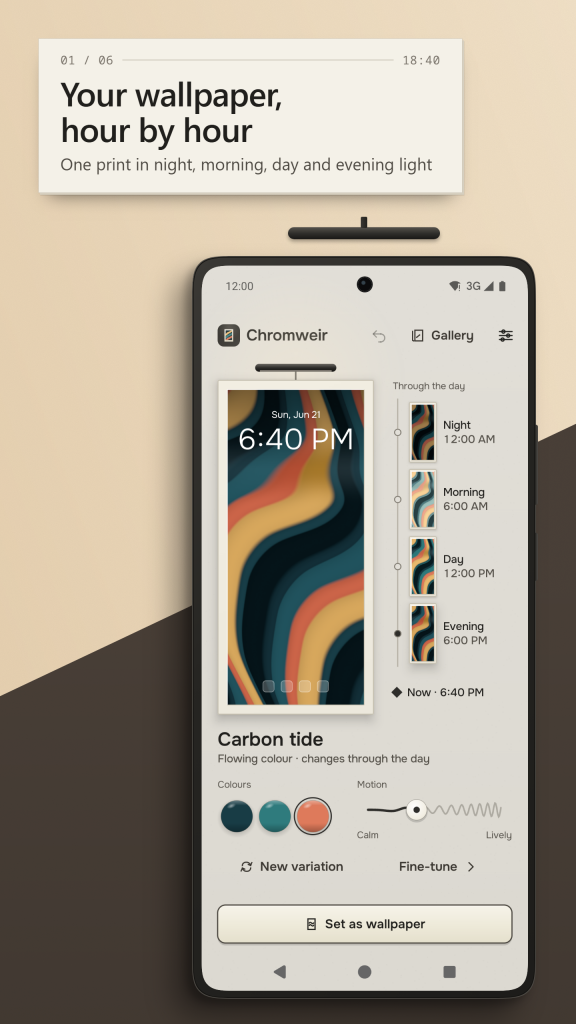
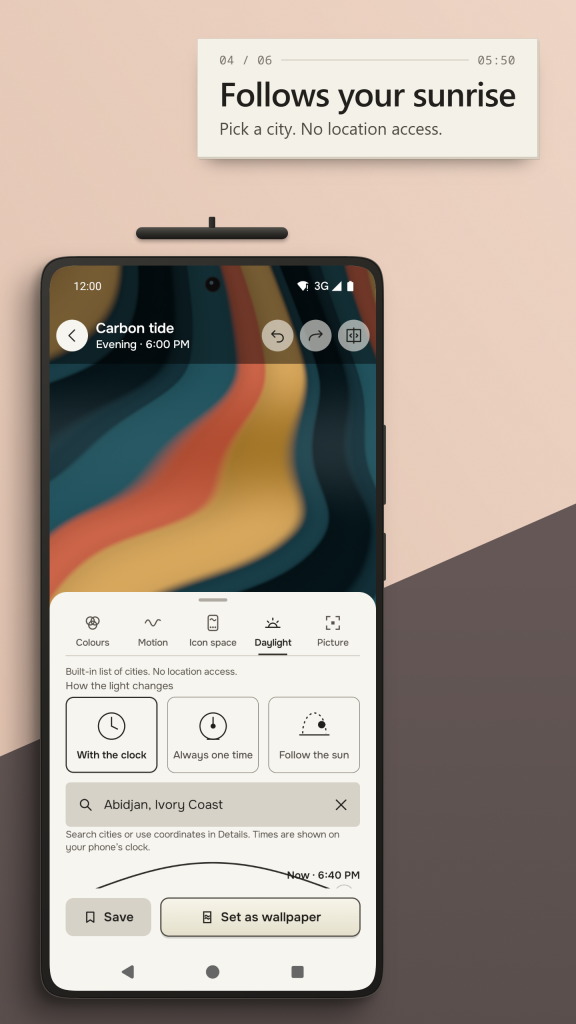
The Dayline shows one print through the time of day: night, morning, day and evening, with a marker for right now. Tap a moment to see the same picture in that light. Choose a city from a built-in list, or type coordinates, and the light changes follow that place's sunrise and sunset. Chromweir never asks for your location. The Earth print turns in the real light of the sun.
24 prints in three families
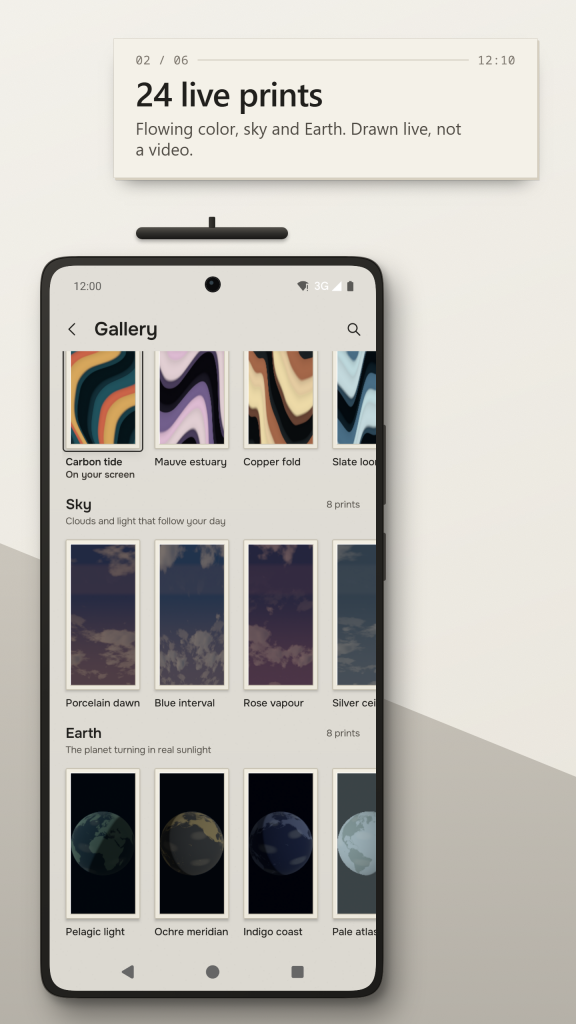
Flowing color: soft gradient bands that drift and fold. Sky: clouds and light that follow your day. Earth: the planet turning in real sunlight. Each family has 8 prints to start from. Every print is an animated wallpaper drawn live on your phone, not played back from a video.
Room for your icons
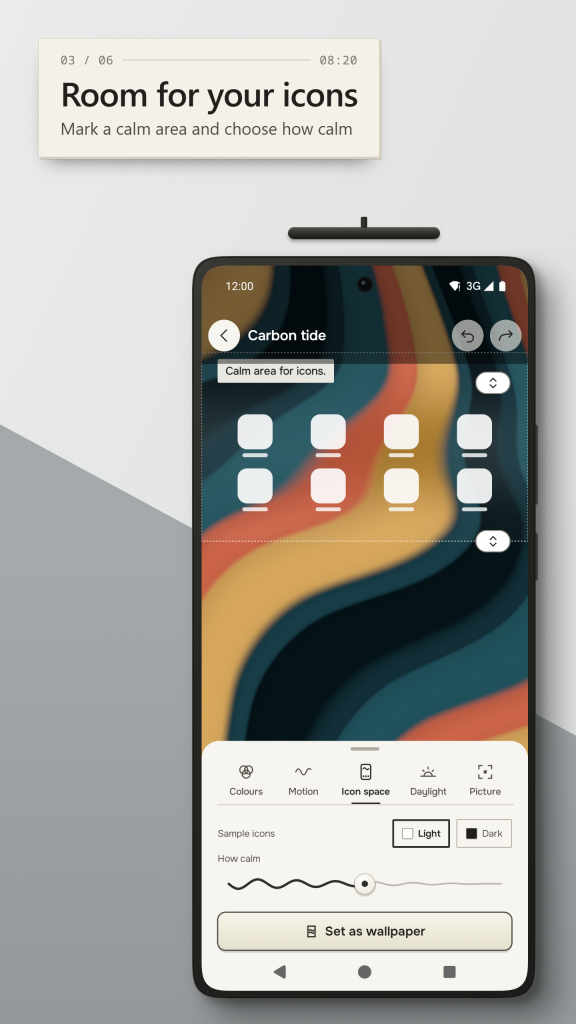
Mark a calm area behind your home screen icons. Move its top and bottom edges, or move it near the dock, and choose how calm it should be. Sample icons show how the result will look before you set it.
Make it yours
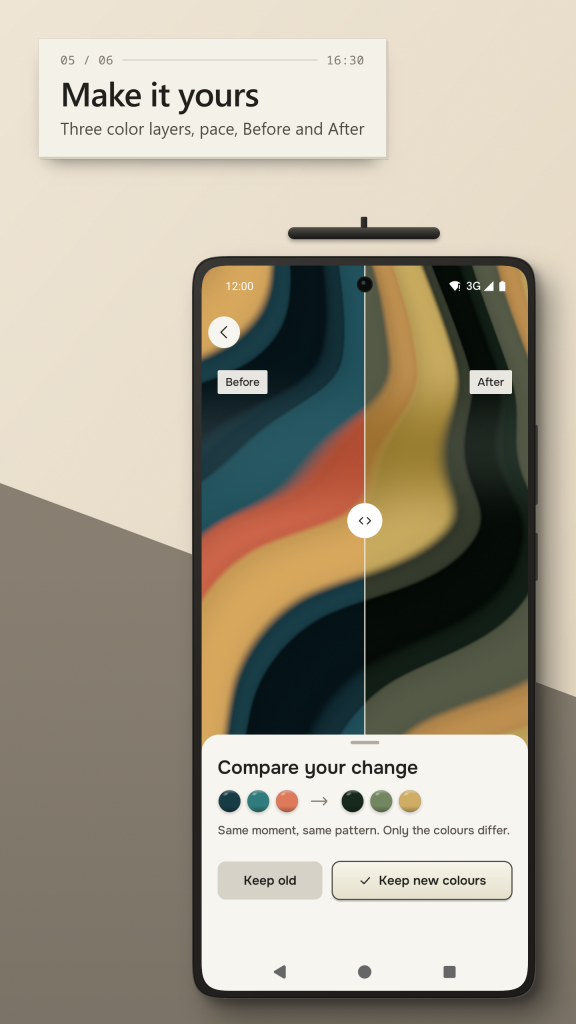
Change the color in three layers (deep, middle and glow), the brightness and the pace from Calm to Lively. Press New variation for a fresh arrangement of the same print. Compare Before and After with a divider, undo and redo your changes, and save what you like in Yours. A design file lets you export a print or add one from a friend. Touch the picture to bend the flow in a gentle ripple, where your home screen app lets touches reach a wallpaper, and turn on movement with home screen swipes if you like it.
Set it on your home or lock screen
Chromweir opens the Android preview for live wallpapers, and you choose where it goes: the home screen, or both screens if your phone allows it. For the lock screen alone, it makes a matching still picture. You can also save a still picture at screen size or extra sharp, and it stays on your phone even if you remove Chromweir.
Gentle on your phone
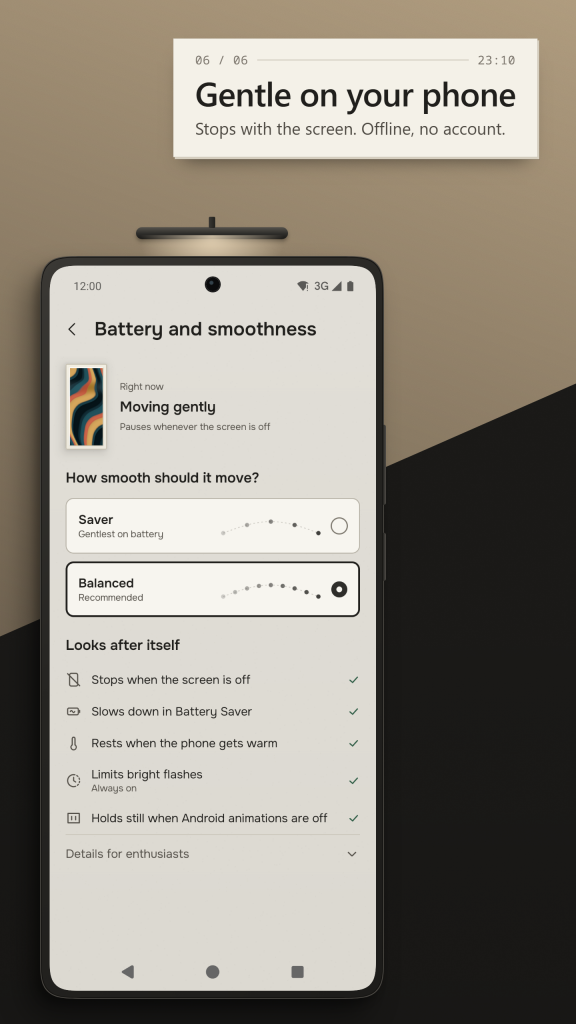
The wallpaper stops when the screen is off, slows down in Battery Saver and rests when the phone gets warm. Bright flashes are limited. Choose Saver, Balanced or Smooth, or hold the wallpaper still when Android animations are off. The Battery and smoothness screen shows what the wallpaper is doing right now.
Offline and private
No account, no ads and no tracking in this version, and the app does not use the internet. Your prints and settings stay on your phone, and one file backs up or restores them. Today the app is free to use.
Light and dark theme and large text are supported.
/ Notes
Chromweir is a live wallpaper that changes through the day. Choose a print of flowing color, sky or Earth, and it moves slowly from night to morning, day and evening, always leaving a calm area clear for your icons.
Available on Huawei AppGallery.
App support · Contact the developer · Privacy Policy · Terms of Use
// GET THE APP