Markthicket: QR Code Generator
Single codes, CSV batches & labels
PNG & SVG export · CSV batch creation · Partial-sheet label printing · Windows
/ Screenshots
/ About Markthicket: QR Code Generator
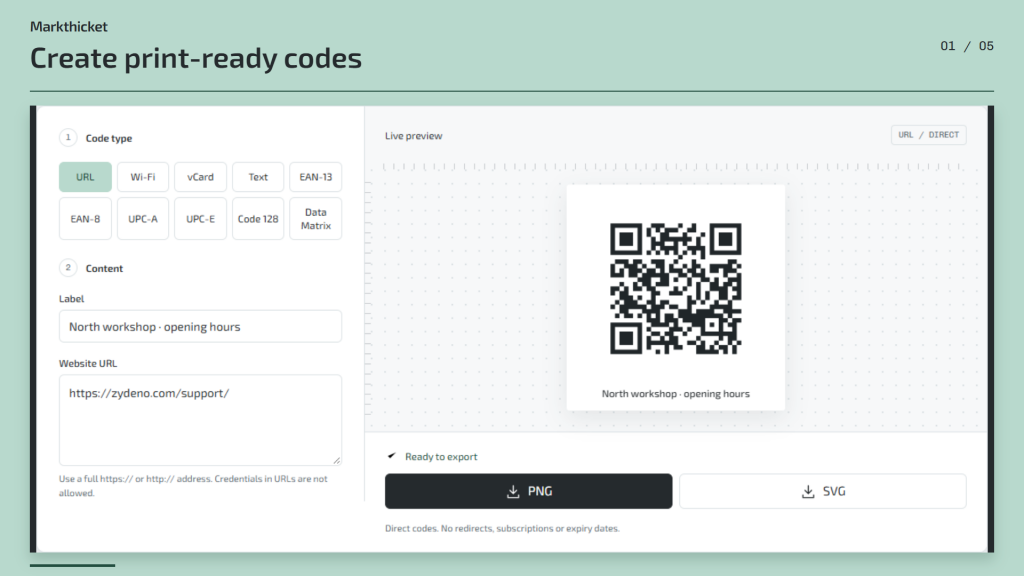
QR code generator for Windows: create codes offline, prepare CSV batches and print labels from one workspace.
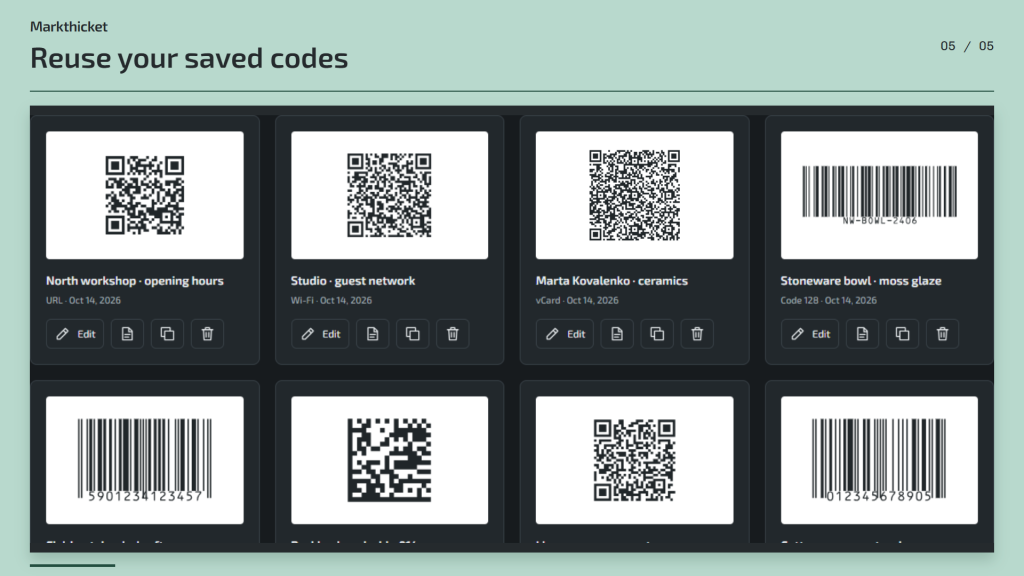
Make a link, guest Wi-Fi card or contact card into a QR code. Preview the result as you edit, then save a PNG for everyday use or an SVG for layouts that need to scale. Create EAN, UPC, Code 128 and Data Matrix barcodes for your labels too.
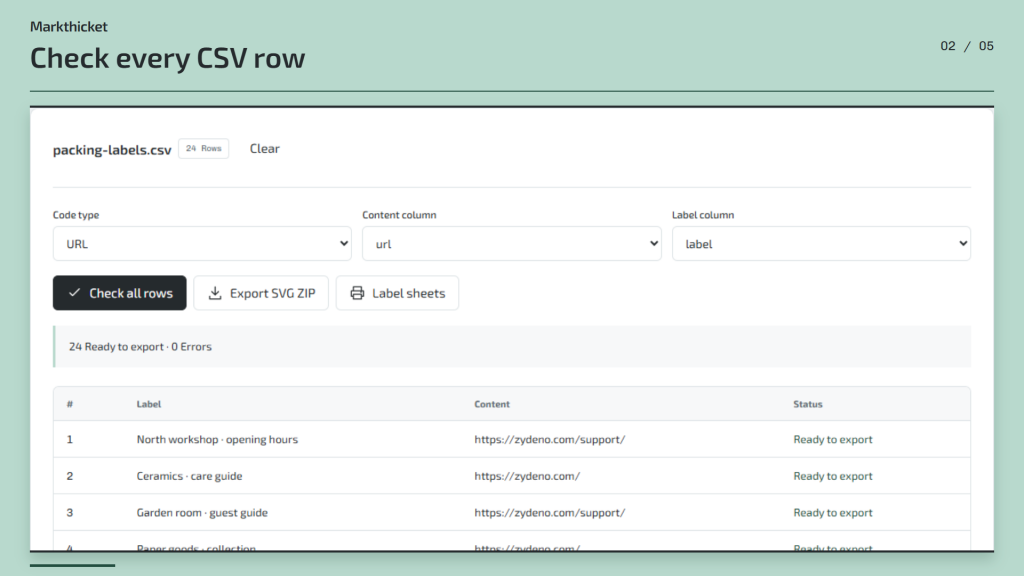
Turn a CSV file into a print run. Choose the data and caption columns, check every row and fix errors before exporting the batch as a ZIP of SVG files.
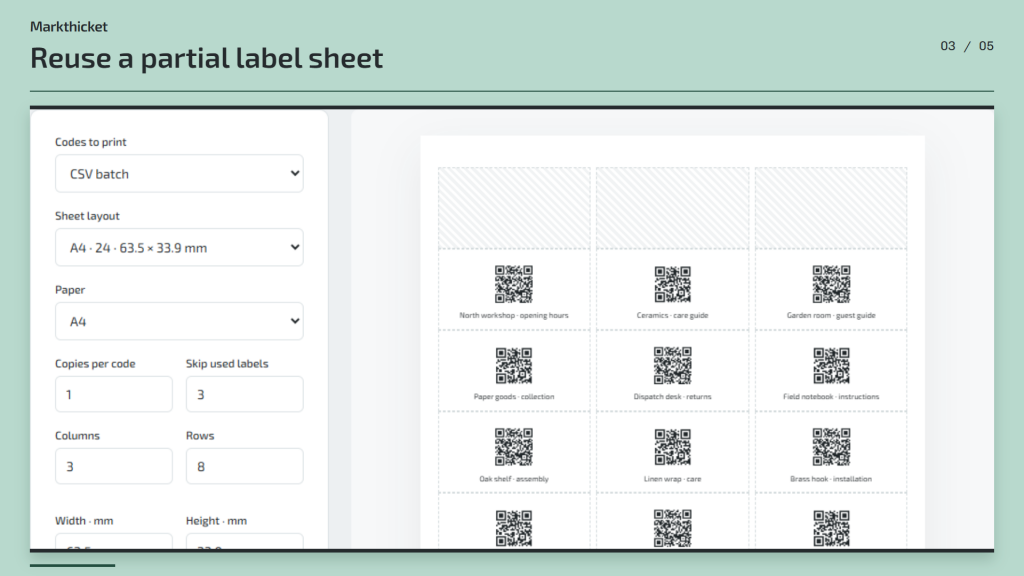
Print labels on A4 or Letter sheets. Adjust the layout and print offset, then skip the labels already used on a partly finished sheet.
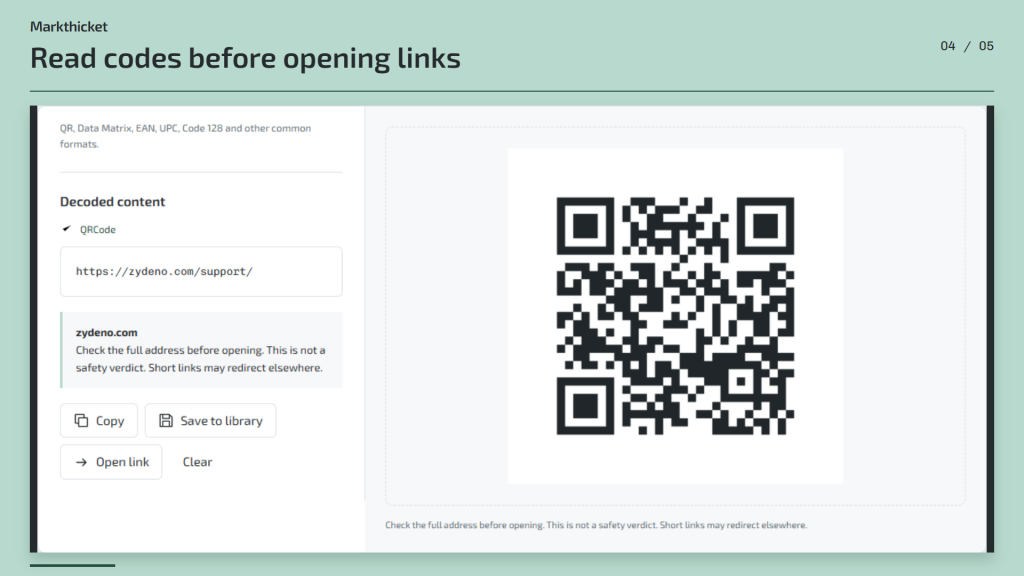
Read QR codes and barcodes from an image, a pasted picture or your camera without uploading them. See the contents before opening a link. Keep reusable codes in a searchable local library for the next order.
Details
Requires Windows and an installed WebView2 Runtime. Installing the runtime may require internet access; the app works offline once it is available. A camera is optional.
CSV: up to 5,000 UTF-8 rows. PDF output uses the print dialog. Print at 100% actual size, disable headers and footers, and test on plain paper. Reading a link is not a safety check; short links may redirect.
Windows DPAPI encrypts the library, settings and drafts for your Windows account, including code contents, saved Wi-Fi passwords and contacts. Unsaved Wi-Fi passwords are excluded. Old app values are migrated before use.
Backups use AES-256-GCM and a separate passphrase. Keep the passphrase safe: it cannot be recovered. Exported images, codes, CSV, ZIP files and printouts remain readable, including any passwords or contacts they contain.
/ Notes
Create individual QR codes or prepare a CSV batch for labels. Check each row, adjust the sheet layout and test the print alignment on plain paper before using label stock.
Print at 100% actual size with browser headers and footers disabled. Exported codes and printouts remain readable, including any Wi-Fi passwords or contacts they contain. An encrypted backup needs its separate passphrase, which cannot be recovered.
// GET THE APP