
Gullturn: Auto Refresh & Page Monitor
Auto refresh & page monitor
Free · Works offline · Your data stays in your browser · Firefox
/ Screenshots
/ About Gullturn: Auto Refresh & Page Monitor
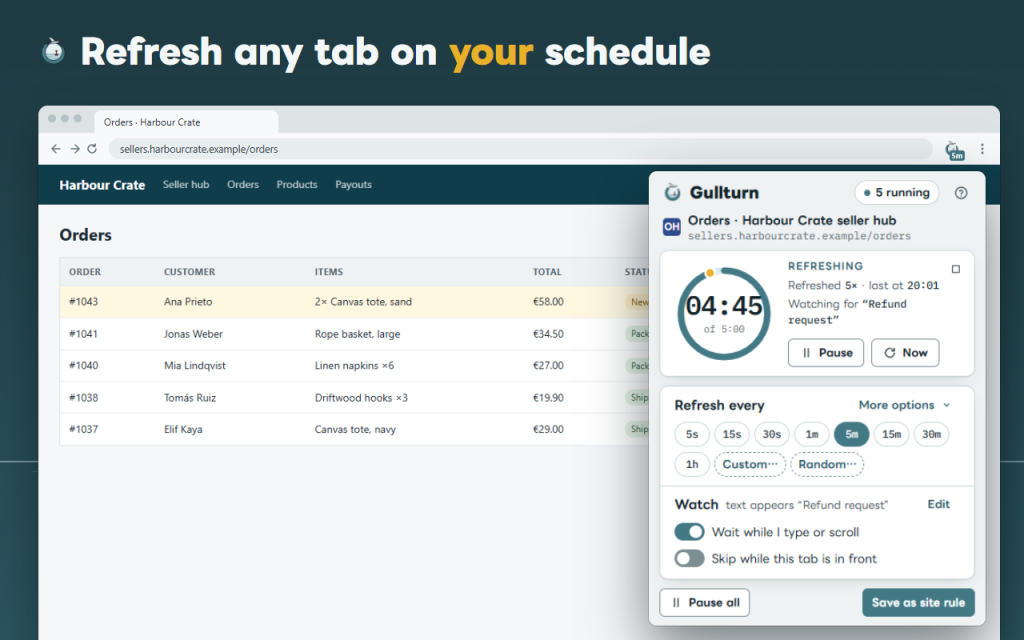
Gullturn is an auto refresh extension with a page monitor: it reloads a tab on your schedule and tells you when the page shows what you were waiting for — a new order, a free slot, “In stock”, a changed status board.
Pick a tab, pick a rhythm. Eight interval chips go from 5 seconds to 1 hour, Custom… takes any time from 1 second to 24 hours, and Random… waits a different time every round between two values. A countdown ring in the pop-up and a number on the toolbar button’s badge show the time left.
Watch the page, not the clock
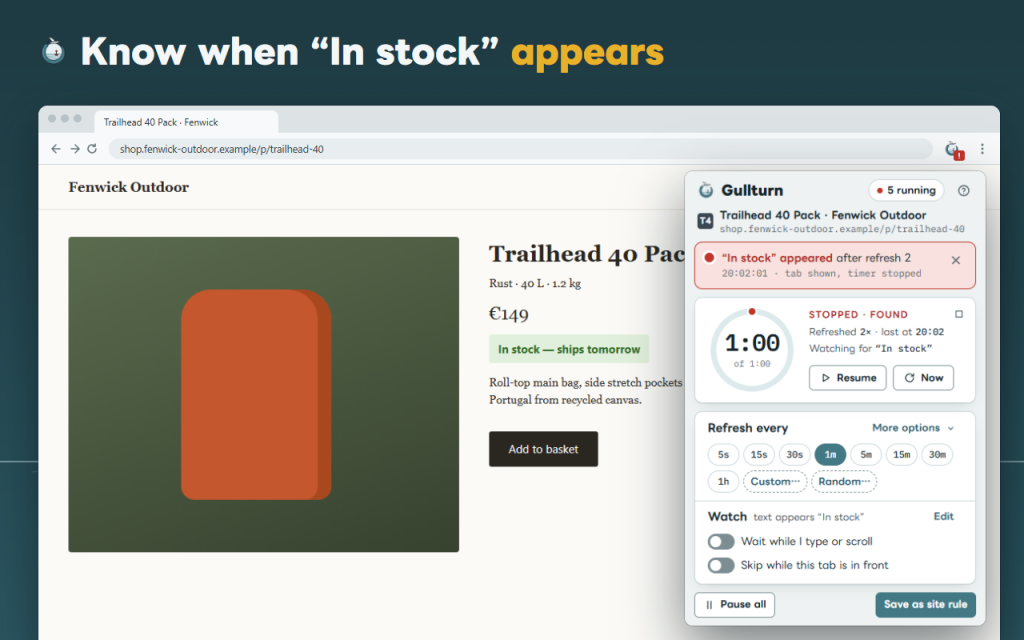
- Text appears — for example “New order” or “In stock”.
- Text is gone — for example “No places left”.
- Any change — the visible text of the whole page or of one area you pick with the mouse; clocks and “5 min ago” can be ignored.
- When it happens: a notification, a short sound (bell buoy, two notes or tap) and a red “!” on the button. Stop and show the tab, stop only, or keep refreshing.
It does not refresh under your hands
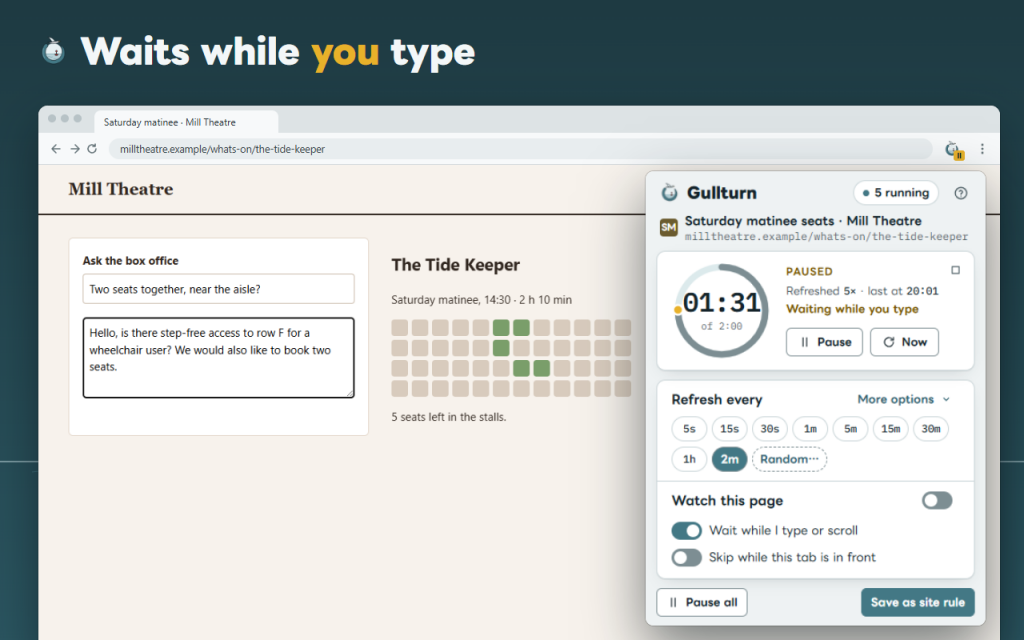
- While you type, scroll or sit in a field, the countdown waits and goes on after a few quiet seconds.
- A form with text you have not sent is never refreshed away.
- Pages that came from a sent form are not reloaded, so nothing is submitted twice.
You always see what is running
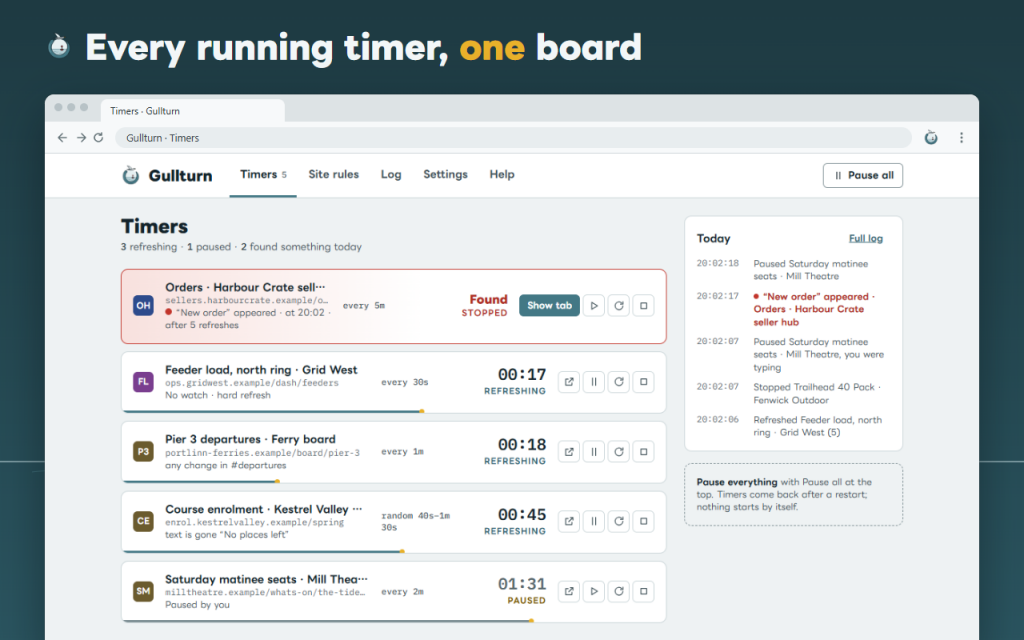
- The timers board lists every timer with its countdown, its rule and buttons to show, pause, refresh or stop it.
- Pause all with one button or Alt+Shift+P.
- A log keeps the last 50 events: refreshes, finds, pauses.
- Timers come back after a browser restart or sleep, matched by page address. Nothing starts by itself unless you made a site rule for it.
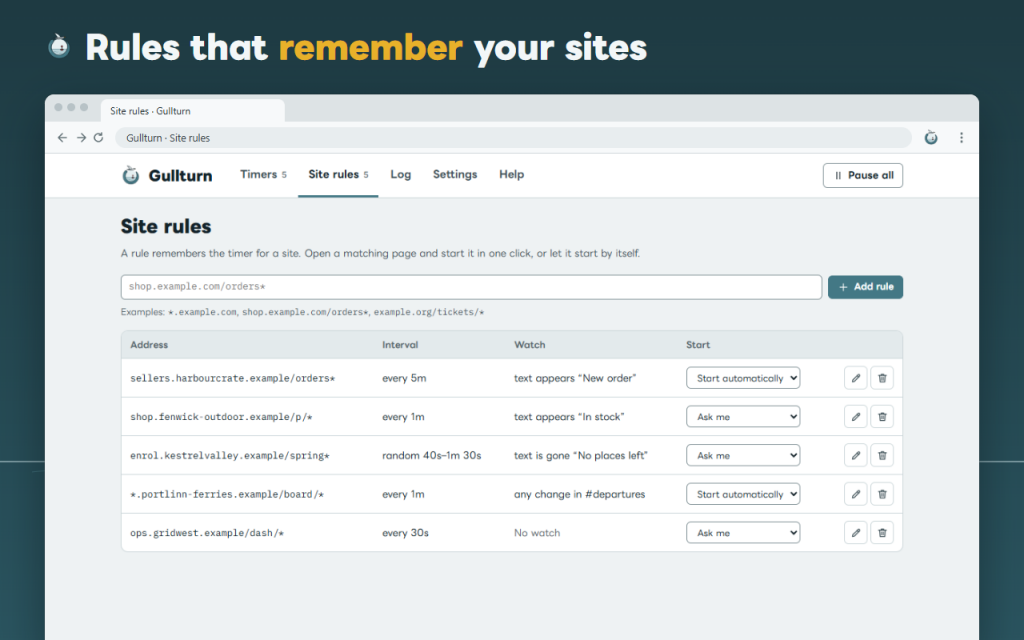
Site rules remember a timer for an address mask such as shop.example.com/orders*: start it in one click on a matching page, or let it start automatically. Rules and settings export to a JSON file. Each tab has its own timer, even when the same page is open twice. Hard refresh skips the cache.
Private by design: no account, no analytics, no network requests of its own. This version is free.
Works offline. Your data stays in your browser.
Permissions: alarms, storage, notifications, activeTab and contextMenus run timers, keep settings, show the alert and add the right-click item; scripting runs Gullturn’s own script on sites you allowed; offscreen (Opera only) plays the sound. Site access is optional, asked per site, only for watching and for waiting while you type.
Support: [email protected]
/ Notes
Auto refresh any tab on a timer from 1 second to 24 hours, and get a sound and a notification when the text you wait for appears.
Available as a browser extension.
Support · Contact the developer · Privacy Policy · Terms of Use
// GET THE APP