
Chimeyoke: Email Notifier
Email notifier for your browser
Free · Works offline · Your data stays in your browser · Edge
/ Screenshots
/ About Chimeyoke: Email Notifier
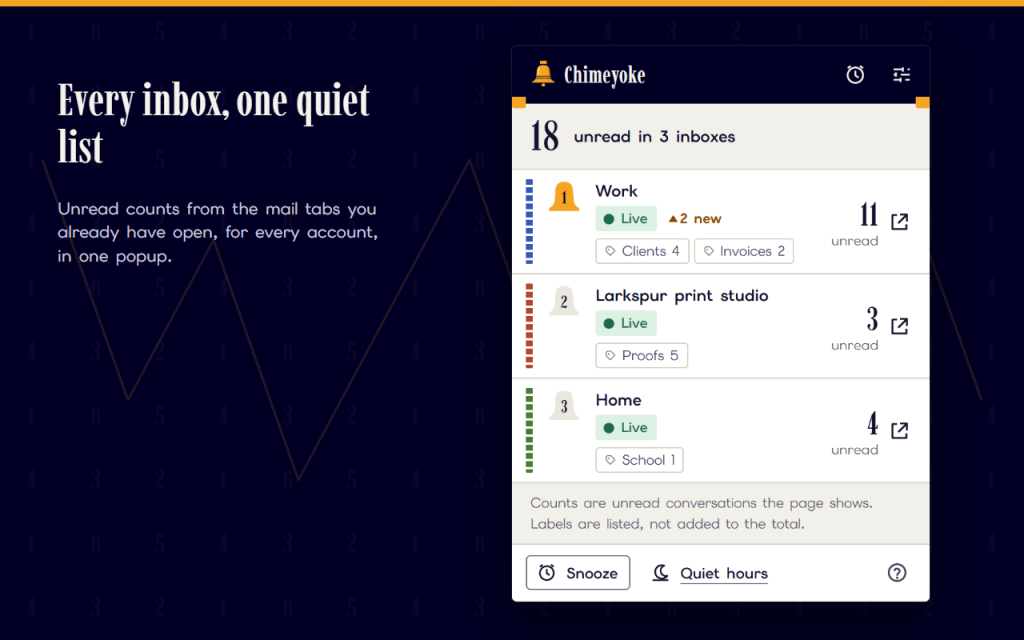
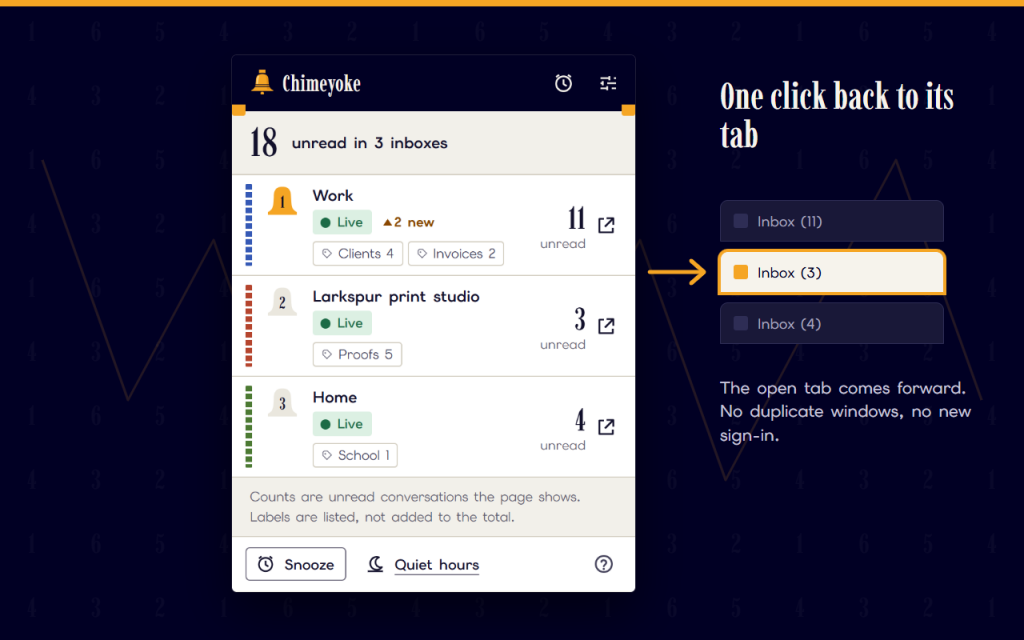
Chimeyoke is an email notifier for people with several inboxes: it follows unread counters in mail tabs you have already opened. Grant access, choose each inbox, and give it a local name. Click its row to return to the existing tab. New mail needs a network connection and an open, signed-in mail tab. Offline, settings and saved counts remain available.
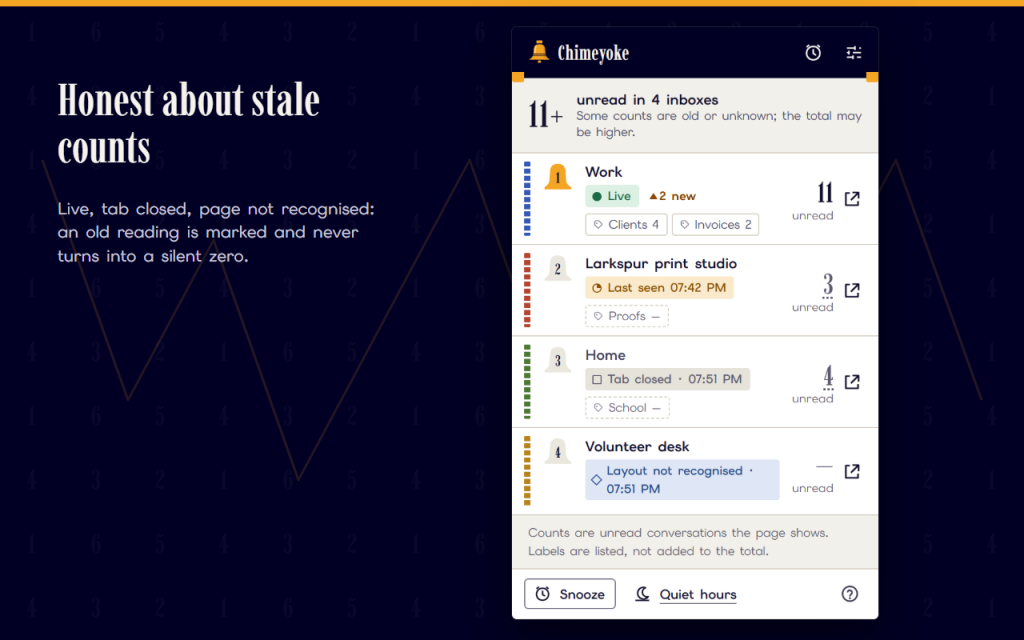
- Counts are unread conversations shown by the page, not a delivery log. Labels are listed, never added to the total. “99+” is a lower bound. Old or unknown readings are marked; they never become zero. An unchanged count can hide new mail replacing a read conversation. After a lost source returns, its first reading is a baseline without an alert.
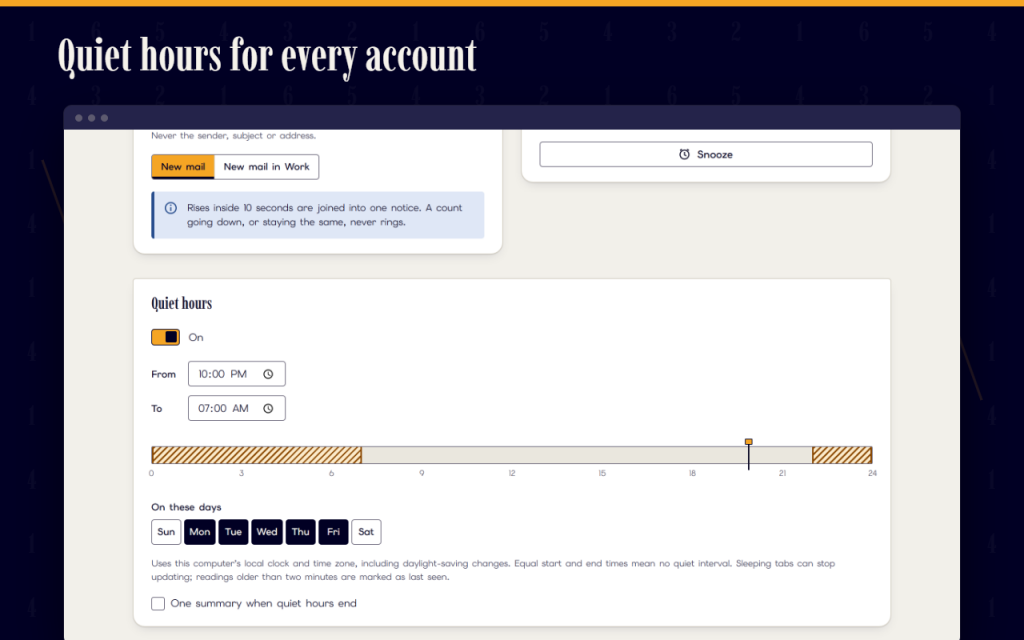
- Snooze pauses notices for 15, 30 or 60 minutes, or until a time you choose. Quiet hours use selected days and can cross midnight; the day is the day the interval starts. Counts keep updating. Snooze survives restart. No backlog is replayed; you can enable one summary after quiet hours. An increase is a signal, not a guarantee of every delivery.
- Everything is stored in this browser with storage.local. The exported JSON includes names, order, colours, label rules, schedules and local account fingerprints. Keep the file private. No data is sent to Zydeno or anyone else by the extension.
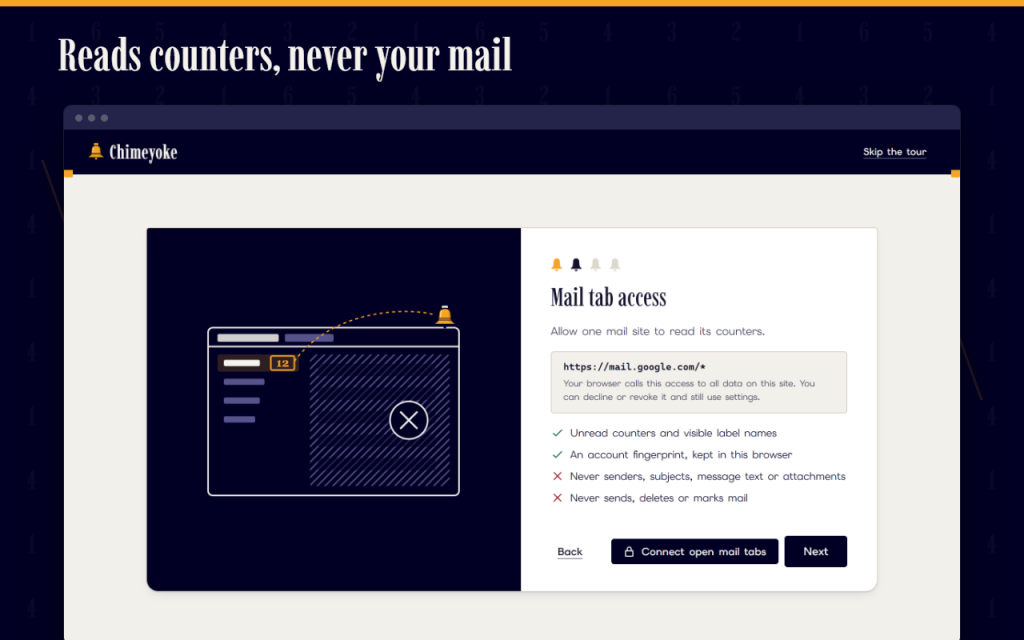
- No senders, subjects, message bodies or attachments are read. Only sidebar counters, visible label names and a fingerprint of the signed-in account are used. No mail is sent, deleted or marked. No cookies, passwords, account API, analytics or servers. Notifications hide account names by default. The extension never plays audio; system notification sounds are controlled by your operating system.
The browser describes this permission as access to all data on https://mail.google.com/*. The permission is broad within that site; Chimeyoke limits its own code to counters and account identification. You can decline or revoke it and still use settings. It does not grant access to other sites.
Works with Gmail tabs you have open in this browser. Not affiliated with Google.
/ Notes
Email notifier for mail tabs you already have open: unread counts for several accounts, quiet hours, snooze, local data.
Available as a browser extension.
Support · Contact the developer · Privacy Policy · Terms of Use
// GET THE APP