
/ 屏幕截图
/ 关于 Sedgeclasp: Password Manager
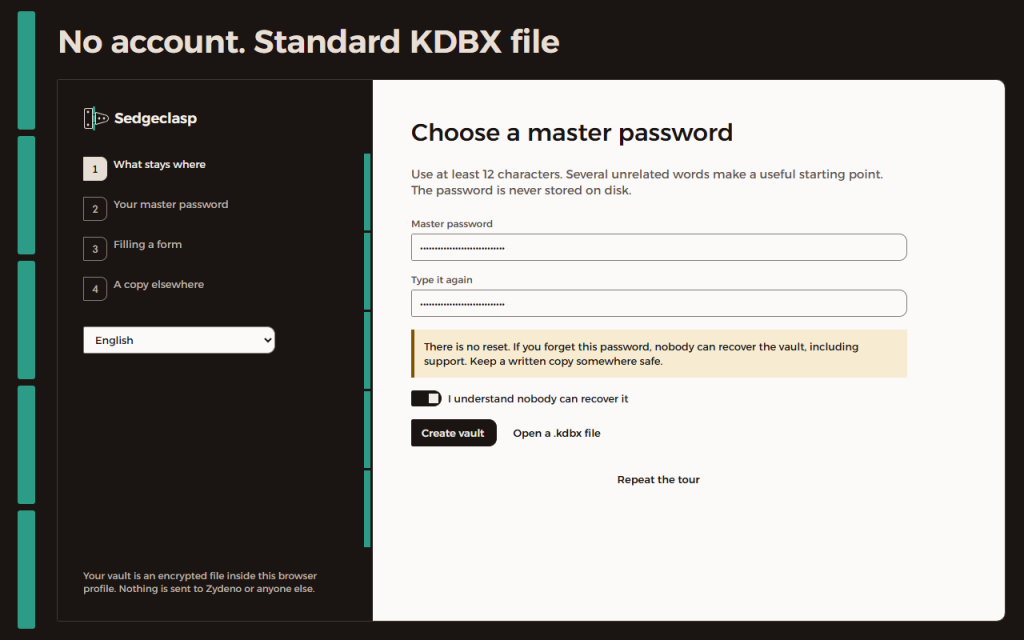
Sedgeclasp is a local password manager that keeps your logins in an encrypted vault inside your browser, with no account, server or desktop companion.
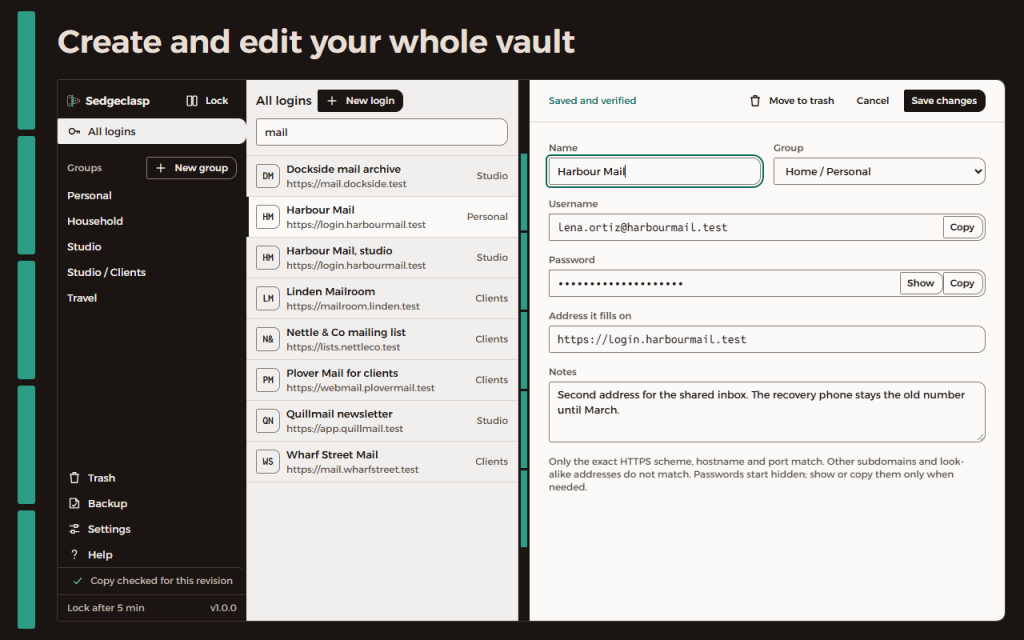
Create and edit logins and nested groups right in the extension, then find any account with search. The vault is a standard KDBX4 file protected by one master password, so names, addresses, notes and passwords all stay encrypted.
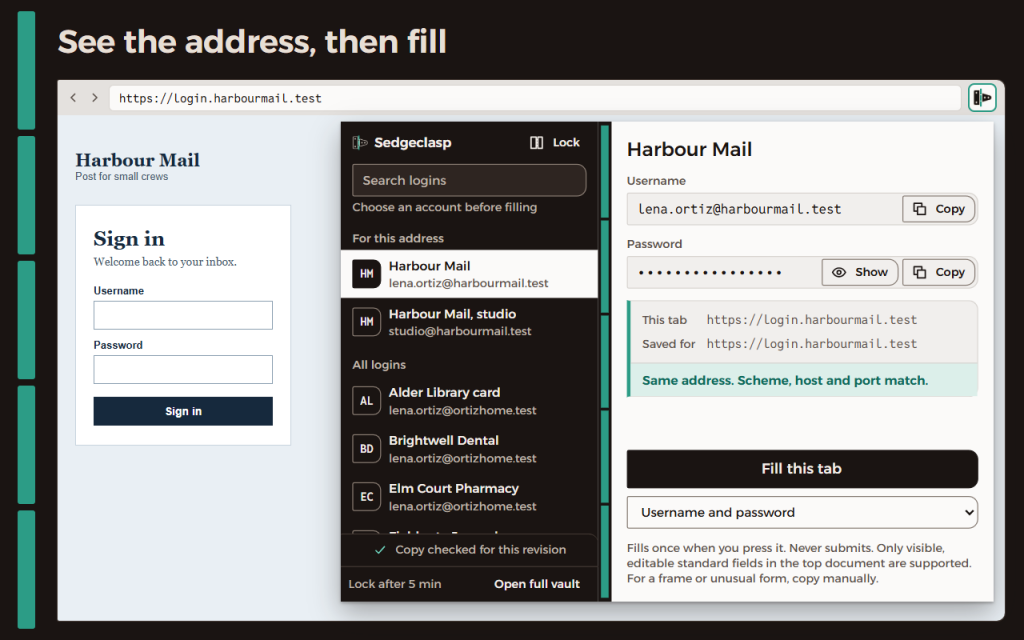
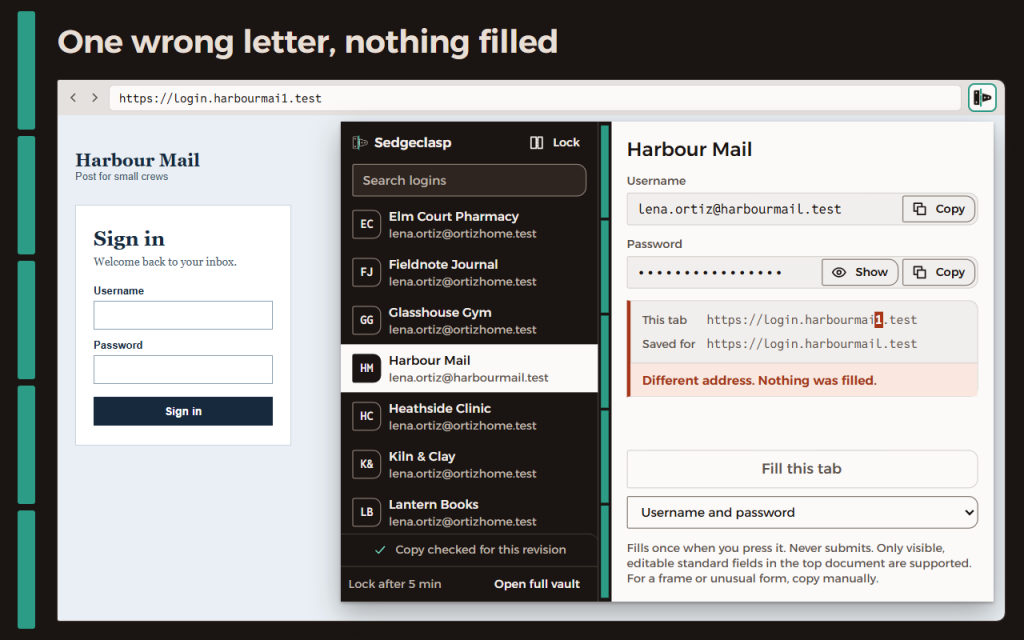
Filling happens only when you ask. Open the toolbar popup, choose an account and compare the address of the tab with the saved one. If a character differs, it is highlighted and the Fill button stays off. Forms are never submitted for you.
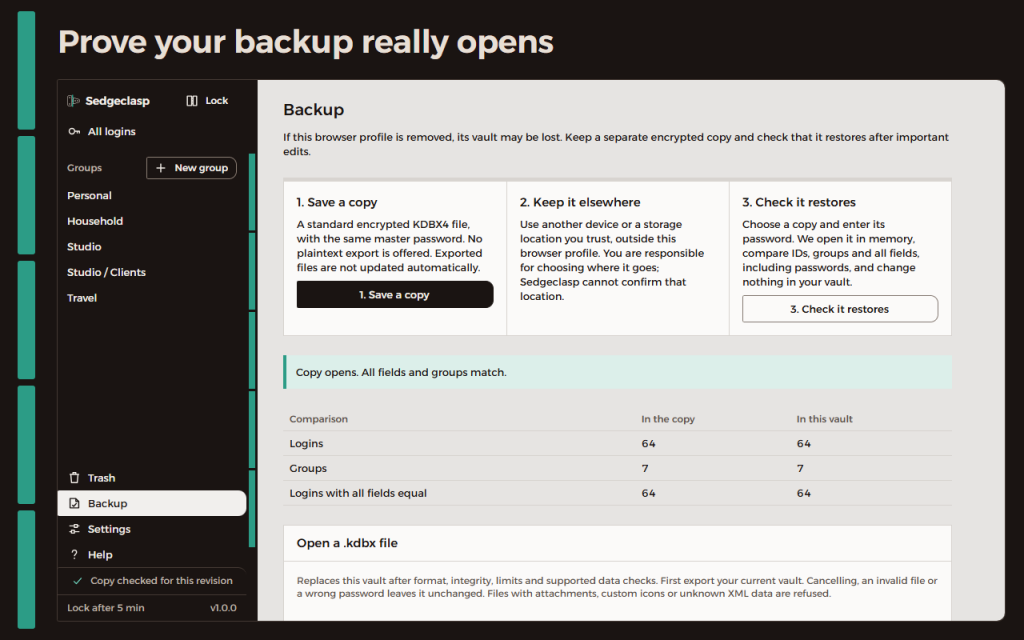
A backup only counts if it opens. Download an encrypted .kdbx copy, keep it outside this browser profile, then check it: Sedgeclasp opens the copy in memory and compares every field and group with your vault.
- Create, edit and search logins without registering
- Nest groups to separate personal, work and client accounts
- Fill only on the exact HTTPS address, after you press the button
- See the exact character that differs on a look-alike address
- Move logins to the trash, restore them or undo a change
- Open standard KDBX4 files and save encrypted copies
- Lock by hand or automatically after 1, 5 or 15 minutes
- Change your master password at any time
- Use keyboard shortcuts, light and dark themes and 16 languages
Works offline. Your data stays in your browser. This version is free, without ads.
Good to know: there is no password reset, so keep your master password safe. Keep the full vault tab open while using the popup; closing it or restarting the browser locks the vault. Removing the extension or browser profile can remove the only copy of your vault, so keep a backup. There are no passkeys, sync, password generator, keyfiles or universal autofill, and files with attachments or custom icons are refused. Only standard forms in the top HTTPS document are filled, and the chosen site can read the fields you insert.
Permissions: storage keeps the encrypted vault and settings in your browser; activeTab gives temporary access to the current tab when you use the toolbar button; scripting inserts the chosen login into that tab once.
// 获取应用程序