/ 屏幕截图
/ 关于 Nightsorrel: Dark Mode for Websites
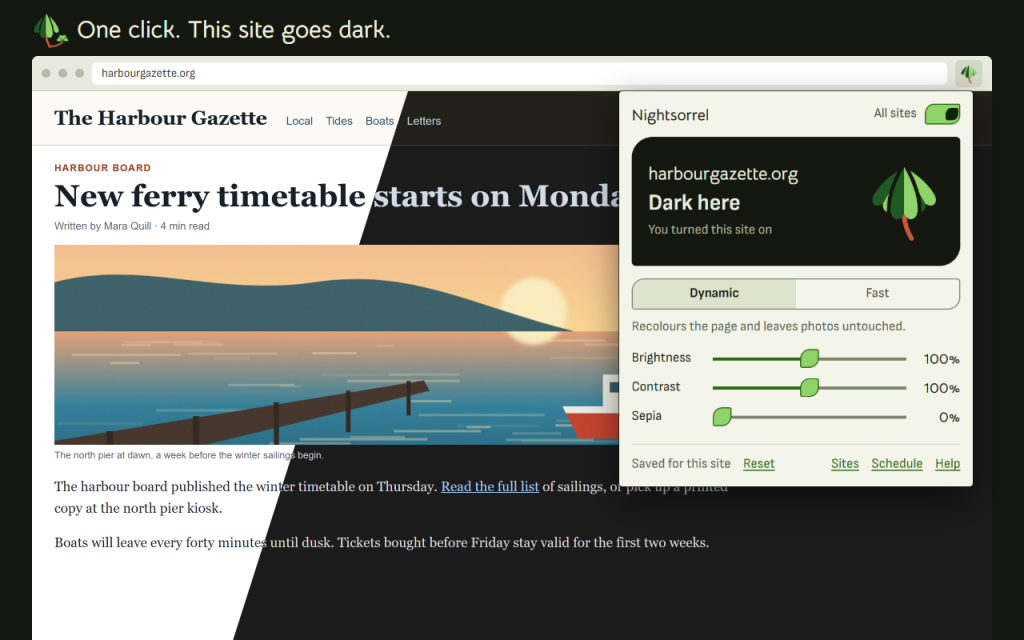
Dark mode for any website, switched on with one click. Nightsorrel darkens the page you are on and remembers your choice for that site.
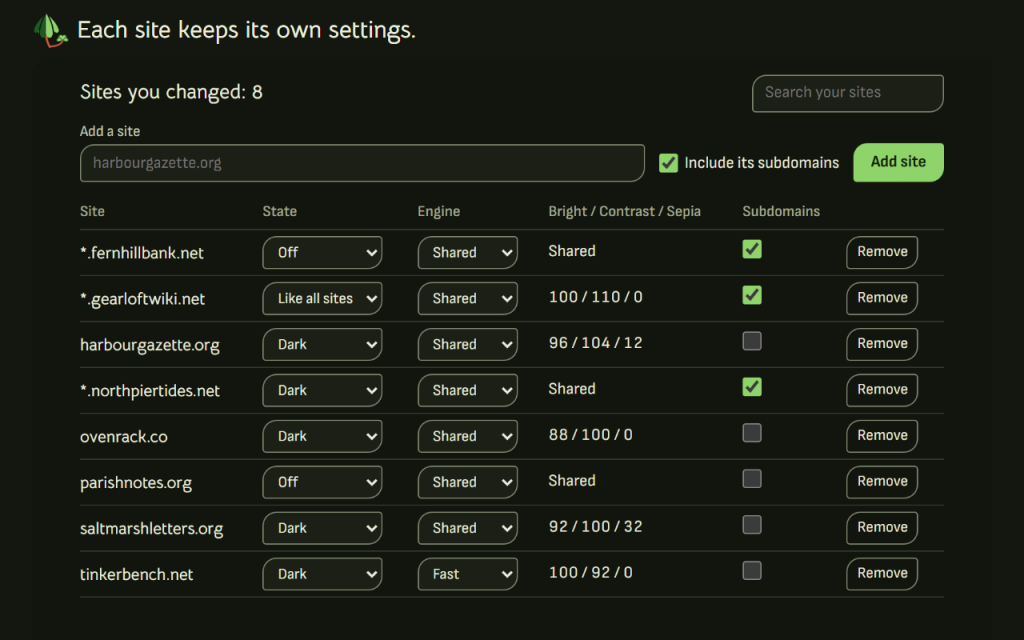
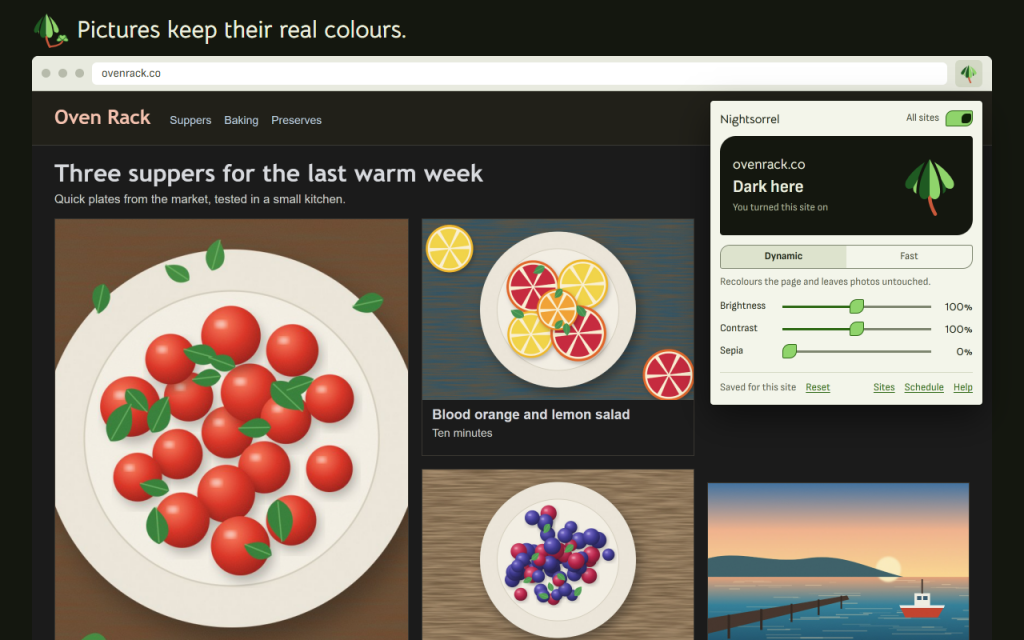
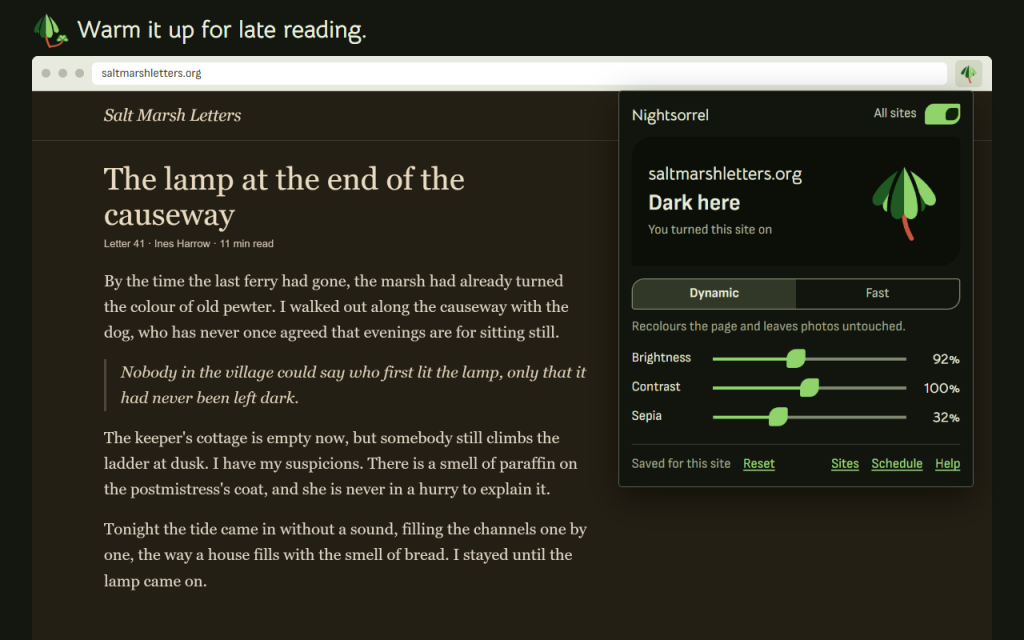
Each site keeps its own look. Brightness, contrast and sepia are saved for that site. With the default Dynamic engine, pictures, video and canvas keep their real colours; a slider you move applies to the whole page, pictures included.
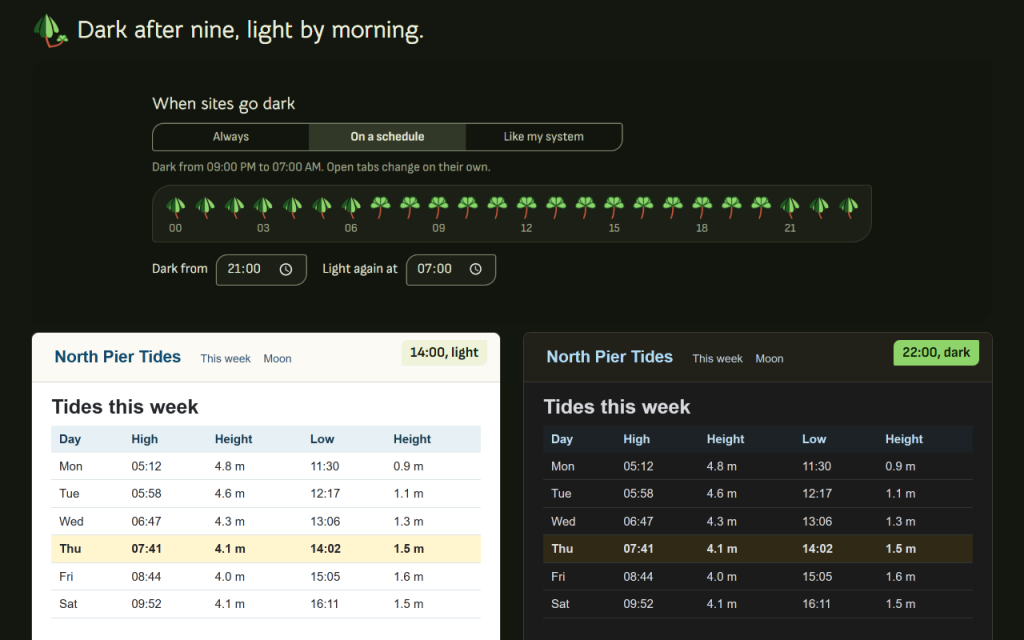
Set the hours once. Sites go dark in the evening and light again in the morning, and open tabs change on their own. You can also follow the light or dark theme of your system.
您可以采取的措施
- Turn the dark theme on or off for the current site with one click
- Use the All sites switch, and a site list where you can add, search and remove sites, with or without their subdomains
- Set brightness, contrast and sepia, saved separately for each site
- Choose between two engines: Dynamic, the default, recolours the page and leaves images, video and canvas untouched; Fast inverts the page at once
- Set a schedule, including hours that cross midnight, or follow the light or dark theme of your system
- Sites that are already dark are left alone
- Human-check frames ("I am not a robot") stay untouched, so they keep working
- Use a keyboard shortcut for the current site
- Export your settings to a file and import them again
- Use it in 16 languages
Some pages cannot be changed by any add-on, such as the browser's own pages, its PDF viewer and add-on stores. The help page lists them.
Works offline. Your data stays in your browser. There is no analytics, and nothing is sent to anyone.
Access to sites is optional. You can allow all sites, allow one site at a time, or allow none and darken one tab at a time with a click. The access is used only to change colours on the page. The other permissions keep your settings (storage), apply the theme (scripting) and wake the schedule (alarms).
// 获取应用程序