BristleTray: Image Saver & Moodboard
图片收藏与灵感板
免费 · 支持离线使用 · 您的数据保存在浏览器中 · Edge
/ 屏幕截图
/ 关于 BristleTray: Image Saver & Moodboard
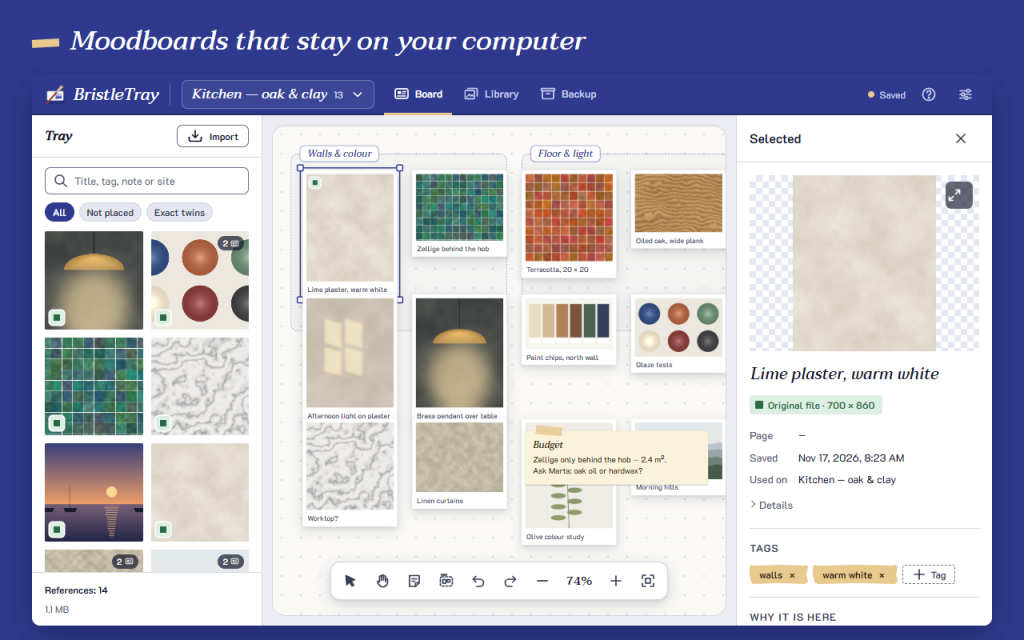
BristleTray is an image saver and offline moodboard: collect pictures from any page and arrange them freely on boards. It keeps every picture together with the page it came from, so a reference never loses its source.
您可以采取的措施
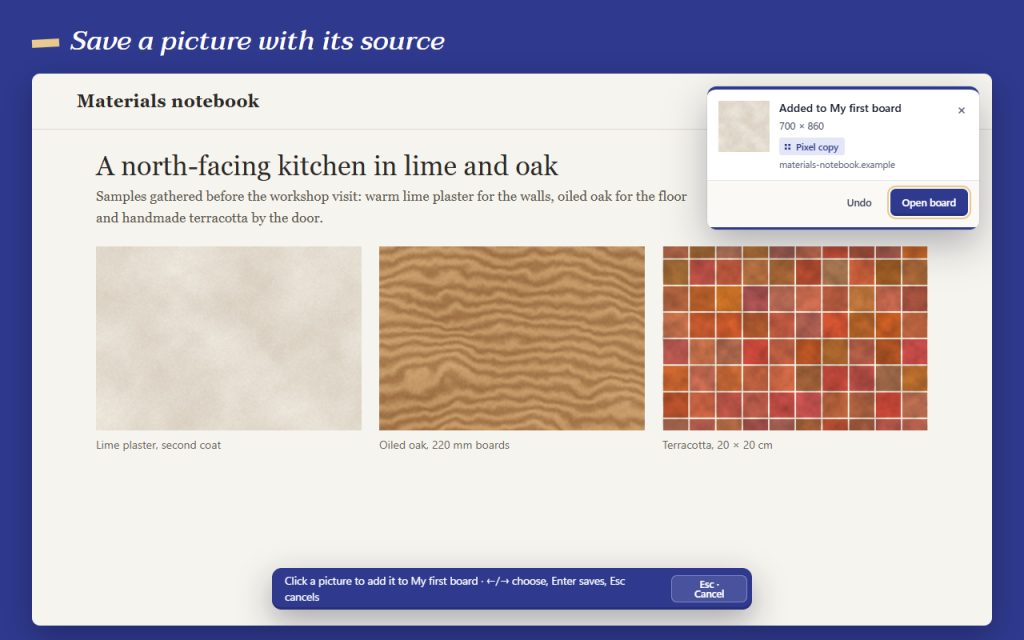
- Save a picture you see on a page in two clicks, with its source link.
- Import your own PNG, JPEG and WebP files.
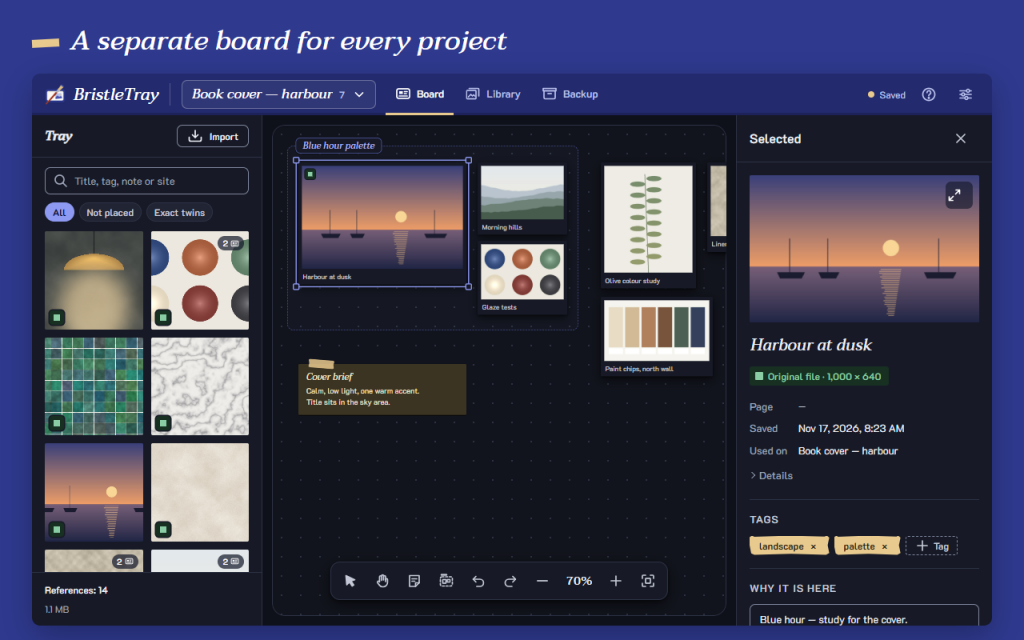
- Arrange pictures freely on a board: move, resize, layer and group them.
- Add notes and tags right next to your references.
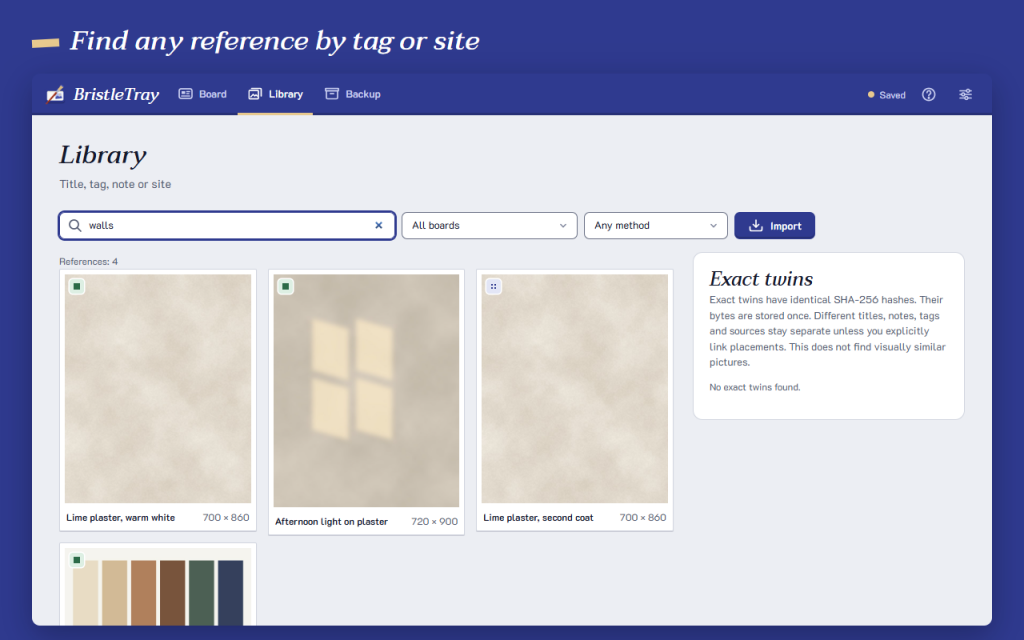
- Find any picture by tag, note or source site.
- Spot exact duplicates, so the same file is stored only once.
- Keep a separate board for each project, room or client.
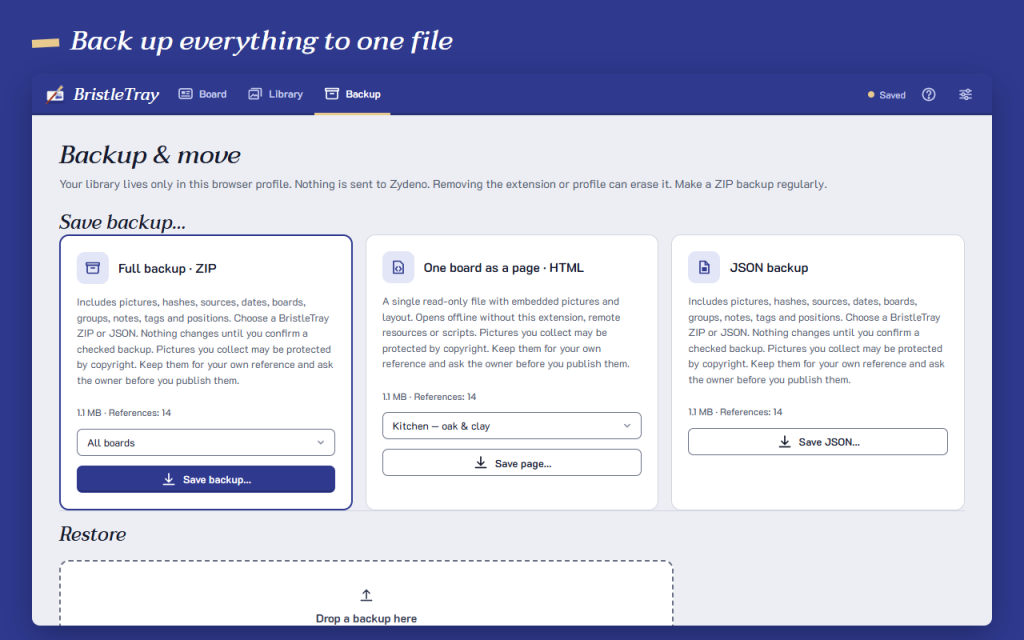
- Back up the whole library to one ZIP file, or share a board as a single HTML page.
How it works: open a page, press the BristleTray button and click the picture you want. It is saved to your library together with its source, ready for any board. Boards open in a full browser tab, with room to lay out a whole project.
Made for illustrators, designers and anyone planning a room or a renovation: one place for your references that works without an internet connection.
Your library stays in this browser. No account, no ads, no tracking, nothing is sent anywhere. The extension acts only when you press its button or use the right-click menu.
This version is free. Pictures you collect may be protected by copyright: keep them for your own reference and ask the owner before you publish them.